

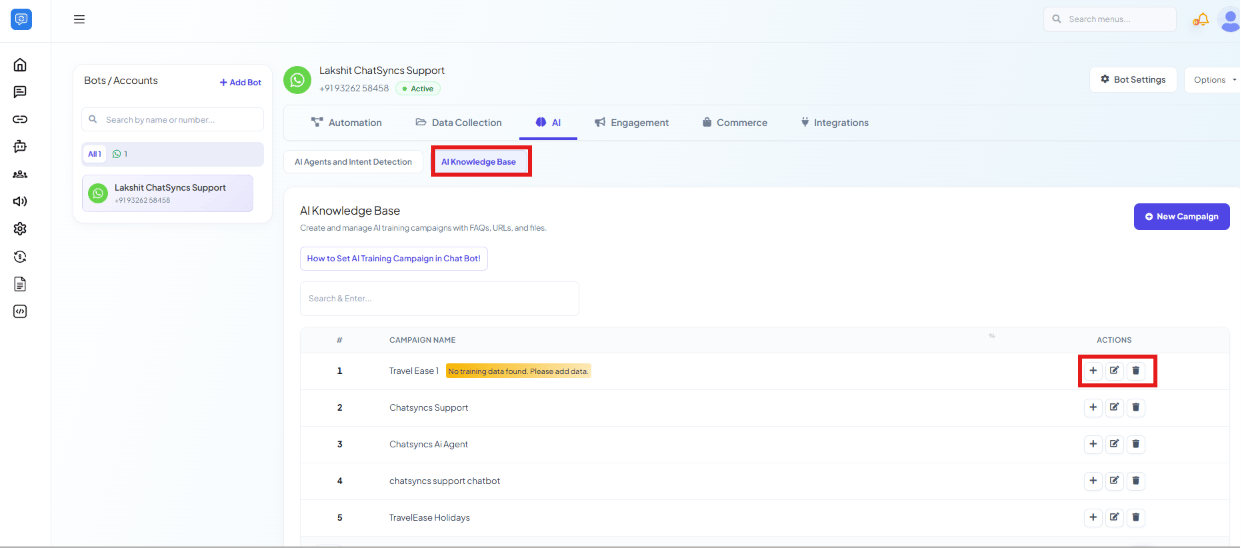
Chatbot Manager → AI → AI Knowledge Base, with the add-content icon highlighted on a campaign with no training data yet.
Creating a campaign
Name the campaign
Customer Support.Write the Prompt Message
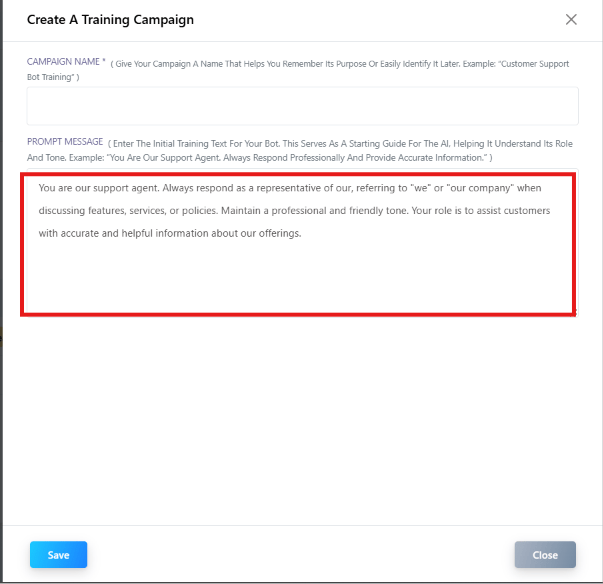
“You are our support agent. Always respond as a representative of our [company], referring to ‘we’ or ‘our company’ when discussing features, services, or policies. Maintain a professional and friendly tone. Your role is to assist customers with accurate and helpful information about our offerings.”This is separate from the Instruction to AI field under AI API Integration on the AI Agents and Intent Detection page: that one sets the assistant’s overall behavior across the whole account, while the Prompt Message here is specific to this campaign’s content and role.
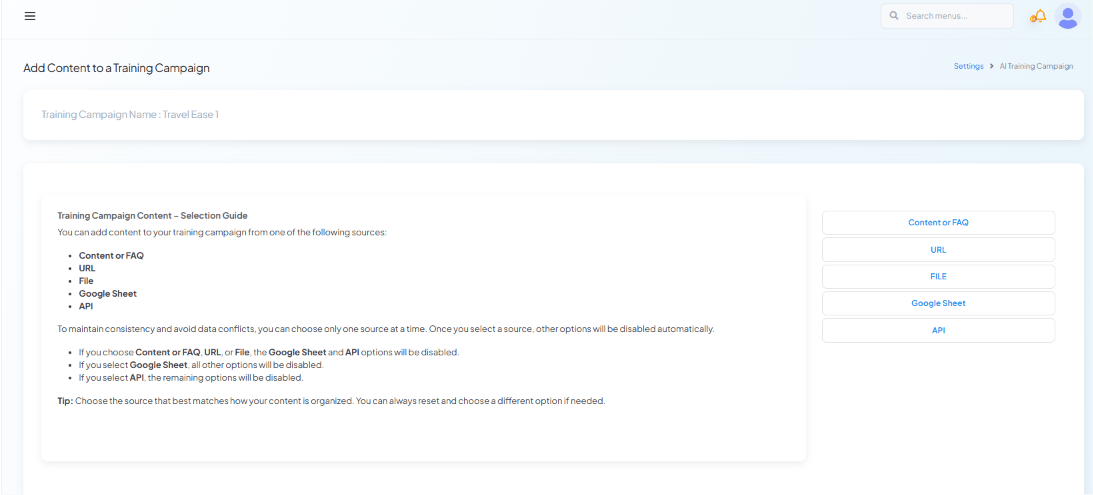
Choose one content source
- Content or FAQ — type or paste text/Q&A pairs directly.
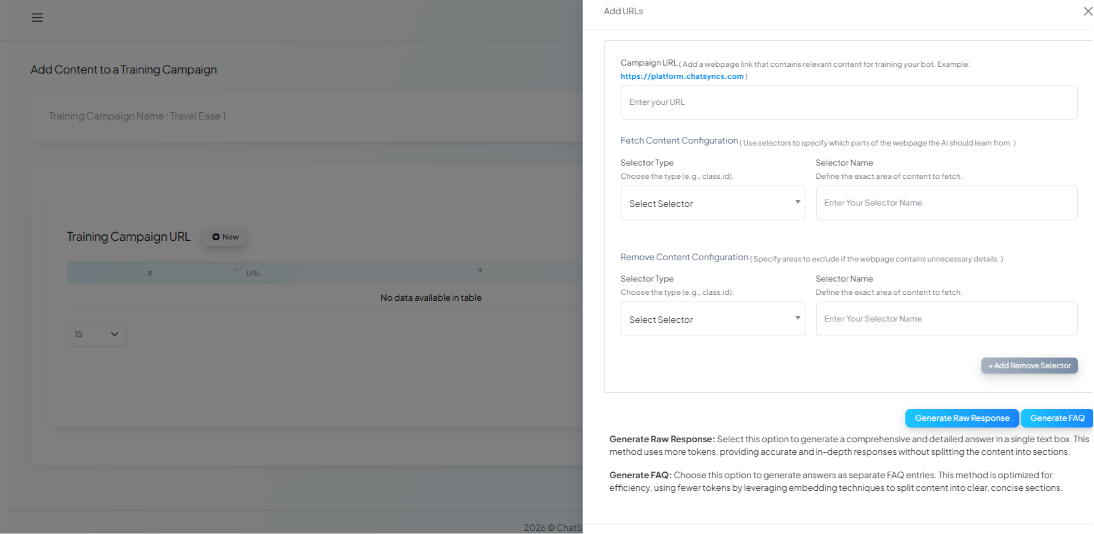
- URL — point at a page (e.g. an FAQ or docs page) to pull content from.
- File — upload a document.
- Google Sheet — pull structured content from a connected sheet.
- API — pull content dynamically from one of your configured HTTP APIs.
- Choosing Content or FAQ, URL, or File disables Google Sheet and API.
- Choosing Google Sheet disables all other options.
- Choosing API disables the remaining options.
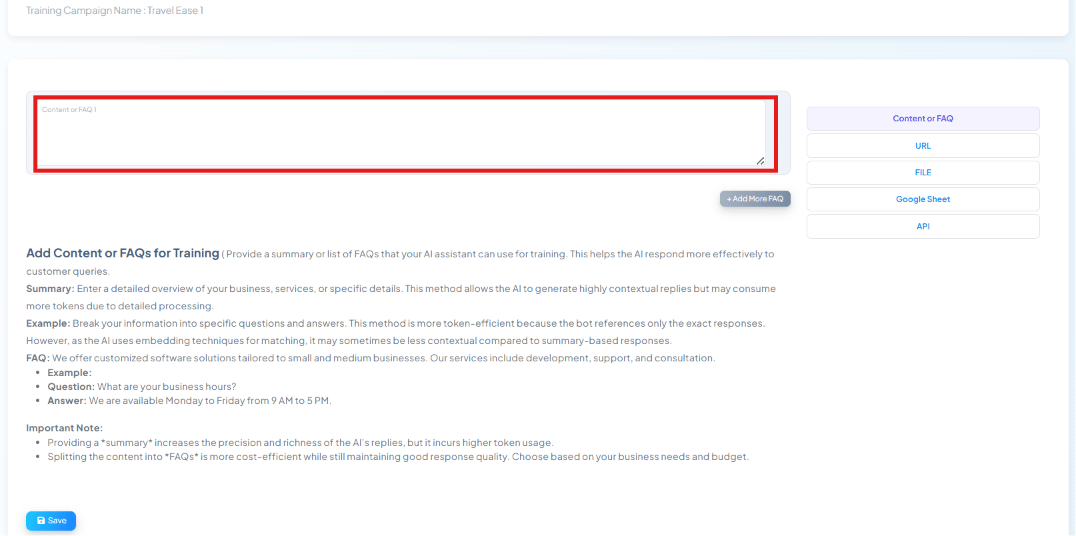
Content or FAQ
Add Content or FAQs for Training — a free-text box for a summary or FAQ list, with Add More FAQ to add additional entries.
URL
Add URLs — a page link plus optional selectors to include or exclude specific parts of the page.
File
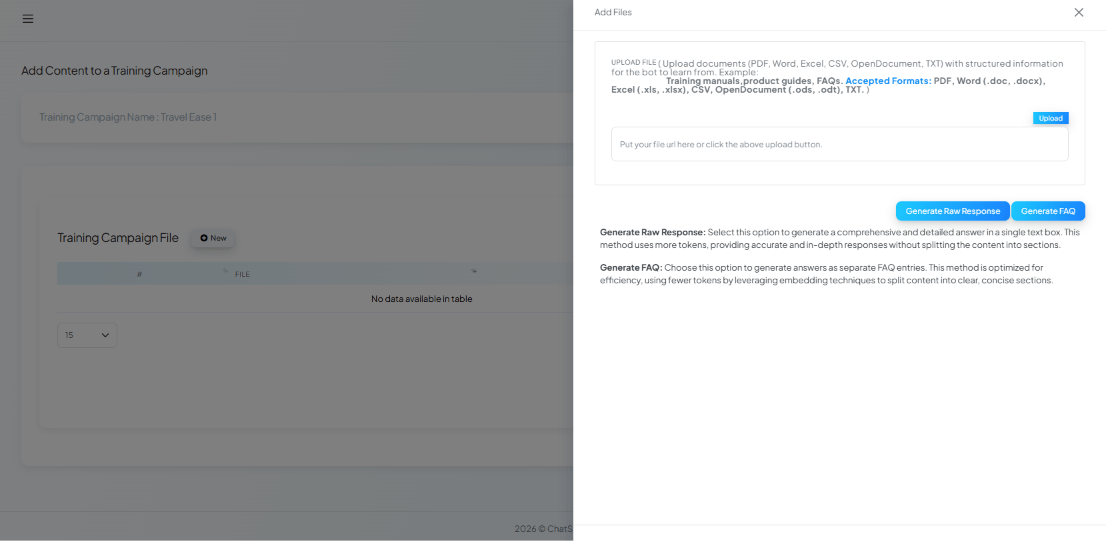
Add Files — upload a document (PDF, Word, Excel, CSV, OpenDocument, or TXT).
.doc/.docx), Excel
(.xls/.xlsx), CSV, OpenDocument (.ods/.odt), or TXT. Same Generate Raw Response /
Generate FAQ choice applies once uploaded.
Google Sheet
Add Google Sheet — pick a connected sheet to import as training content.
API
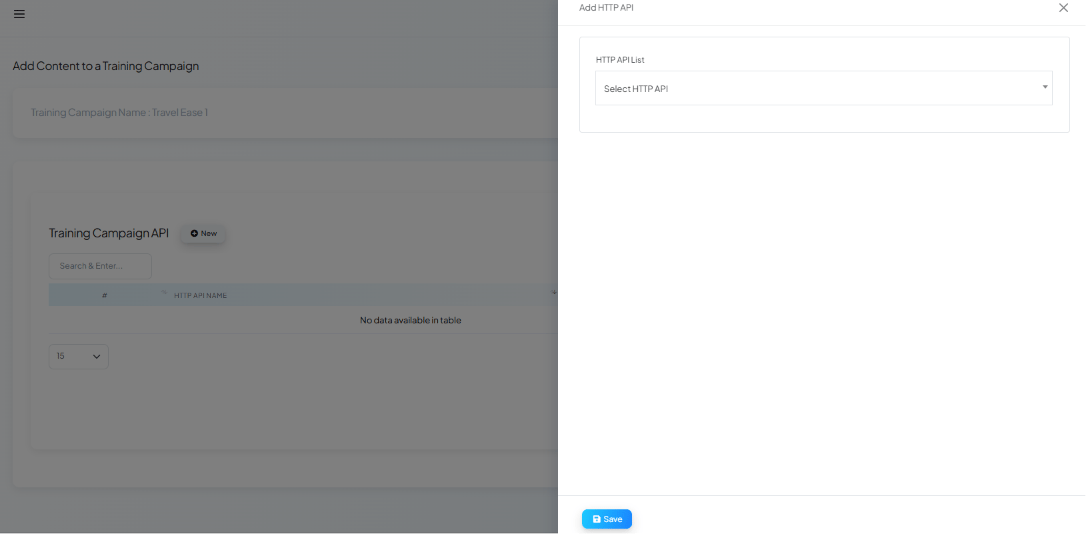
Add HTTP API — pick one of your configured HTTP APIs as a dynamic training source.
Google Account permissions this needs
If you plan to use Google Sheet as a training source, or want subscriber contacts synced alongside it, make sure the connected Google account granted both the Sheets and Contacts permissions during sign-in — granting only Sheets access will leave contact-dependent features without data.Use cases
- Customer support — answer common questions the way a trained support agent would, in the business’s own voice.
- Product information — ground answers in the business’s actual catalog or specs instead of generic AI guesses.
- Internal documentation — let staff-facing bots answer from internal wikis or SOPs.
- Business FAQs — turn an existing FAQ page or document directly into AI training content.
Frequently asked
How do I make the AI assistant answer based on my own business info instead of generic answers?
How do I make the AI assistant answer based on my own business info instead of generic answers?
Can I add my FAQ page URL and a Google Sheet to the same campaign?
Can I add my FAQ page URL and a Google Sheet to the same campaign?
What's the difference between the Prompt Message here and Instruction to AI under AI API Integration?
What's the difference between the Prompt Message here and Instruction to AI under AI API Integration?
My campaign says 'No training data found' — why aren't AI replies using it?
My campaign says 'No training data found' — why aren't AI replies using it?
Learn From a Use Case
- Travel Assistant — stores the business’s company info, destinations, pricing, and FAQs that the AI Agent answers from.