

Why this matters
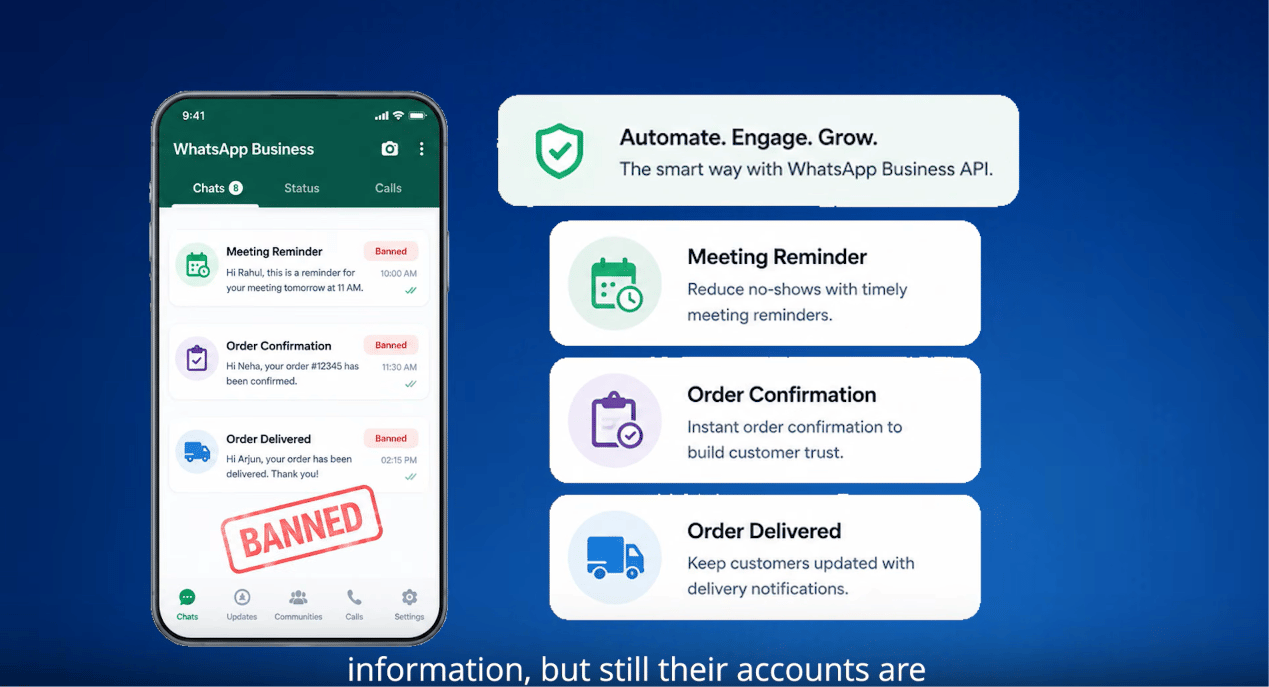
The one idea that matters
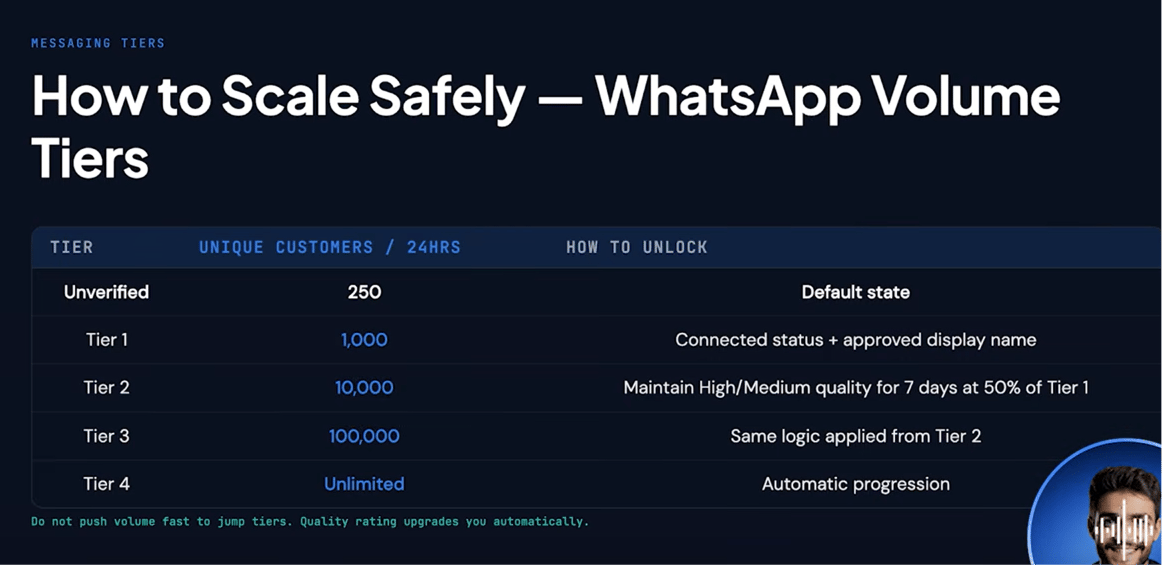
WhatsApp doesn’t ban you for sending too many messages. It bans you for sending messages people didn’t want. A high reply rate is your protection; a high block rate is what kills you.10,000 messages a day with a 45% reply rate is safer than 100 messages a day at a 3% reply rate. Volume is not the enemy. Irrelevance is.
Why accounts actually get banned
There are three official reasons, plus a behavioral layer WhatsApp’s systems track underneath all three.1. Messaging people without consent
This is the single most important rule in WhatsApp’s Business Messaging Policy:“You may only contact people on WhatsApp if: (a) they have given you their mobile phone number; and (b) you have received opt-in permission from the recipient confirming that they wish to receive subsequent messages or calls from you.”Most bans trace back to exactly this — a business buys a contact list, scrapes numbers, or messages people who never asked to hear from them. When someone didn’t opt in, they block the number or report it as spam. Those blocks and reports are what actually trigger enforcement.
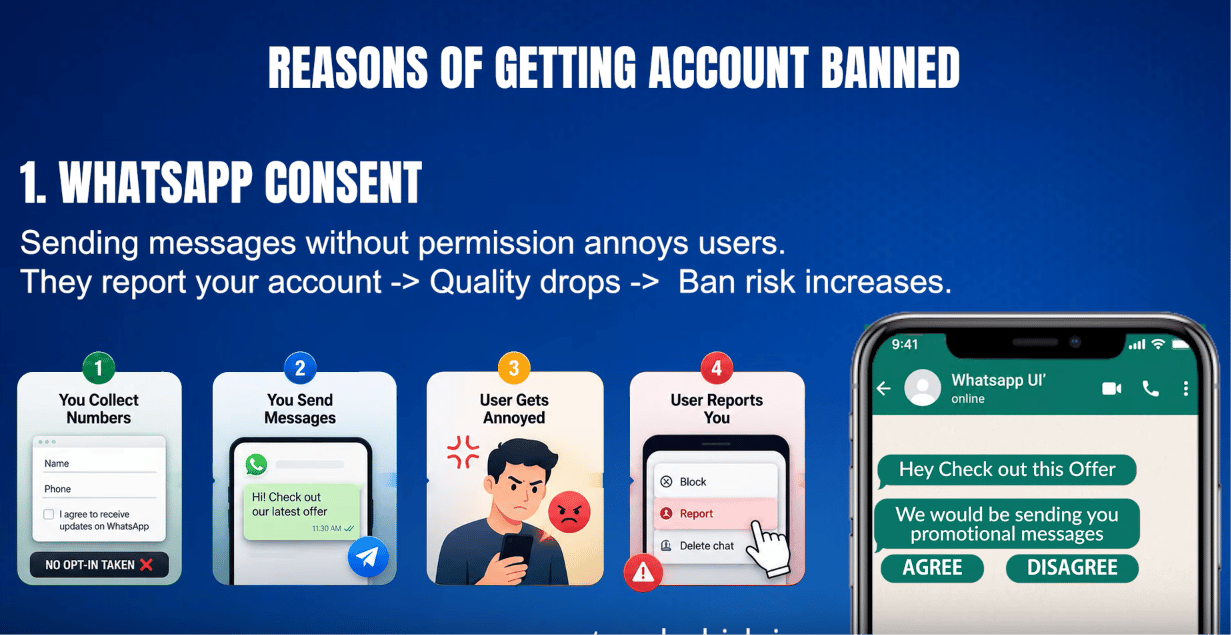
No opt-in taken → message sent → user gets annoyed → user reports the account.
2. Blocks and reports damaging the quality rating
Every block or spam report is a negative signal that feeds into a number’s Quality Rating (Green / Yellow / Red). WhatsApp’s own policy states plainly that “systems will limit the amount of messages a business can send if the business’ quality tier is low for a sustained period of time.” As a rough, real-world (not officially published) guideline: crossing a block rate around 2% of everyone messaged is typically where a rating starts slipping toward Red. Once a number is Red, there’s usually about a 7-day window to fix things before messaging gets restricted.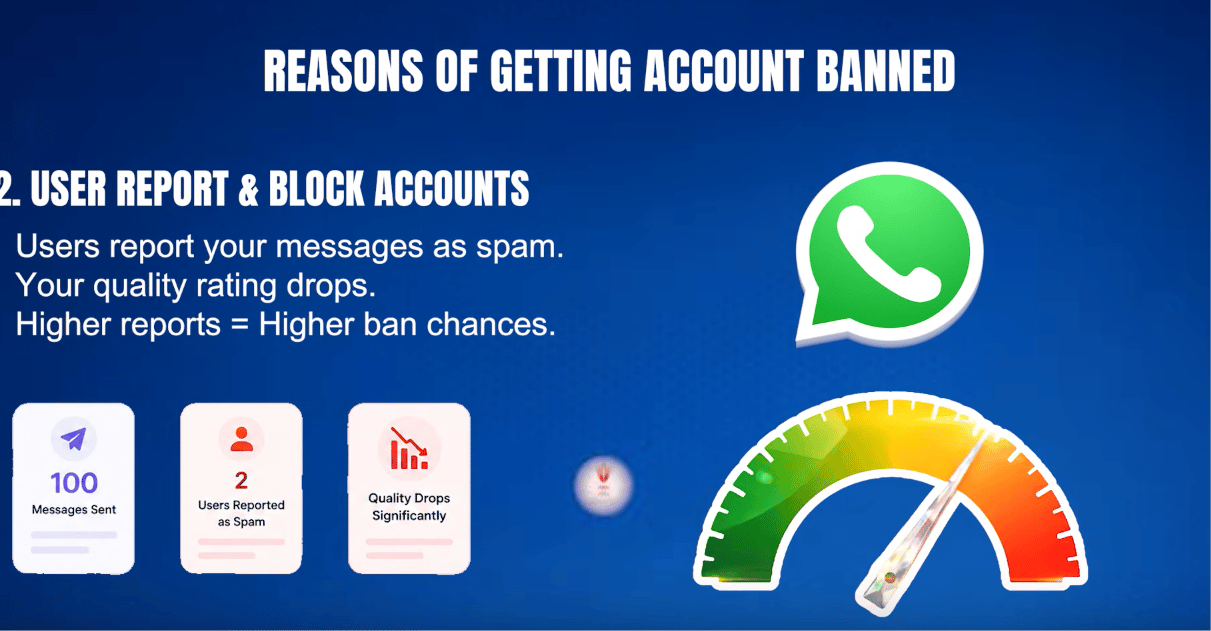
100 messages sent, 2 reported as spam — enough to send quality sliding toward Red.
3. Prohibited business categories
Some categories are never allowed on WhatsApp Business, regardless of opt-in or quality rating:- Cryptocurrency and ICOs — high fraud risk and largely unregulated, so Meta blocks the category outright rather than trying to police individual scams.
- Real-money gambling — betting, lotteries, and casino-style apps are restricted regardless of local legality.
- Adult content and dating services — restricted regardless of how the business frames it.
- Multi-level marketing — recruitment-based “join and earn” business models are blocked, not just outright pyramid schemes.
- Payday loans and debt collection — predatory or high-pressure lending/collection practices.
- Drugs — prescription or recreational — Meta generally prohibits the promotion, sale, or facilitation of prescription drugs and recreational drugs through WhatsApp Business and other Meta commerce products. This includes ordinary prescription medicines, not just illegal drugs. Businesses must comply with Meta’s Commerce Policies and applicable laws.
- Firearms — weapons, ammunition, and related accessories.
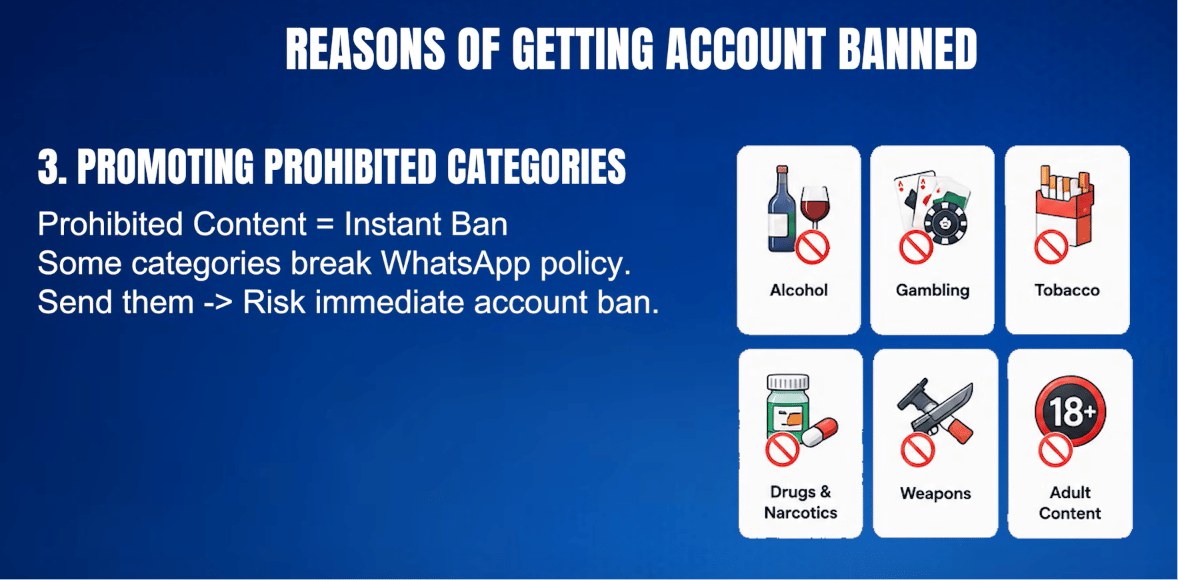
These categories break WhatsApp policy outright — sending them risks an immediate ban regardless of opt-in or quality rating.
The behavioral signals underneath all three
WhatsApp uses machine-learning systems to flag abusive behavior at scale, without publishing exact thresholds. Based on real-world usage patterns (not an official Meta number), the signals that most consistently get accounts flagged are:- High send volume with a low reply rate — a lot of messages that almost nobody responds to reads as spam to the system.
- The same message sent to many contacts at once, especially contacts who never messaged first.
- Sudden volume spikes — jumping from 50 messages a day to 5,000 overnight is a red flag.
- Messages to contacts who then block or report — the clearest negative signal there is.
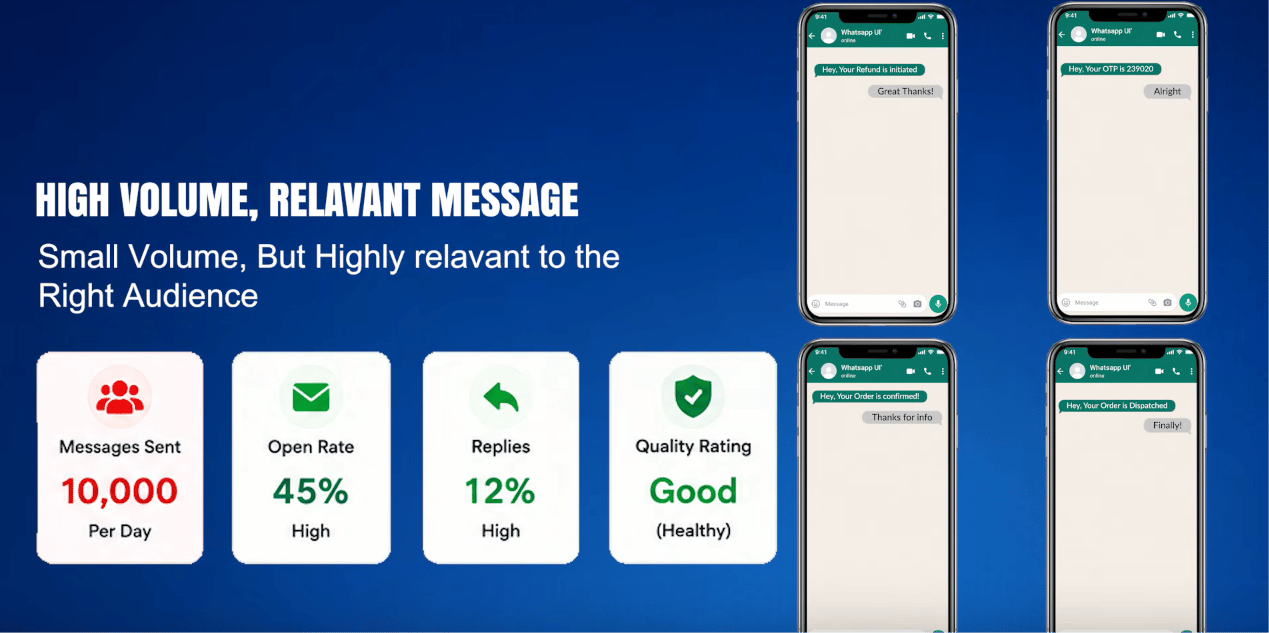
High volume, but relevant: 10,000 messages/day, 45% open rate, 12% replies, Quality Rating Good.
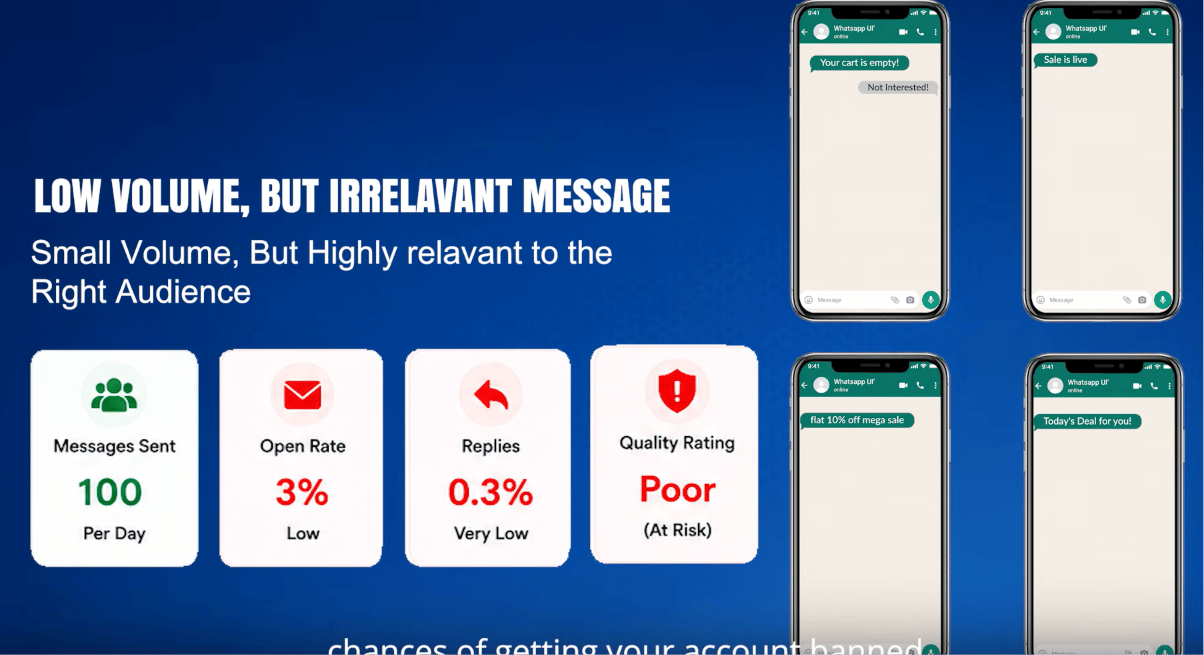
Low volume, but irrelevant: only 100 messages/day is still enough to tank quality if nobody engages.
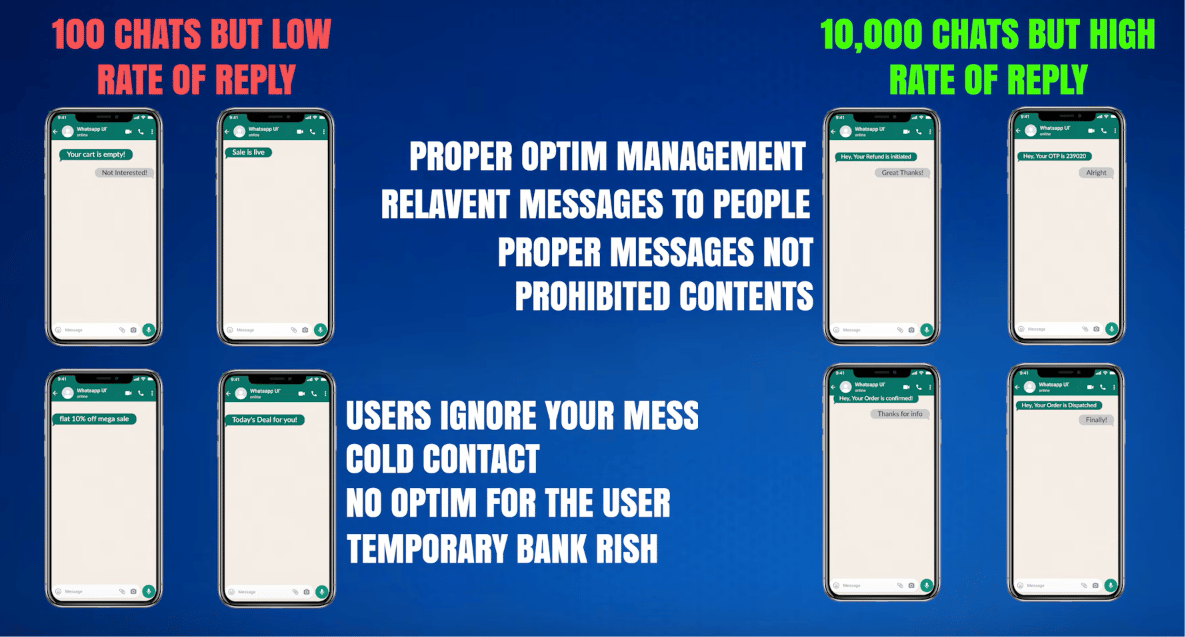
The difference isn't volume — it's whether the audience actually wants the message.
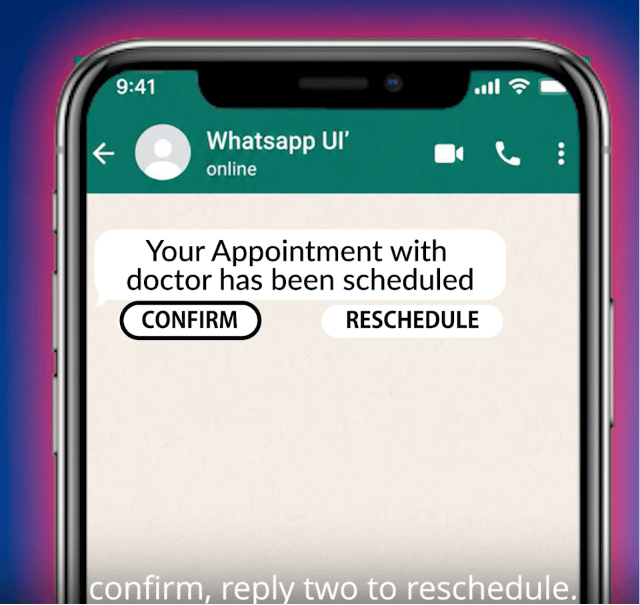
Reply 1 to confirm, 2 to reschedule — a message designed to invite a response instead of silence.
The unofficial API risk (Baileys, WPPConnect, and similar)
Tools that reverse-engineer WhatsApp Web to send messages without Meta’s official API are cheap and quick to set up — but they explicitly warn against the exact use case most businesses want them for. Baileys’ own README says: “We discourage any stalkerware, bulk or automated messaging usage.” WhatsApp’s own help documentation is just as direct about the risk of using them at all: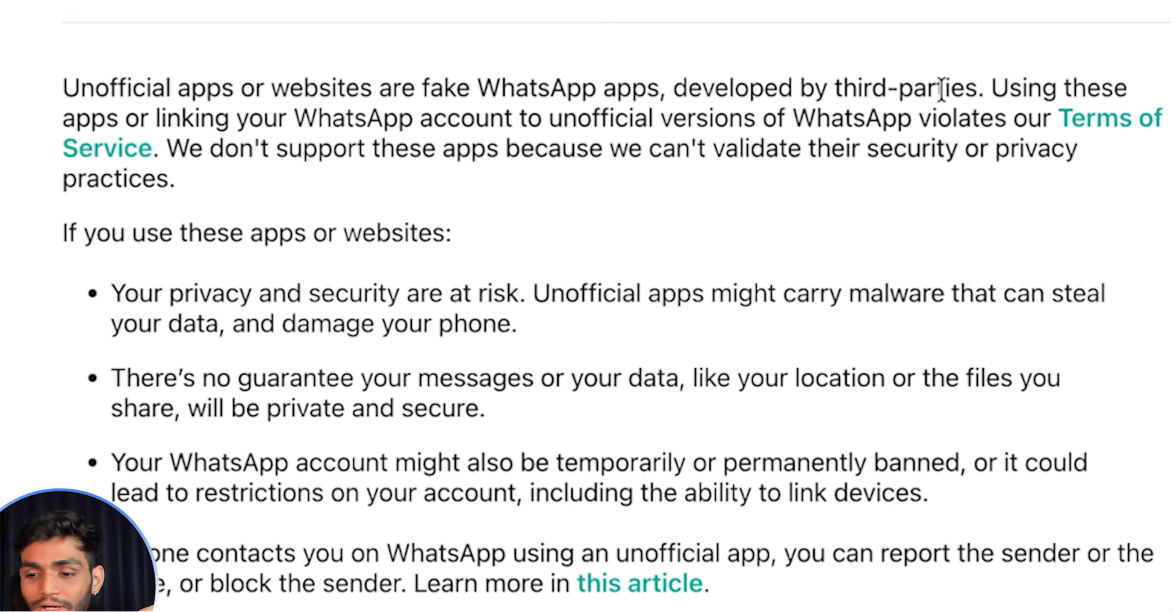
From WhatsApp's own Help Center: unofficial apps aren't supported, and using them risks a ban.
- An unofficial-API bot that only replies to incoming messages: under 2% annual ban risk.
- An unofficial-API bot that proactively messages people: roughly 15–30% annual ban risk.
The 7 rules to stay safe
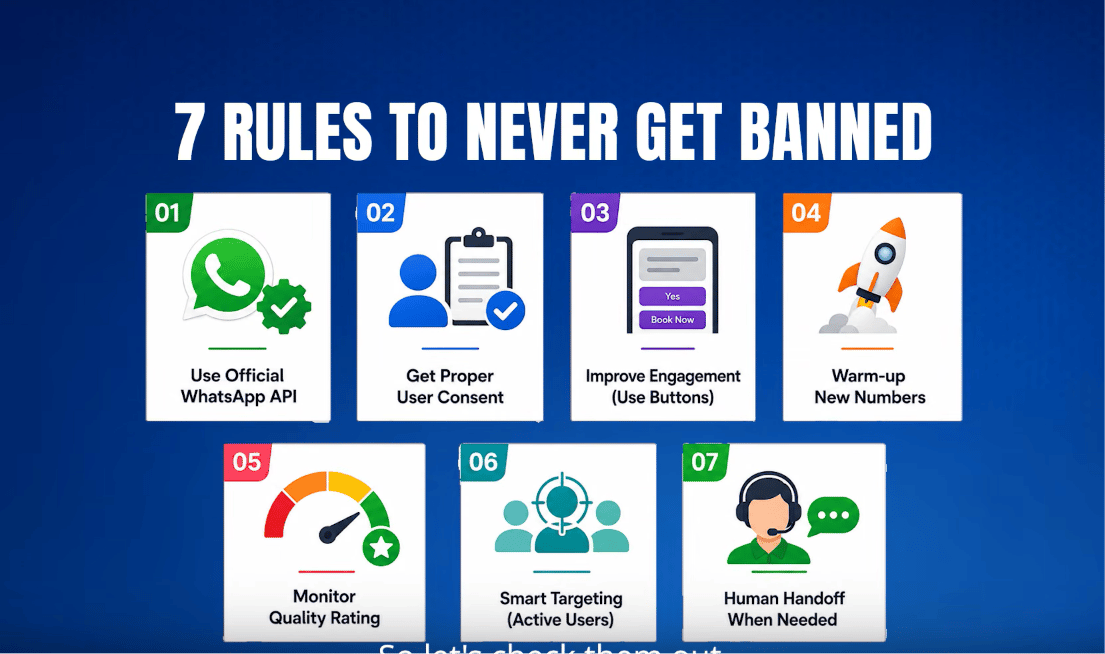
-
Official API only — never an unofficial QR-based connection. Template pre-approval and
business verification exist specifically to prevent the kind of content bans that unofficial
tools can’t protect against.
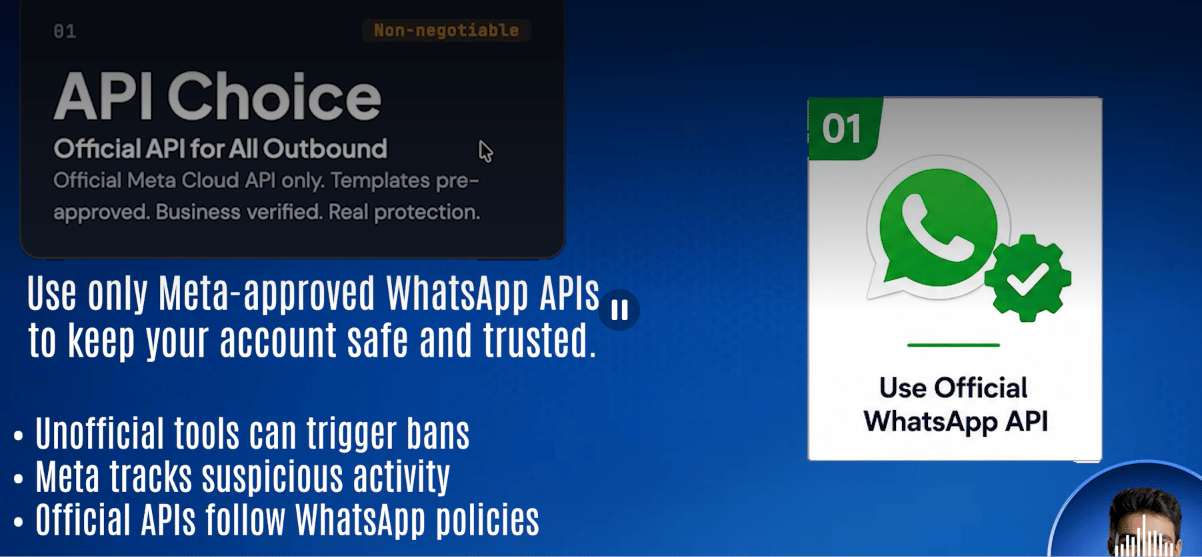
-
Real opt-in, not a checkbox — “I want to receive order updates and promotions via
WhatsApp” is real consent; “I agree to the terms and conditions” buried in fine print is
not. This one rule prevents the largest share of reports and blocks.
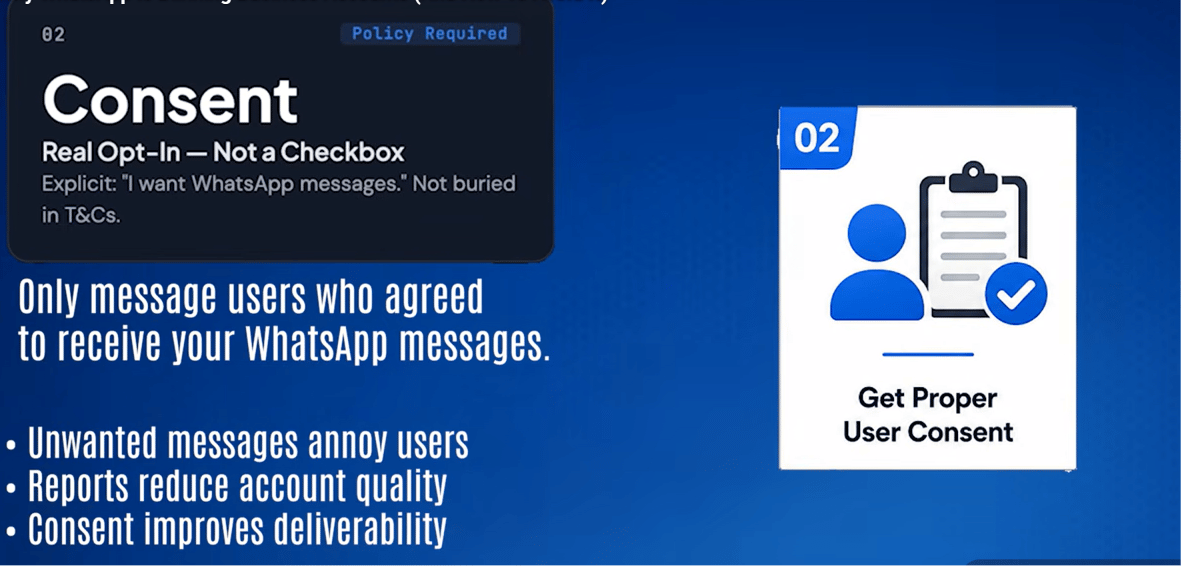
-
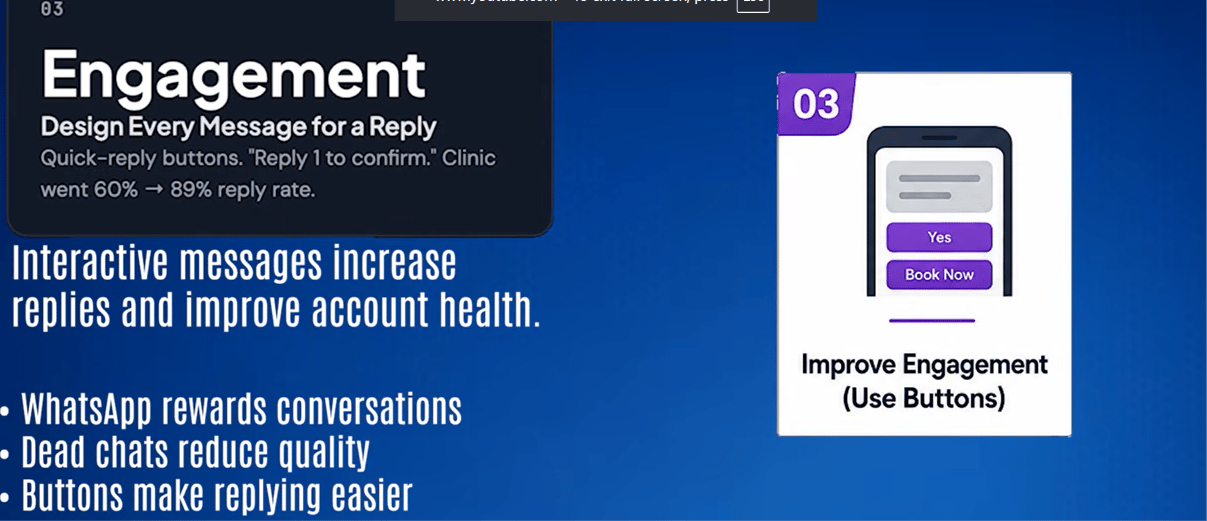
Design every message to get a reply — quick-reply buttons, simple yes/no questions,
“Reply 1 to confirm.” Reply rate is a trust signal WhatsApp actively tracks.
-
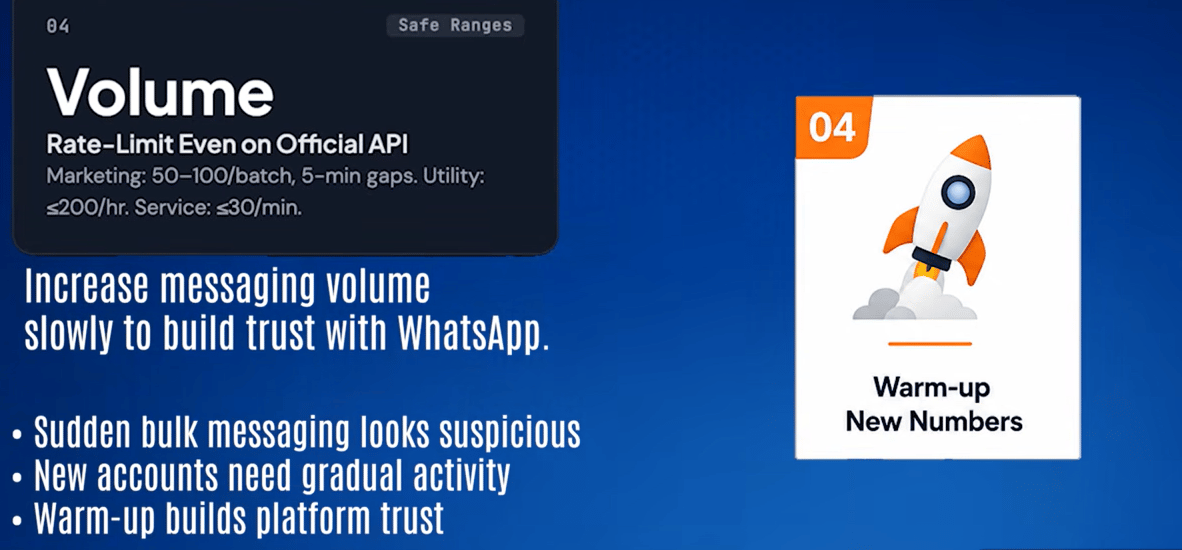
Rate-limit sends, even on the official API. Reasonable, real-world operating ranges:
marketing messages in batches of 50–100 with a few minutes between batches; utility messages
(order updates, reminders) under roughly 200/hour; service replies to inbound messages under
about 30/minute.
-
Check the quality rating every week in Meta Business Suite → Phone Numbers → Quality
Rating — it takes 30 seconds and catches problems before they become a ban:
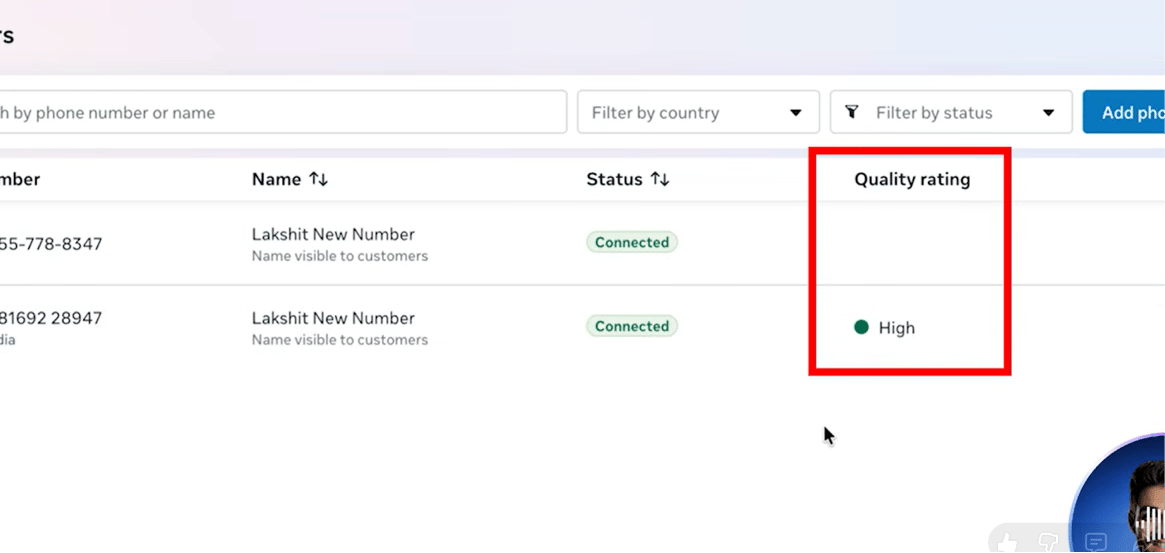
A real Quality Rating column in Meta Business Suite, showing High.
-
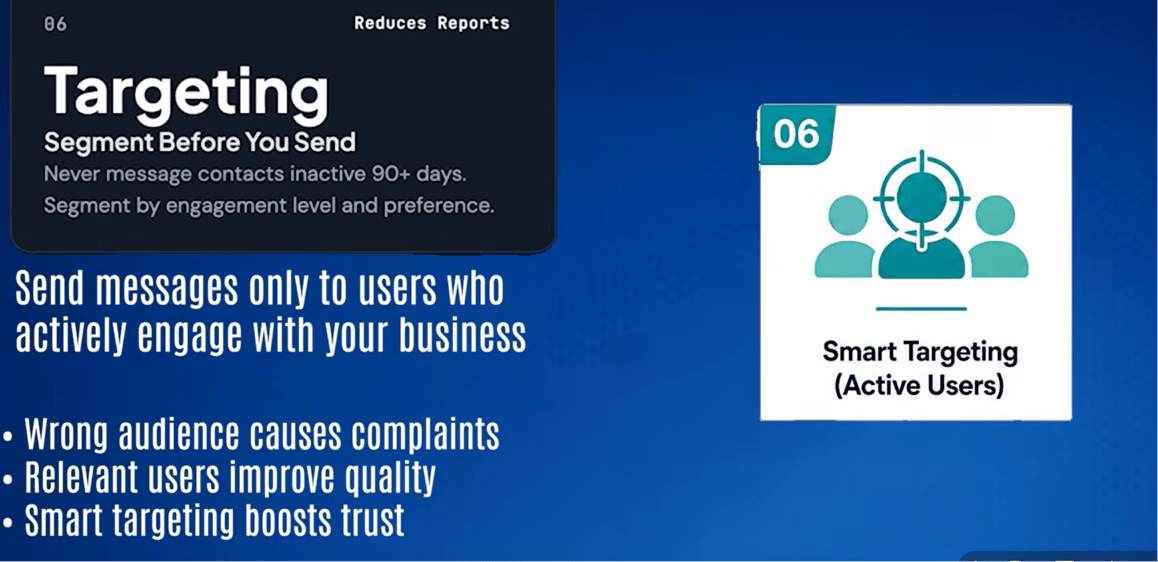
Segment before sending — don’t send every campaign to every contact. At minimum, segment
by last interaction date (skip anyone inactive 90+ days), engagement level, and message-type
preference (some customers want reminders but not promotions).
-
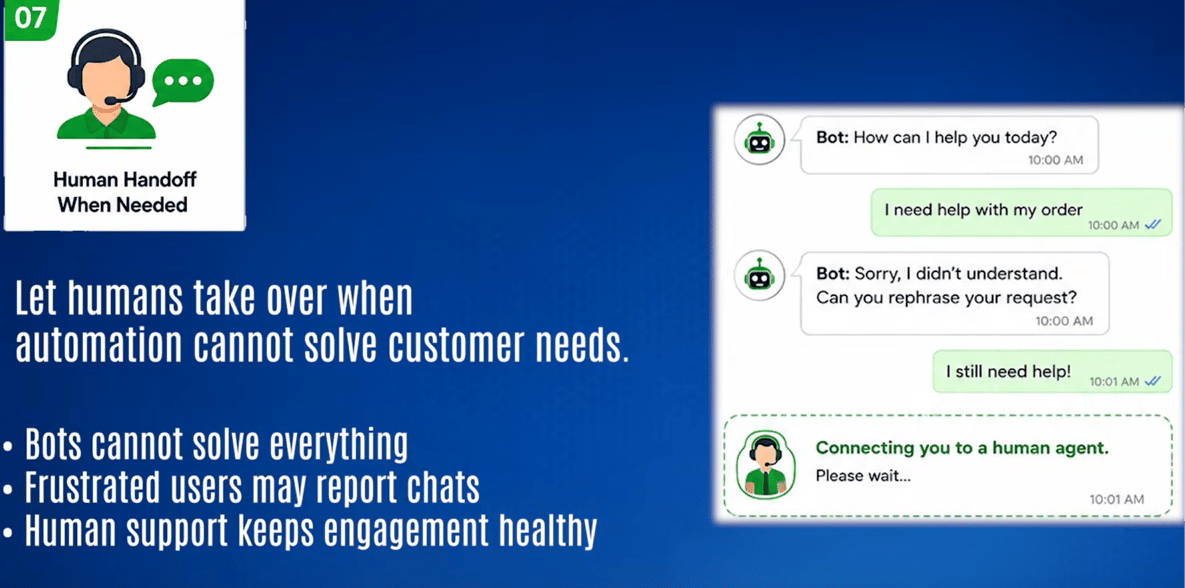
Escalate to a human after two failed bot responses. A customer who can’t reach a real
person will block the number — and that block is permanent.
Real cost: official vs unofficial API
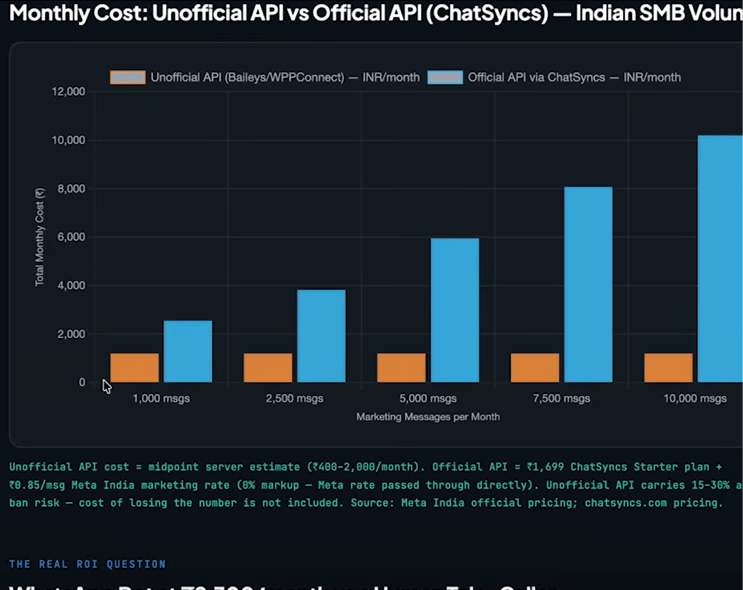
Monthly cost comparison for an Indian SMB sending marketing messages — unofficial API vs the official API through ChatSyncs.
How ChatSyncs helps you follow these rules automatically
ChatSyncs can’t read a customer’s mind, but it can automate the parts of compliance that are mechanical rather than judgment calls:- Send messages only to opted-in users. Make sure users have explicitly agreed to receive WhatsApp messages, and avoid sending templates to purchased or scraped contact lists.
- Stop messaging users who don’t engage. If a user doesn’t open, reply, or click after a few
campaigns, automatically add a label such as
InactiveorNo Engagement, then exclude that label from future broadcasts. - Respect opt-outs immediately. If a user replies “STOP”, “UNSUBSCRIBE”, “NO,” or
similar, automatically add a
Do Not Contactlabel and exclude it from every future campaign. - Use labels and segmentation. Send a campaign only to the contacts actually interested in that topic, instead of blasting every campaign to every contact.
- Limit broadcast frequency. Don’t send marketing templates every day — space campaigns out so they don’t wear out their welcome.
- Monitor quality. If the WhatsApp quality rating drops, reduce marketing broadcasts until it recovers.
- A user replies STOP → ChatSyncs automatically adds a
Do Not Contactlabel. - A user blocks or opts out (wherever WhatsApp exposes that as an event) → ChatSyncs adds an exclusion label.
- Broadcasts are configured to target only users without the
Do Not ContactorInactivelabels. - After several campaigns with no engagement, a contact moves into an
Inactivesegment and stops receiving marketing templates.
If a number is already banned
On the official API — this is recoverable
- Check the current status in Meta Business Suite → Phone Numbers → Quality Rating.
- Pause all marketing templates immediately — keep only utility and service messages running.
- Look at template analytics to see which specific templates have low quality ratings — those are the ones generating reports.
- Improve those templates: add interactive buttons, personalize the content, reduce send frequency.
- Wait roughly 7 days — quality ratings are re-evaluated on a weekly cycle.
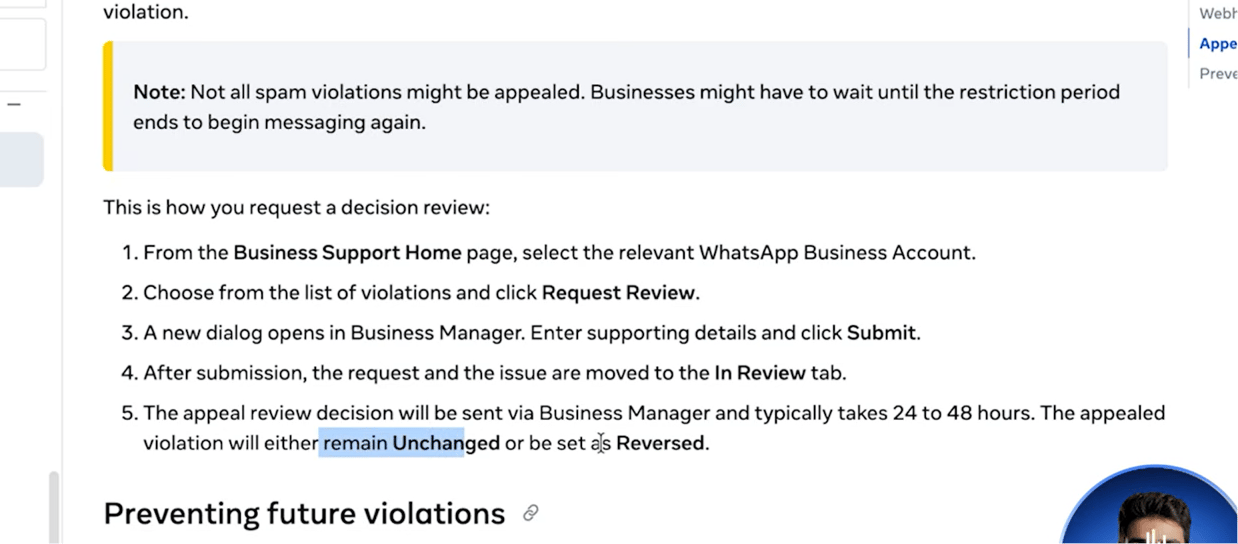
- If the account is still restricted beyond a quality downgrade, file an appeal through Meta Business Support with business verification details and a clear explanation of the opt-in process used.
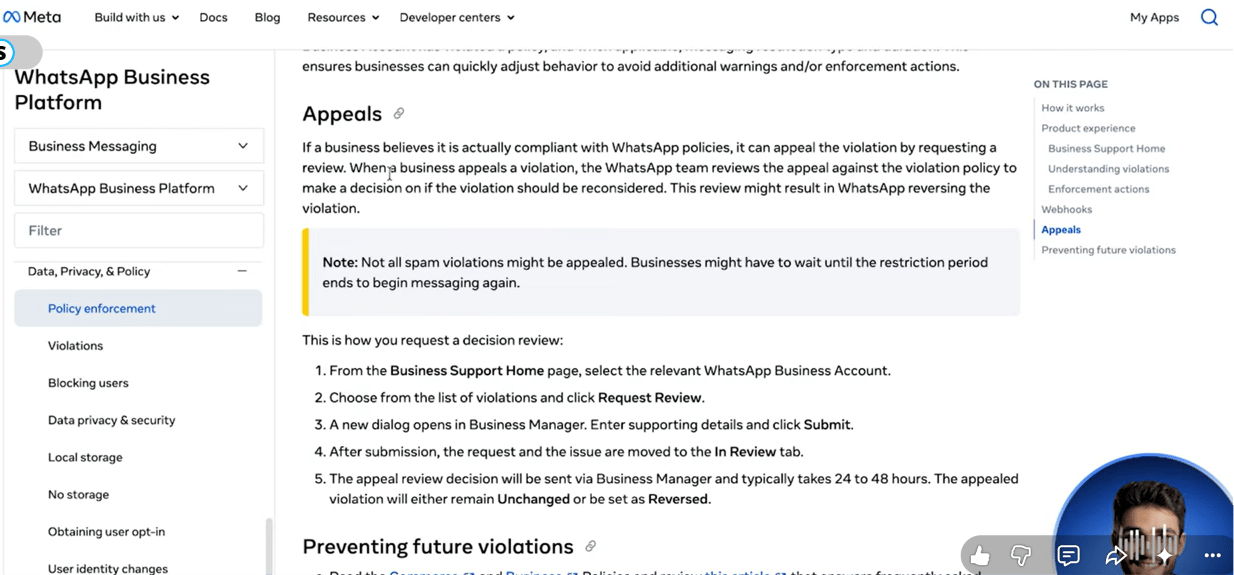
Meta's own documentation on requesting an appeal review, and what happens after you submit one.
On an unofficial API — the number is gone
If a number was banned while running an unofficial tool (Baileys, WPPConnect, or similar), it is permanently lost — there’s no appeal process and no Meta support ticket that applies, because the connection was never an officially recognized one.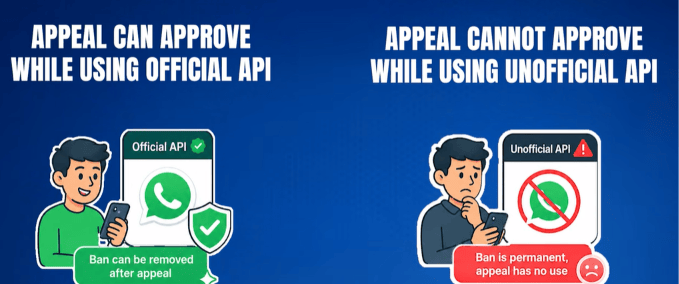
The core difference: an official-API ban can be appealed and potentially reversed; an unofficial-API ban cannot.
- Stop all proactive messaging on any remaining accounts immediately.
- Switch any still-active accounts to reactive-only (replying to inbound messages) while migrating.
- Get a new phone number.
- Register it properly through the official Meta Cloud API this time.
- Warm it up slowly — start with 10–20 messages a day to contacts likely to reply, and scale up by roughly 20% every few days rather than jumping straight to full volume.
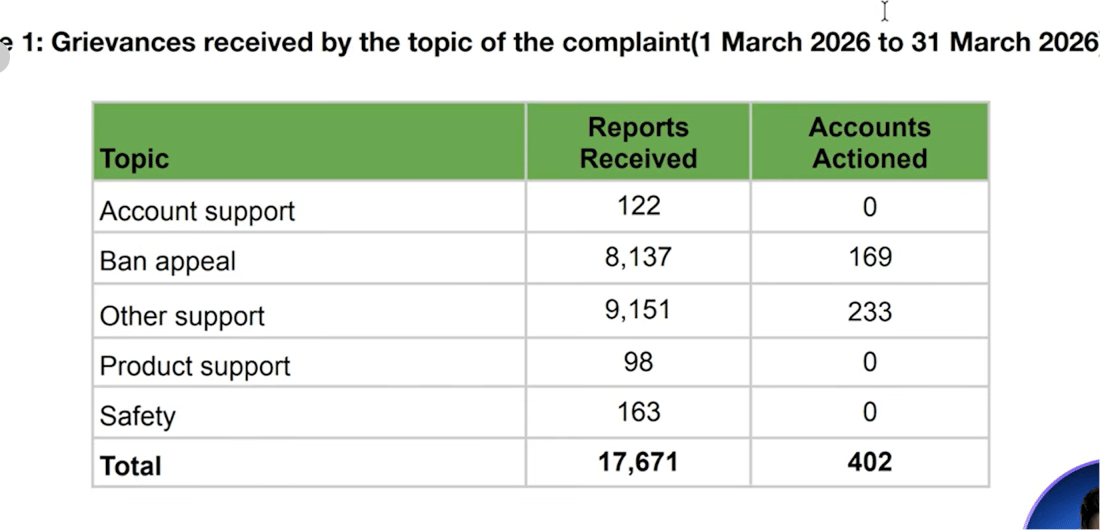
WhatsApp India's monthly transparency report — grievances received by topic, March 2026.
Frequently asked
Will sending a lot of messages get my number banned?
Will sending a lot of messages get my number banned?
Can WhatsApp tell me exactly who reported my message as spam?
Can WhatsApp tell me exactly who reported my message as spam?
My number was banned on an unofficial WhatsApp tool — can I get it back?
My number was banned on an unofficial WhatsApp tool — can I get it back?
How do I know if my quality rating is at risk?
How do I know if my quality rating is at risk?
Is it safe to message contacts who haven't interacted in a while?
Is it safe to message contacts who haven't interacted in a while?