Your WhatsApp number’s public profile — the photo, about text, and business details a customer
sees when they open the chat — is edited in WhatsApp Manager, a separate tool from Meta
Business Suite’s main Settings. This gets you there.
Set it up
Open your Business Portfolio's settings
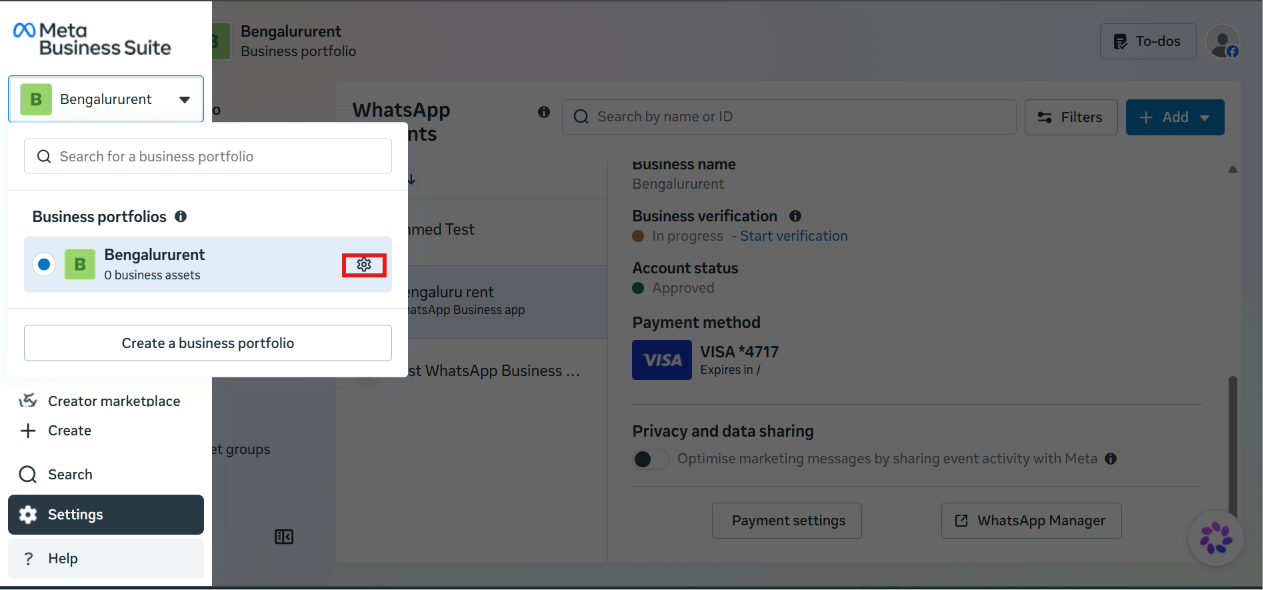
In Meta Business Suite, click your business portfolio name
in the top-left switcher, then click the gear icon next to it to open Settings. Open WhatsApp Manager for your account
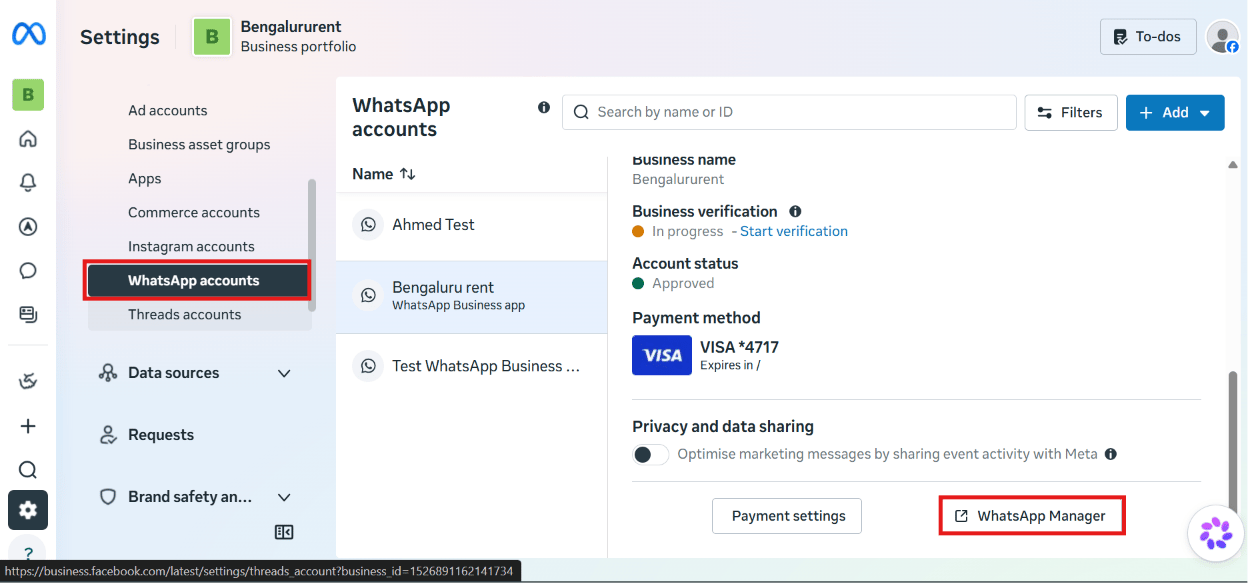
Under Accounts → WhatsApp accounts, select the WhatsApp Business account you want to
update, then click WhatsApp Manager. Some profile fields (like the display name) require re-verification or a short review after you
change them — a photo or about-text edit is usually instant.
What’s next
Once your profile looks right, go back to connecting your
account if you haven’t finished that yet, or add a payment
method if billing still needs to be set up.