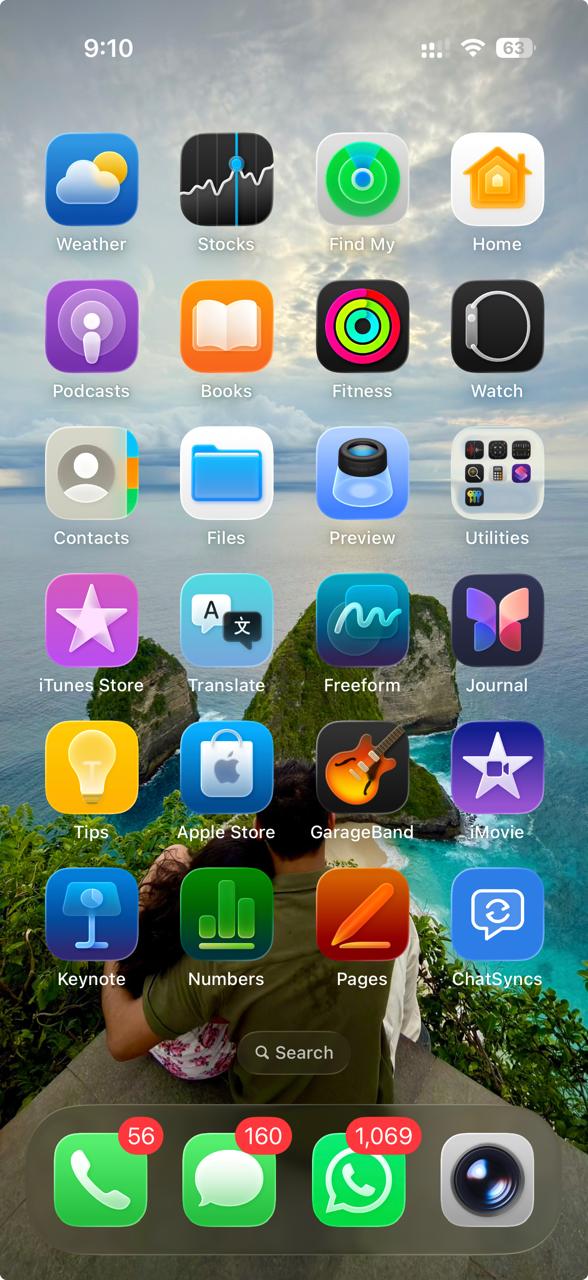
Install ChatSyncs as a Progressive Web App (PWA) on iPhone via Safari, for faster, app-like access to the Shared Inbox without a separate App Store download.
ChatSyncs can be installed as a Progressive Web App (PWA) on iPhone for faster, app-like
access to the Shared Inbox — no separate App Store download needed.
PWA installation on iOS works only in Safari — it won’t work from Chrome or any other
browser on iPhone.
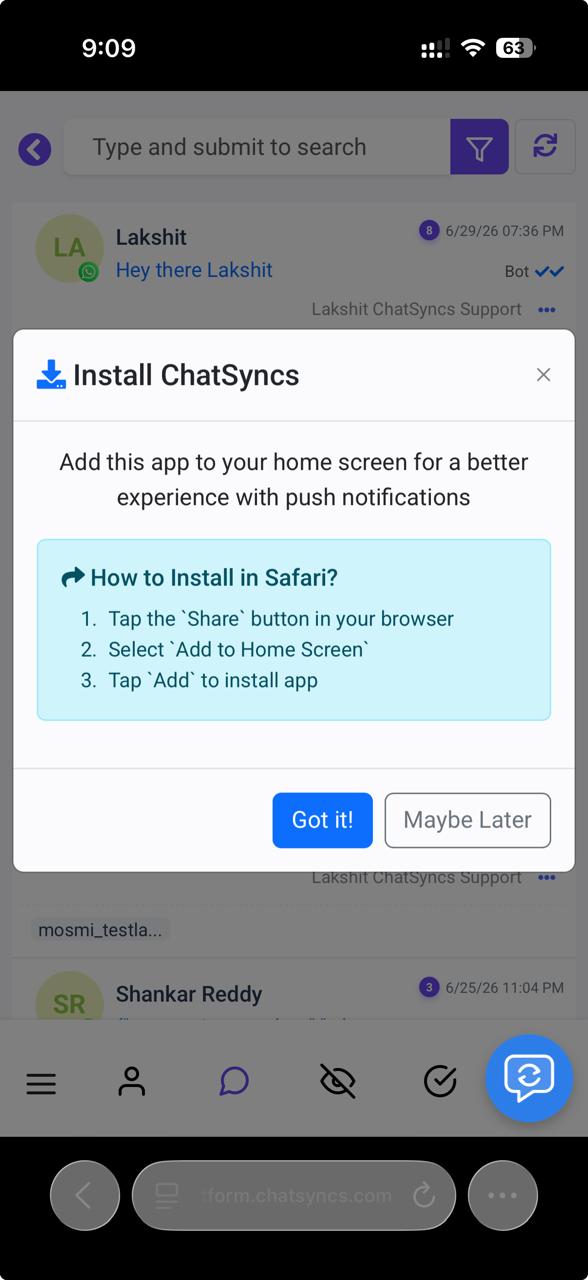
ChatSyncs may show this Install ChatSyncs prompt automatically the first time you open it in
Safari — you can follow it directly, or use the manual steps below.
1
Open ChatSyncs in Safari
On your iPhone, open Safari and log in to your ChatSyncs account.
2
Go to Shared Inbox
After logging in, navigate to Shared Inbox.
3
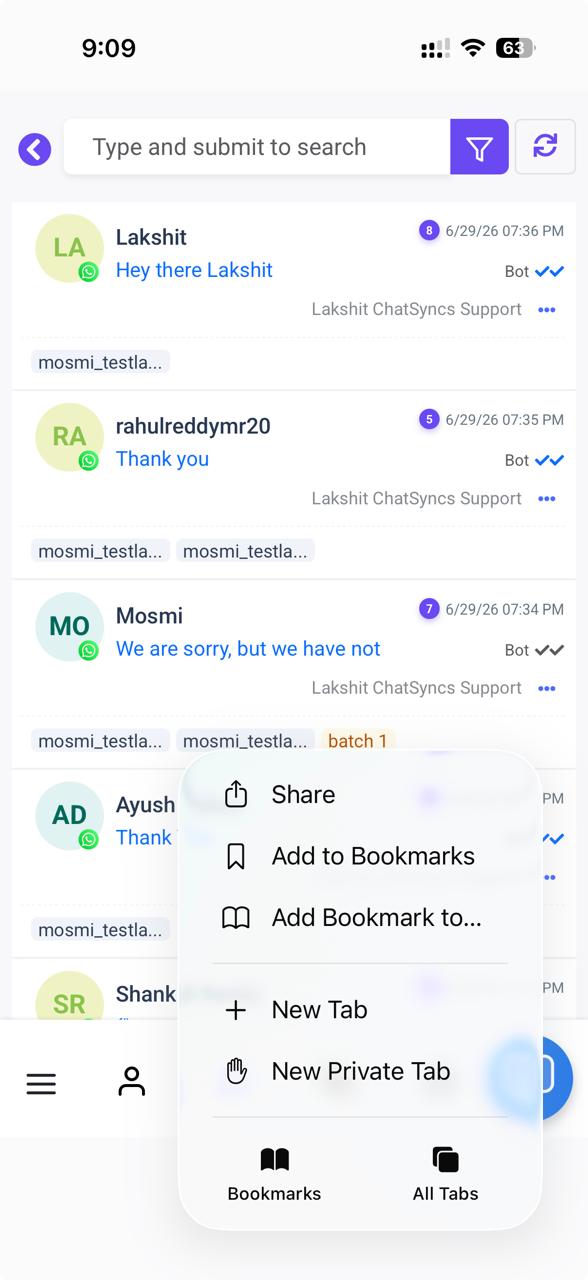
Tap Share
Tap the Share icon (on some Safari layouts this is at the bottom of the screen; on
others it’s the first item in the top menu, as shown here).
4
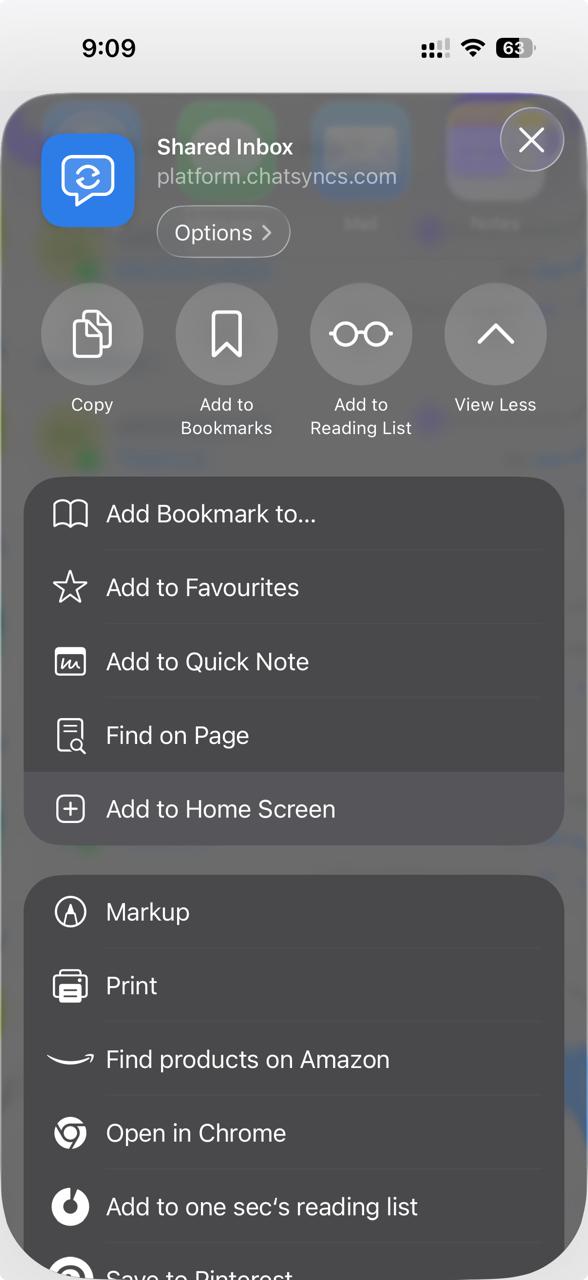
Select "Add to Home Screen"
Scroll down in the Share menu and tap Add to Home Screen.
5
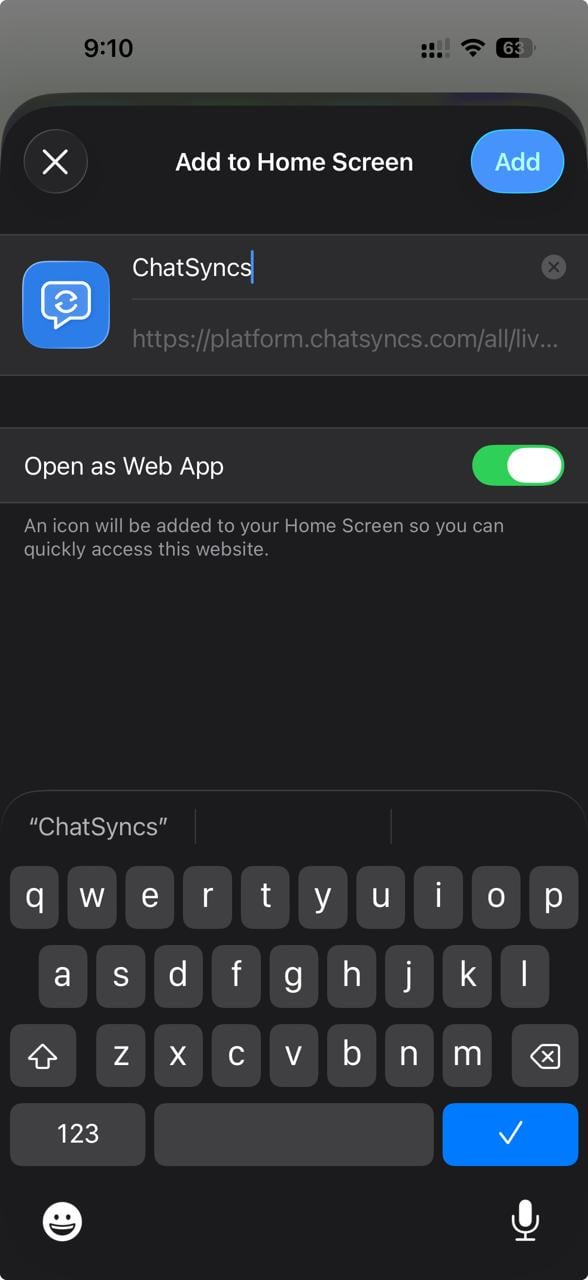
Confirm the install
Review the app name if needed, keep Open as Web App enabled, then tap Add in the
top-right corner.
6
Open the app
The ChatSyncs icon is added to your Home Screen. Tap it to open and use ChatSyncs like a
native app, without opening Safari first.
If Add to Home Screen isn’t visible in the Share menu, confirm you’re using Safari —
this option doesn’t appear in Chrome or other iOS browsers.
Yes, but only through Safari — open Shared Inbox in Safari, tap Share, then Add to
Home Screen, then Add. It won’t work from Chrome or another browser on iOS.
I don't see Add to Home Screen in the Share menu — why?
Confirm you’re using Safari — this option doesn’t appear in Chrome or other iOS browsers.
Do I need anything from the App Store?
No — this is a Progressive Web App install through Safari, not an App Store download.