

Why templates exist
Without templates, a business could send any message to any customer at any time — for example: “Hello Rahul, buy our product for ₹1000” — to thousands of people who never asked for it. This is spam. Meta prevents this by requiring that:- Any message a business initiates (sends first, with no prior customer message) must use a pre-approved template.
- Any message sent after the 24-hour window has closed must use a pre-approved template.
How the flow works
What needs Meta approval
- Every template must be submitted through the Meta dashboard and approved before it can be sent.
- Approval typically takes a few minutes to 24 hours.
- Once approved, the template can be sent to any customer.
Reference image
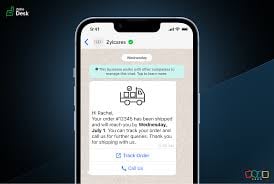
Overview of how WhatsApp template messages work — the approval flow and when templates are required.
Frequently asked
Why do I need to use a template — can't I just send any message?
Why do I need to use a template — can't I just send any message?
WhatsApp only allows free-form messages inside the 24-hour window after a customer has
messaged you. Outside that window, or to start a conversation, you must use a Meta-approved
template. This prevents spam.
Why does Meta need to approve my message before I can send it?
Why does Meta need to approve my message before I can send it?
Meta reviews templates to ensure businesses are not spamming users. Unapproved messages
cannot be sent as templates — they will be rejected.
What happens after the customer replies to my template?
What happens after the customer replies to my template?
A 24-hour customer service window opens. During this window you can send any message type —
text, image, document, buttons — without using a template.
Can I send a template to anyone at any time?
Can I send a template to anyone at any time?
Yes — approved templates can be sent to any customer at any time, even without a prior
conversation. This is the main advantage of templates.