

Temporary access token
Generated directly in the Meta developer dashboard under WhatsApp → API Setup → “Generate access token”. It works immediately but expires in about 1 hour. Use only for testing — never in production.Permanent system-user token
Generated via Meta Business Manager (business.facebook.com):
1
Open Business Settings
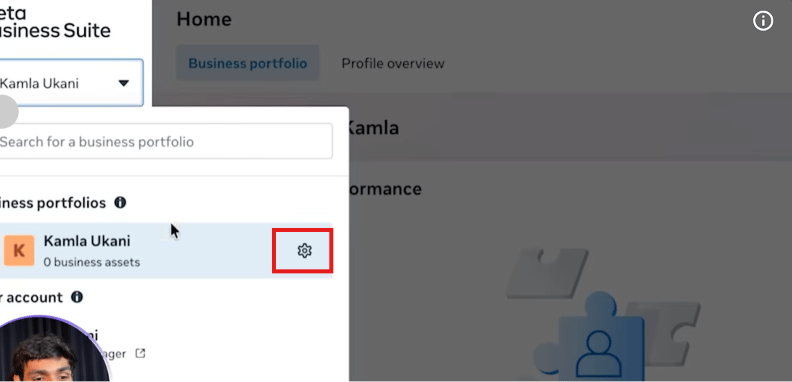
Go to
business.facebook.com, open your business portfolio, and click into its Settings.2
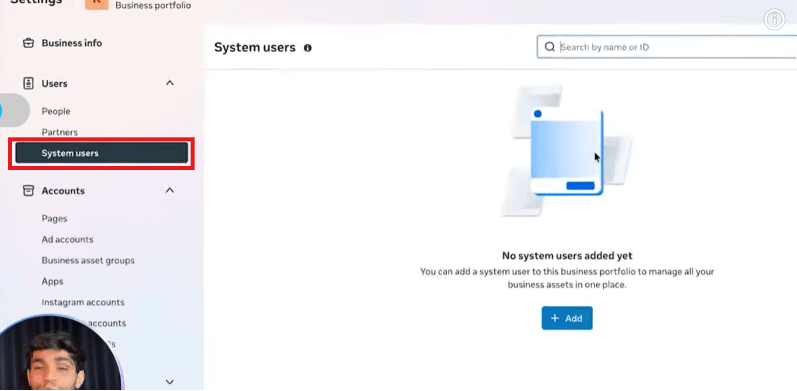
Open System Users
Go to Users → System Users. A new portfolio starts with no system users.
3
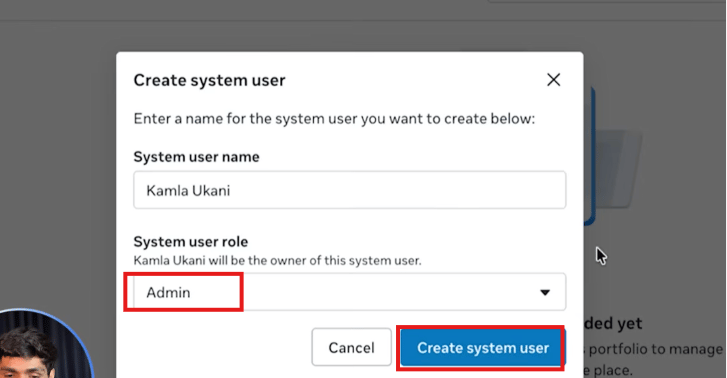
Create a system user
Click Add, give it a name, and set its role to Admin.
4
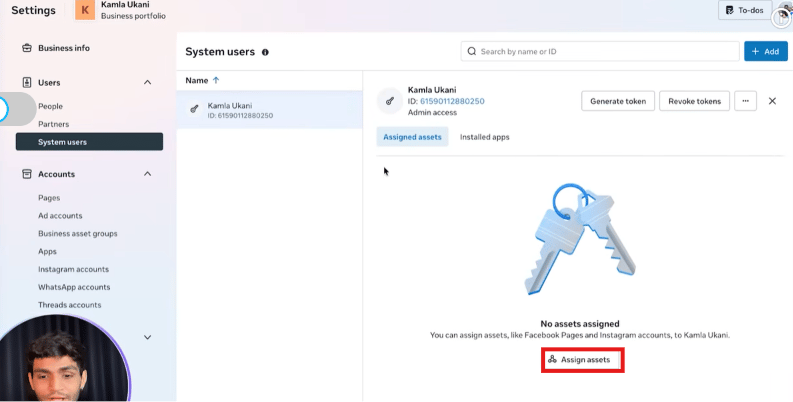
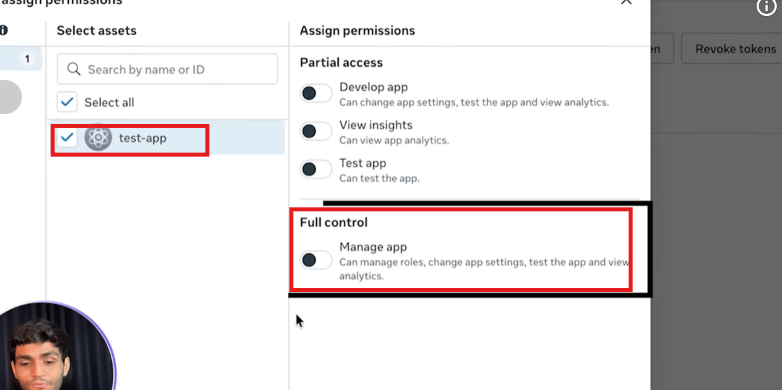
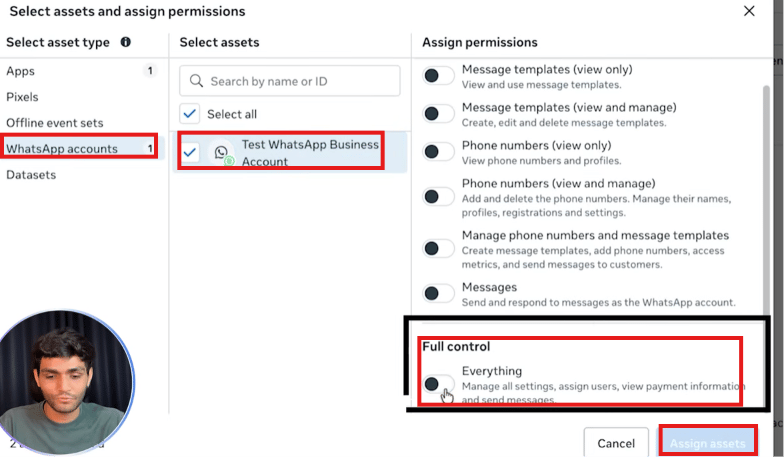
Assign assets to the system user
A new system user has no access to anything yet. Use Assign assets to give it full
control over both the app and the WhatsApp Business Account — skipping either one causes
the token to fail for that asset later.
5
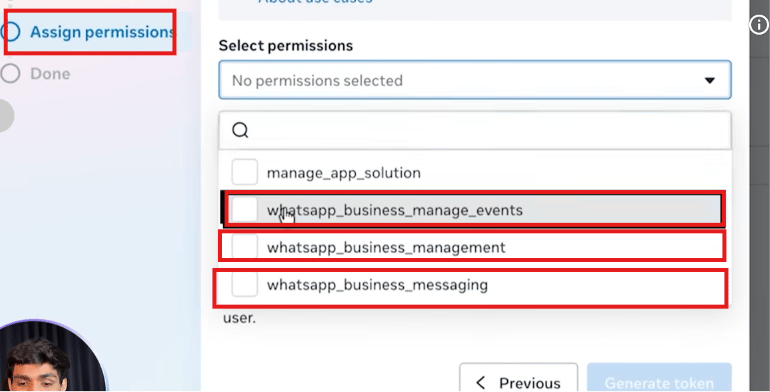
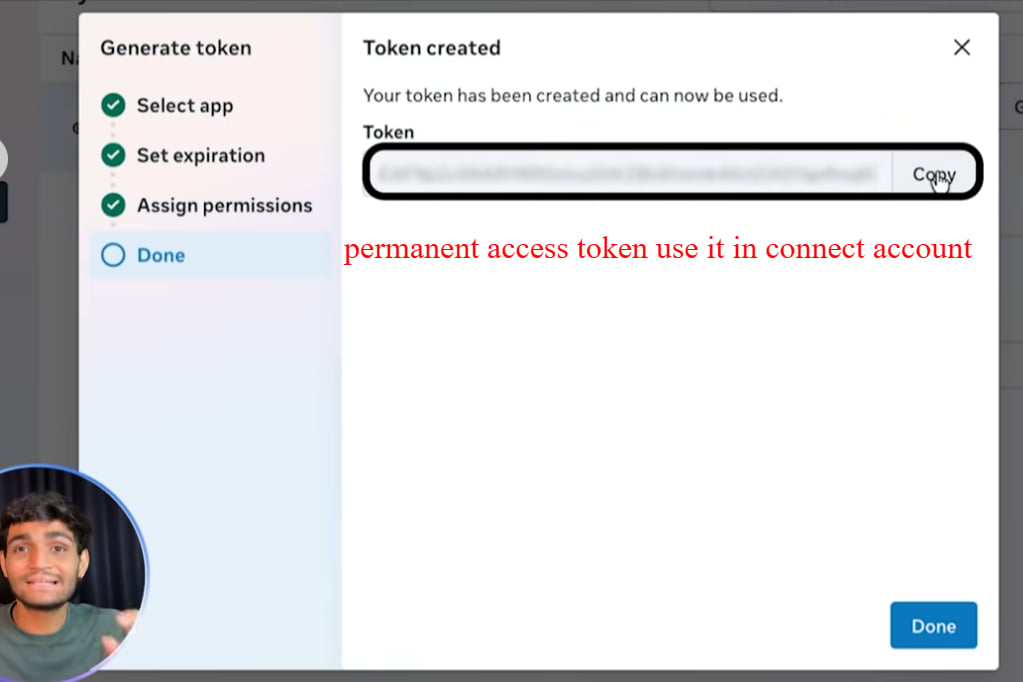
Generate the token
Click Generate token on that system user, select the app, and assign the required
permissions (
whatsapp_business_messaging, whatsapp_business_management,
whatsapp_business_manage_events).6
Save it immediately
Copy the token and store it securely — Meta only shows it once.
7
Verify it
Paste the token into the Meta Access Token Debugger
(
developers.facebook.com/tools/debug/accesstoken/) to verify it is valid and check its
expiry — a permanent token shows “Never” as expiry.Walkthrough screenshots
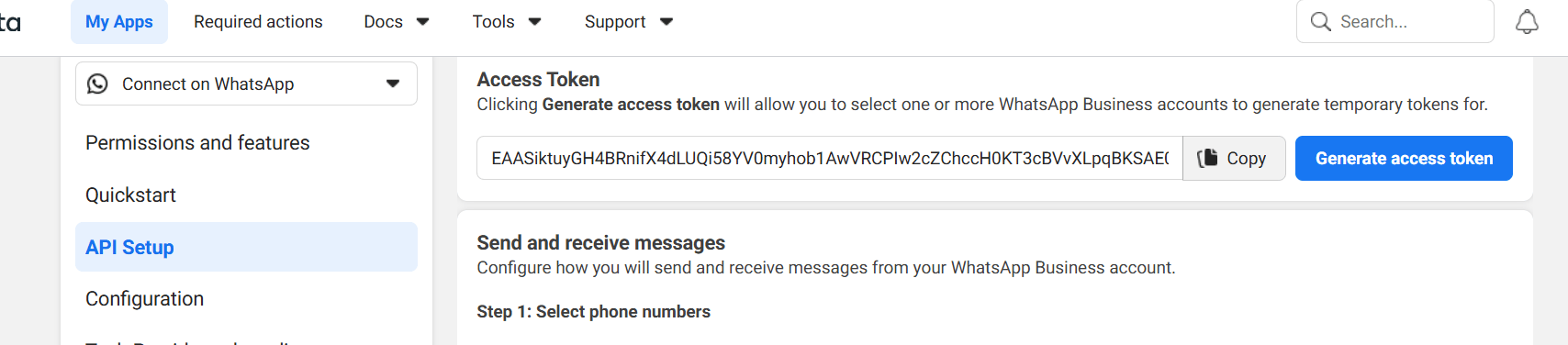
The API Setup screen showing the Generate access token button.
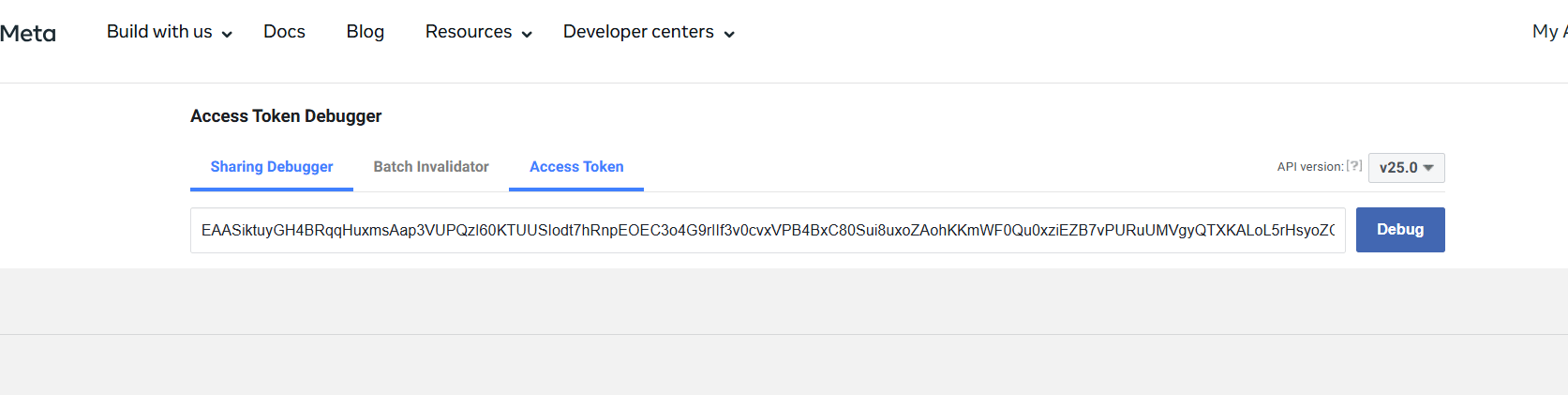
The Meta Access Token Debugger for verifying a token's validity and expiry.
Frequently asked
Why did my WhatsApp API stop working overnight?
Why did my WhatsApp API stop working overnight?
Almost certainly your temporary access token expired (~1 hour). Switch to a permanent
system-user token for any production use.
How do I get a token that never expires?
How do I get a token that never expires?
Create a system user in Meta Business Manager, assign it full control over the app and the
WhatsApp Business Account, generate a token for it with the WhatsApp permissions, and use
that token in your API calls. It does not expire.
What is a system user?
What is a system user?
A non-human admin account in Meta Business Manager used to generate permanent tokens for
automated systems (bots, integrations). It is not tied to a personal Facebook account, so
it won’t expire when someone leaves the team.
How do I check if my token is valid?
How do I check if my token is valid?
Paste it into the Meta Access Token Debugger at
developers.facebook.com/tools/debug/accesstoken/ and click Debug. It shows the token’s
expiry, permissions, and whether it is still valid.