

components array to supply the values for each part of the template: header
(optional), body (required), footer (optional), and buttons (optional). The template itself was
pre-approved by Meta; the components just supply the variable values at send time.
Sending a template
Component types
Only include a component in the
components array if that component exists in the template and
has variables or dynamic values to fill in. A footer with no variables doesn’t need to appear
in the array.
Language codes
Common values:en (English), en_us (English US), hi (Hindi). Use whatever code you set
when creating the template.
Technical detail
template.name— exact name of the approved template (case-sensitive).template.language.code— must match the language code set during template creation.- Button
index— zero-based position of the button as defined in the template. If your template has 3 buttons, they are index “0”, “1”, “2”. - Header parameter types:
image,document,video(for media headers) ortext(for text headers with variables).
Reference image
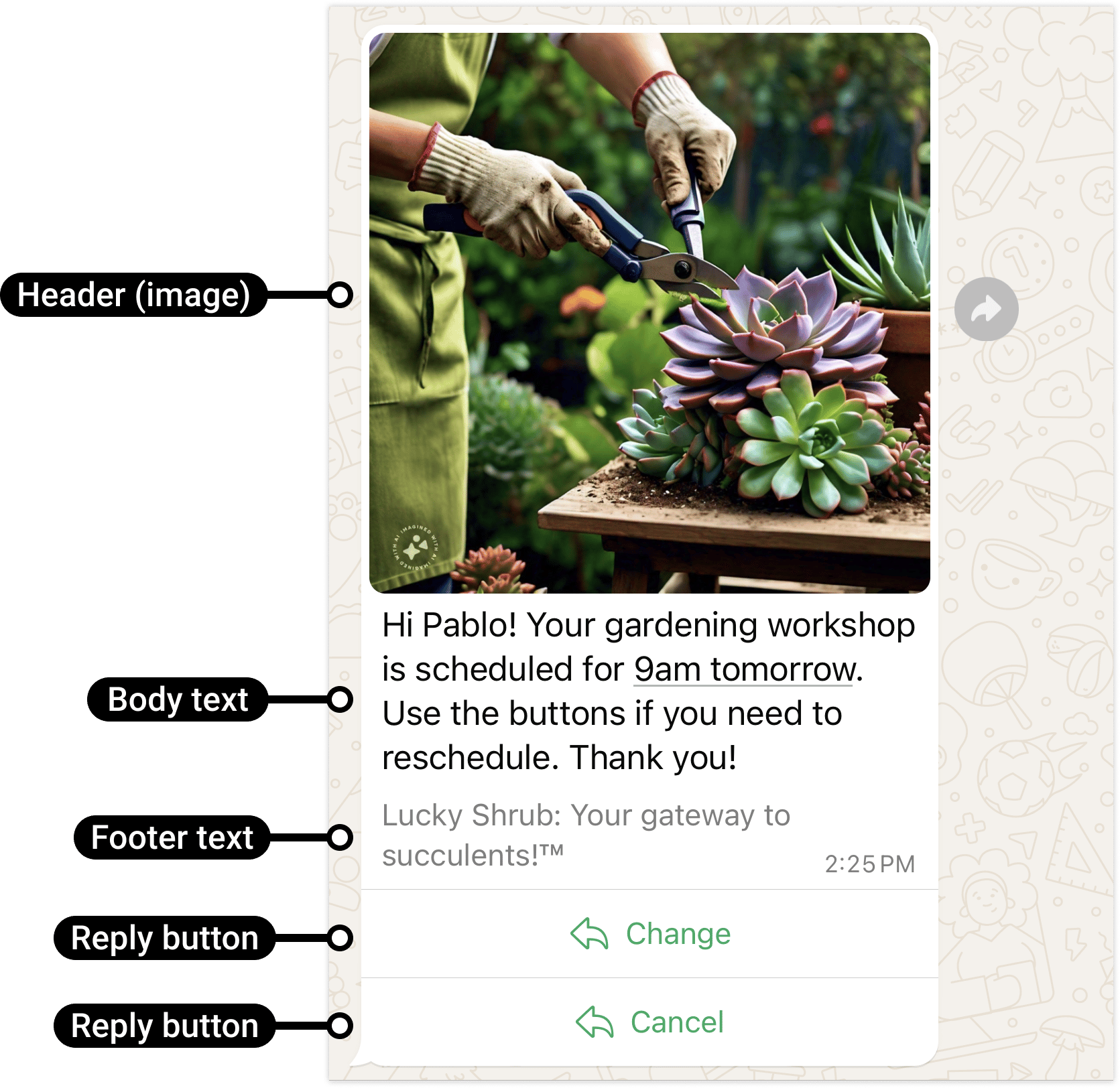
A template message showing its four parts — header image, body text, footer text, and reply buttons.
Frequently asked
How do I send an approved WhatsApp template message via the API?
How do I send an approved WhatsApp template message via the API?
Use
type: "template", give the template name and language.code, then pass a
components array to fill in the dynamic values. See the payload above.What is the components array in a template API call?
What is the components array in a template API call?
It’s how you supply real values at send time — header images, body variables, button URLs,
coupon codes. Each entry targets one part of the template (header, body, or a specific
button by index).
My template has a header image. How do I pass it when sending?
My template has a header image. How do I pass it when sending?
Add a
{ "type": "header", "parameters": [{ "type": "image", "image": { "link": "..." } }] }
entry in components.