

Setup steps
1
Sign in to the developer portal
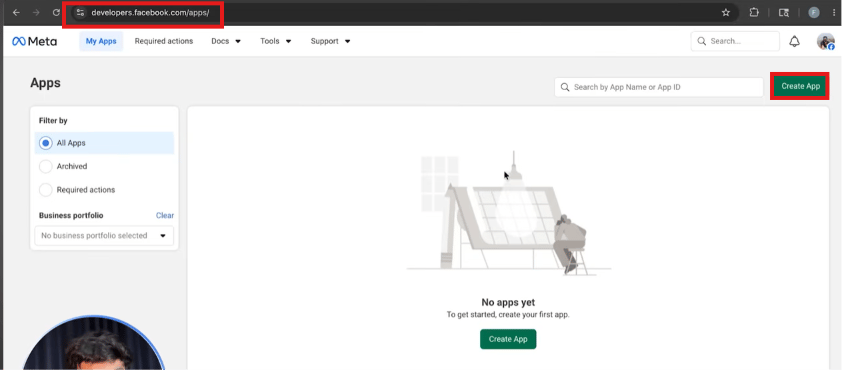
Go to
developers.facebook.com and sign in or create an account.2
Create an app
Click My Apps → Create App.
3
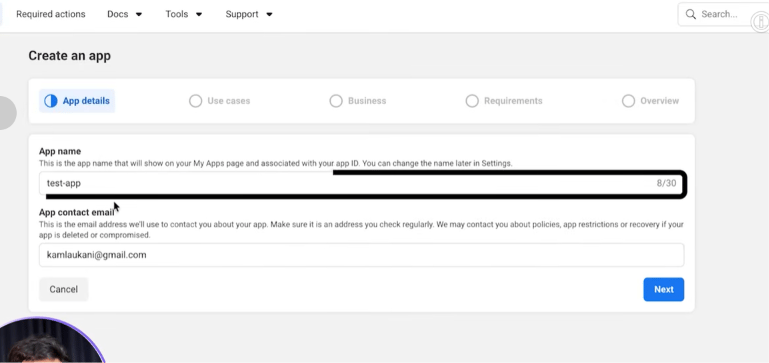
Name the app
Give it an App name and an App contact email, then continue.
4
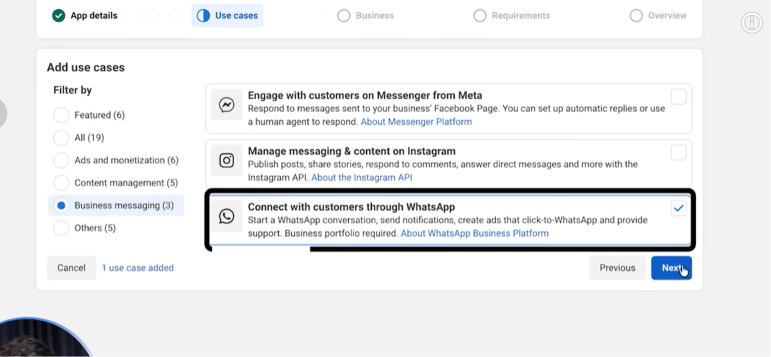
Select the WhatsApp use case
On the Use Cases step, select Connect with customers through WhatsApp.
5
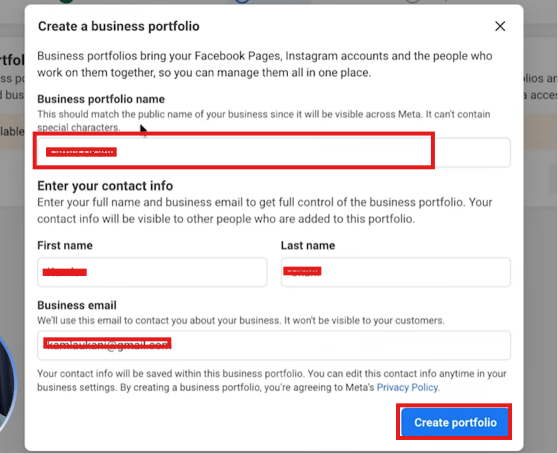
Connect a business portfolio
The app must be attached to a business portfolio. If none exists yet, create one with a
portfolio name and your contact info.
6
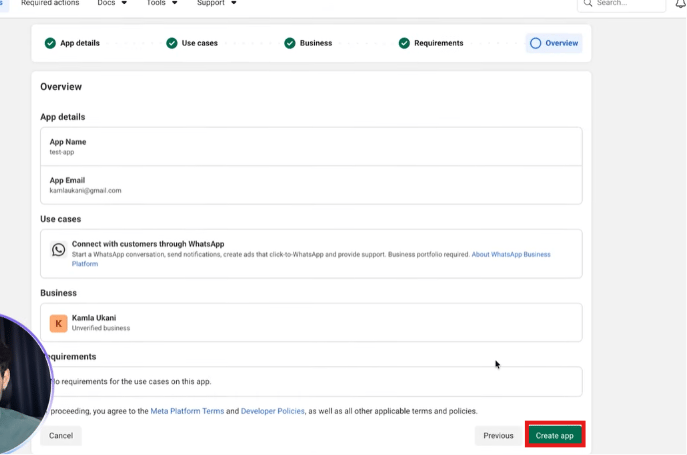
Review and create the app
On the Overview step, confirm the app details, use case, and business portfolio, then click
Create app.
7
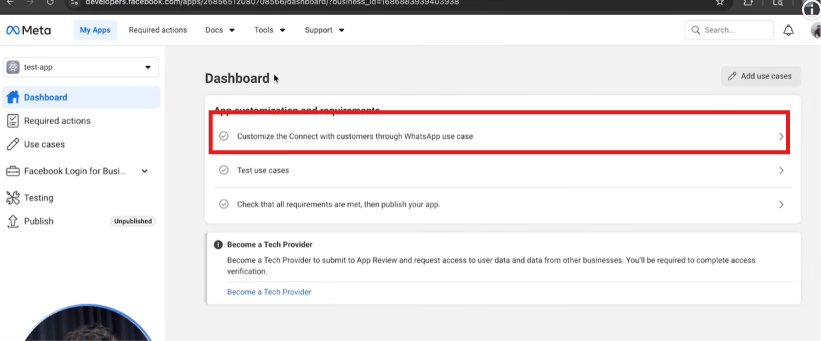
Customize the WhatsApp use case
From the app dashboard, open Customize the Connect with customers through WhatsApp use
case.
8
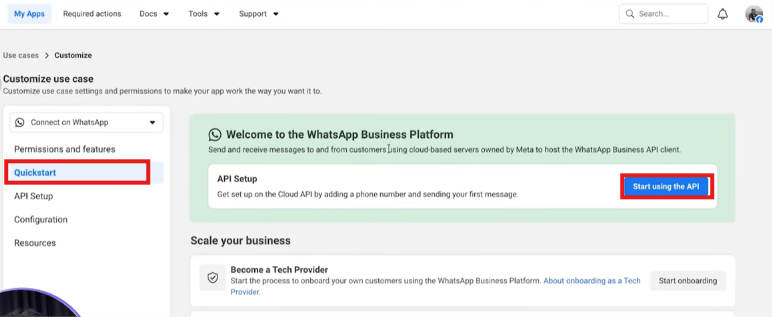
Start using the API
Under Quickstart, click Start using the API — this opens the API Setup screen.
9
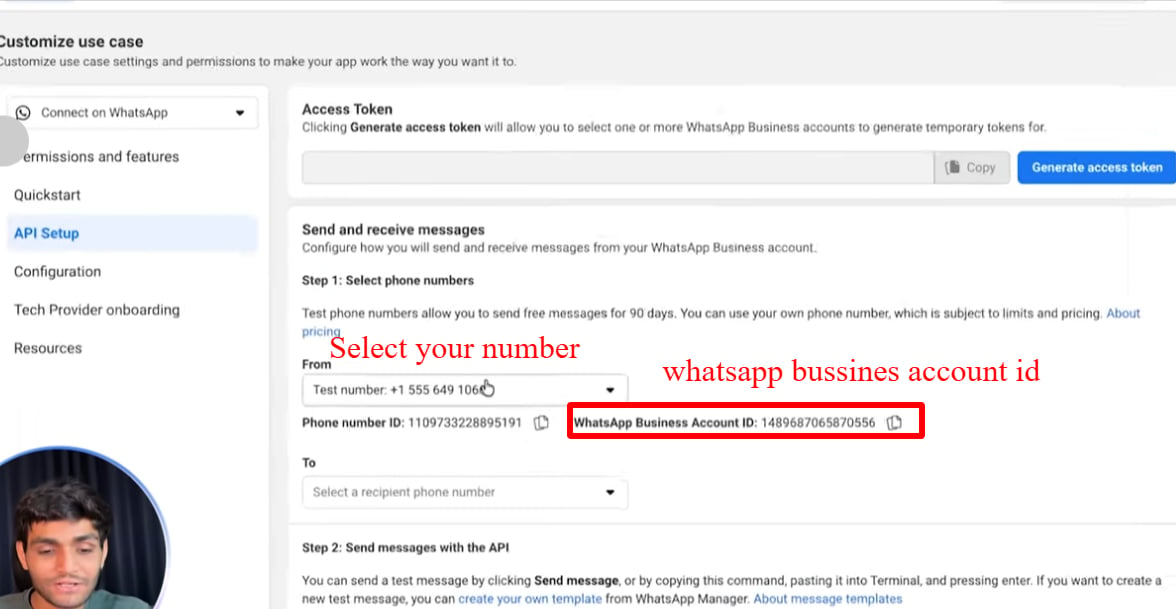
Find your test number and copy your IDs
Under “Select phone numbers” you’ll see a test number already provided by Meta. This is
free to use for 90 days. On the same screen you’ll find your Phone Number ID and your
WhatsApp Business Account ID (WABA ID) — copy and save both.
Walkthrough screenshots
Frequently asked
How do I get started with the WhatsApp Cloud API?
How do I get started with the WhatsApp Cloud API?
Create a Meta developer account at developers.facebook.com, create a new app, select the
WhatsApp use case, connect a business portfolio (creating one if you don’t have one), and
finish creating the app. Meta gives you a free test number automatically.
Do I need a business portfolio before creating the app?
Do I need a business portfolio before creating the app?
No — if you don’t have one yet, the app creation flow lets you create a business portfolio
on the spot, right at the “Business” step.
Where do I find my Phone Number ID and WABA ID?
Where do I find my Phone Number ID and WABA ID?
In the Meta developer dashboard → your app → WhatsApp → API Setup. Both IDs are shown
next to the test number.
Is the test number free?
Is the test number free?
Yes. Meta provides a test number for free for 90 days. You can send free test messages to
up to 5 verified phone numbers during that period.
Do I need a real business to set up a developer account?
Do I need a real business to set up a developer account?
No. A personal Meta account is enough to create a developer app and get a test number for
learning and development.