1. Marketing
Purpose: Promote products, services, or offers. Drive engagement and sales. Examples: “Get 50% off this weekend only — shop now!” · “New arrivals are here” · “You left something in your cart” Key rules:- Used for promotional content: discounts, offers, product launches, upselling
- WhatsApp limits how many marketing templates a user receives — if a user doesn’t engage, Meta may stop delivering them (per-user marketing limit)
- Error 131049 = a marketing template was blocked because the user hit their per-user limit. Wait at least 24 hours before retrying
- Marketing templates are not delivered to US phone numbers
- If a user replies to a marketing template, the 24-hour window opens
2. Utility
Purpose: Transactional notifications sent in response to a customer action — confirmations, updates, reminders. Examples: “Your order #1023 has been shipped” · “Payment of ₹2,500 received” · “Your appointment is tomorrow at 10 AM” Key rules:- Must be non-promotional — no discounts, offers, upselling, or marketing
- Must be specific to the user’s action or essential/critical information
- If Meta detects promotional intent in a Utility template, it automatically reclassifies it as Marketing (and the higher Marketing pricing applies)
- Supports up to 10 buttons: Call request, Copy code, Phone number, Quick-reply, URL
3. Authentication
Purpose: Send one-time passwords (OTPs) and verification codes only. Examples: “123456 is your verification code.” · “Use 789012 to verify your login.” Key rules:- Only for OTP-based flows: login verification, account recovery, identity verification, security checks, sign-up verification
- Only Authentication templates can send OTPs — do not put OTPs in Marketing or Utility
- Authentication messages are only delivered to the user’s primary device, not secondary/linked devices
- No header, footer, or URL buttons allowed — body only with the OTP code
Category comparison
Reference images
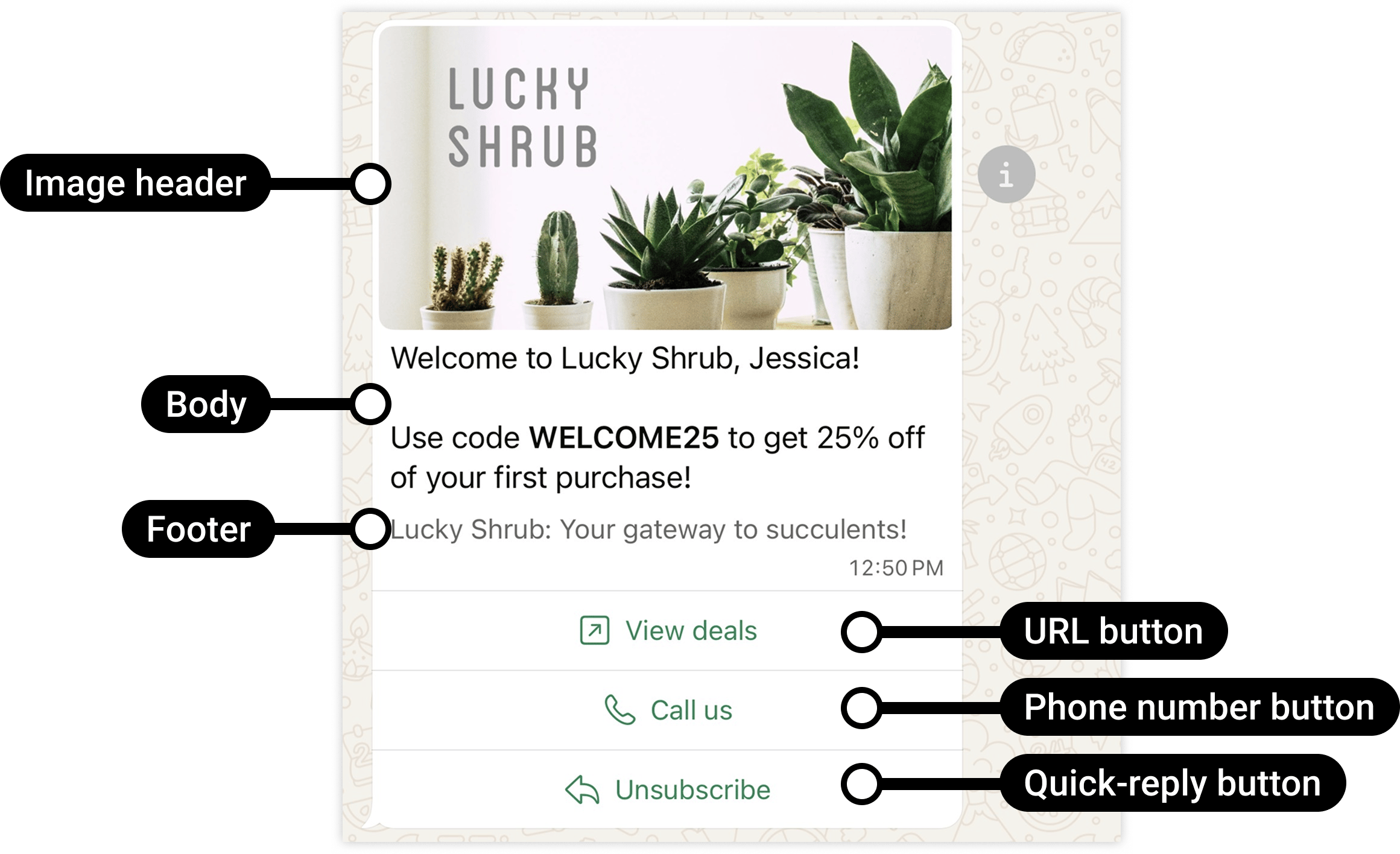
A Marketing template in the Meta dashboard — used for promotions and offers.
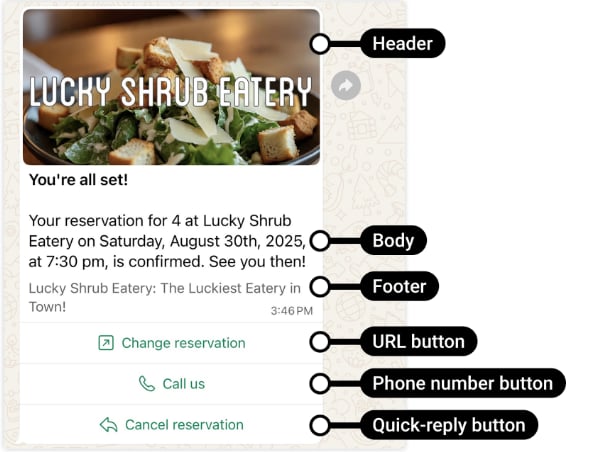
A Utility template — order confirmations, shipping updates, and essential notifications.
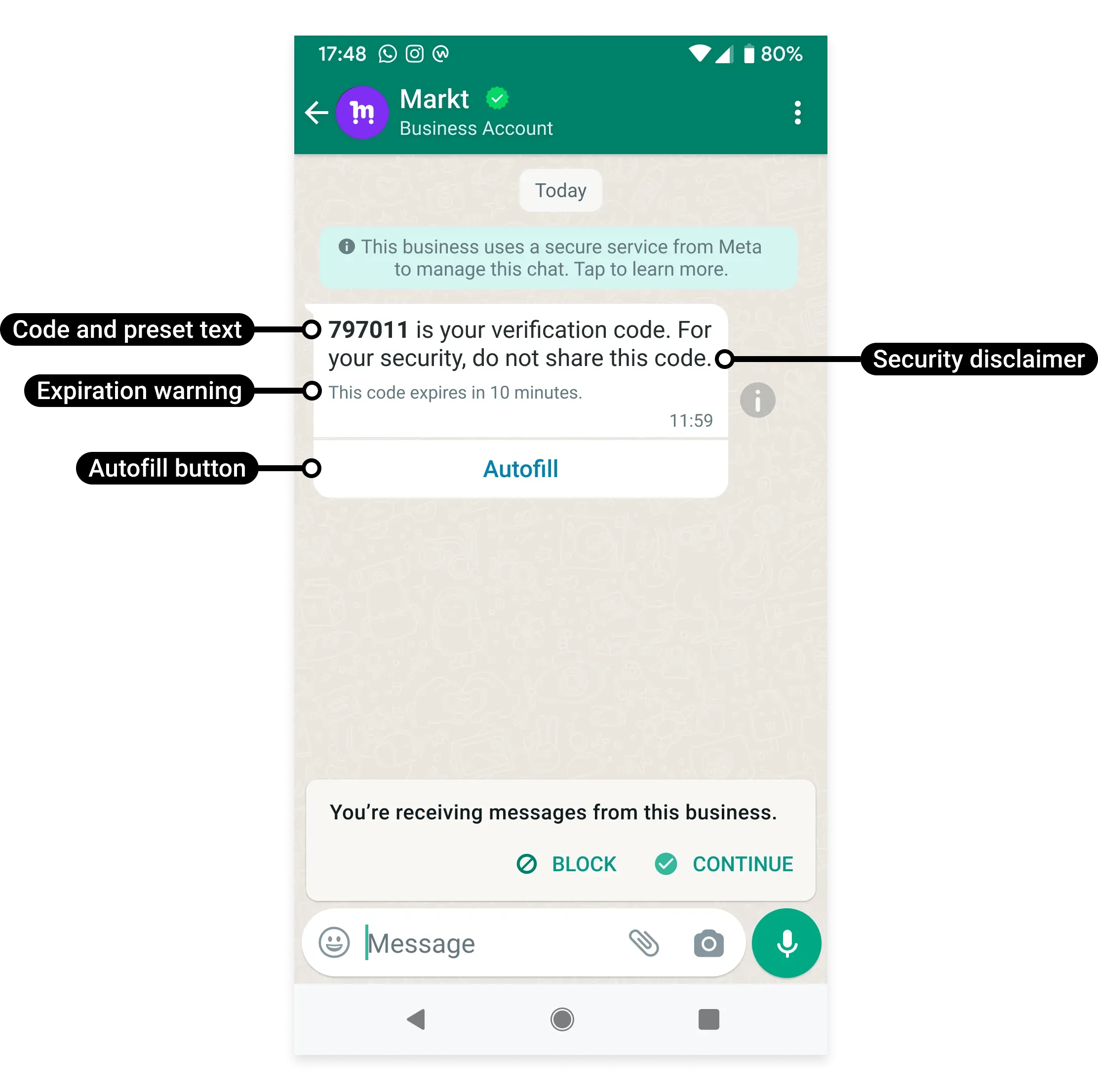
An Authentication template used to send an OTP verification code.
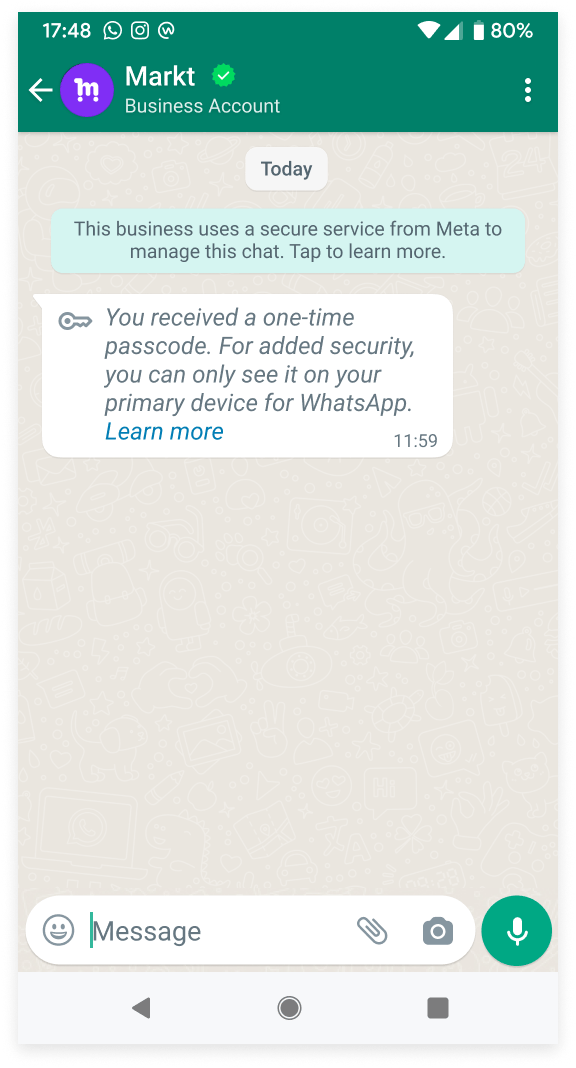
Authentication template messages are delivered only to the user's primary WhatsApp device.
Frequently asked
Which template category should I use?
Which template category should I use?
Marketing for promotions and offers. Utility for order/payment/shipping notifications
triggered by a customer action. Authentication for OTP and verification codes only.
Why was my Utility template reclassified as Marketing?
Why was my Utility template reclassified as Marketing?
Meta detected promotional language (discount, offer, upsell) in a template submitted as
Utility. Remove all promotional content and resubmit, or accept the Marketing
classification.
How do I send an OTP via WhatsApp?
How do I send an OTP via WhatsApp?
Use an Authentication template. Only Authentication templates can carry OTP codes. Do not
put OTPs in Utility or Marketing templates.
Why aren't my marketing templates being delivered?
Why aren't my marketing templates being delivered?
Two possible reasons: (1) the recipient is a US number — marketing templates are not
delivered to US phone numbers, or (2) the user has hit their per-user marketing message
limit (Error 131049). Wait 24 hours before retrying.
What is Error 131049?
What is Error 131049?
WhatsApp blocked delivery of a marketing template because the user has reached their
per-user marketing message limit or the business retried too many times. Wait at least 24
hours before sending another marketing template to that user.