

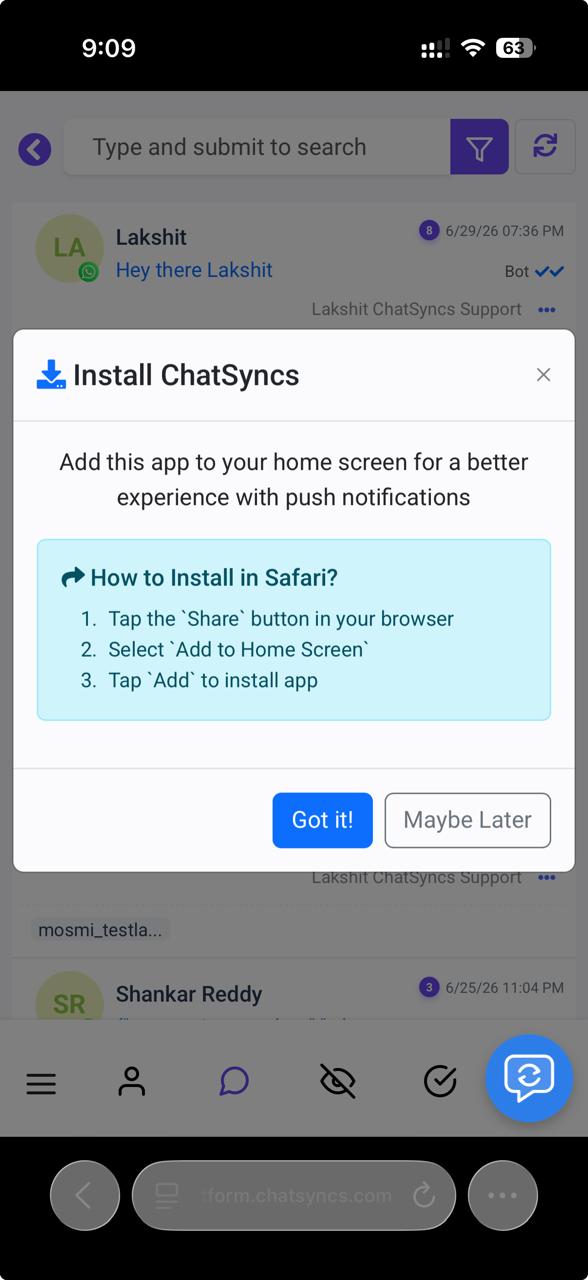
1
Open ChatSyncs in Safari
On your iPhone, open Safari and log in to your ChatSyncs account.
2
Go to Shared Inbox
After logging in, navigate to Shared Inbox.
3
Tap Share
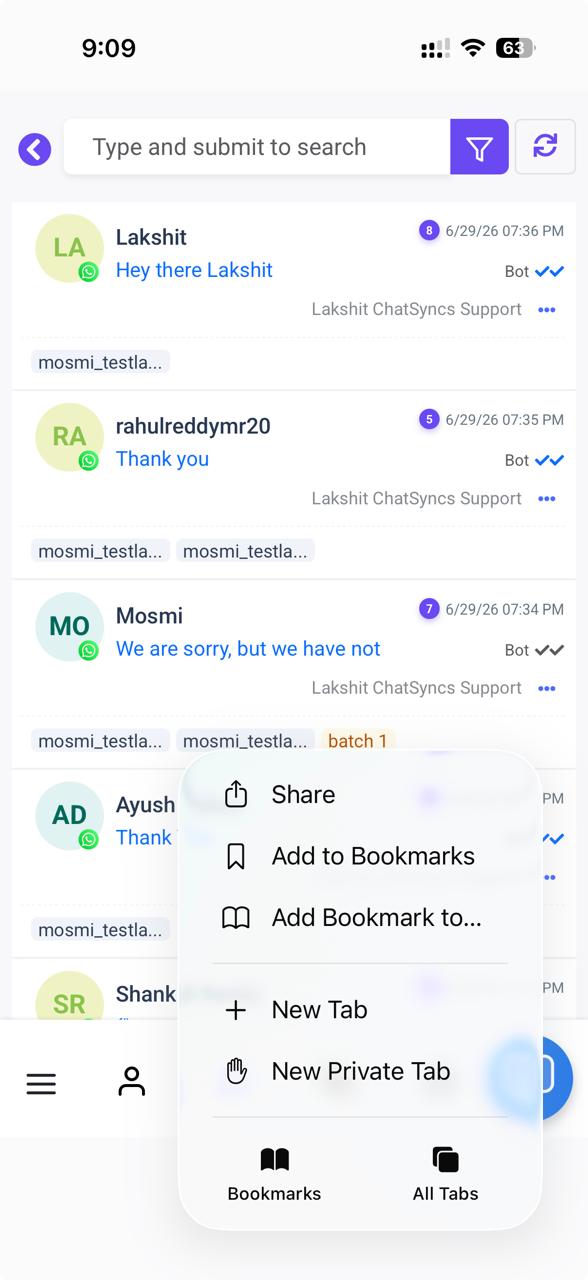
4
Select "Add to Home Screen"
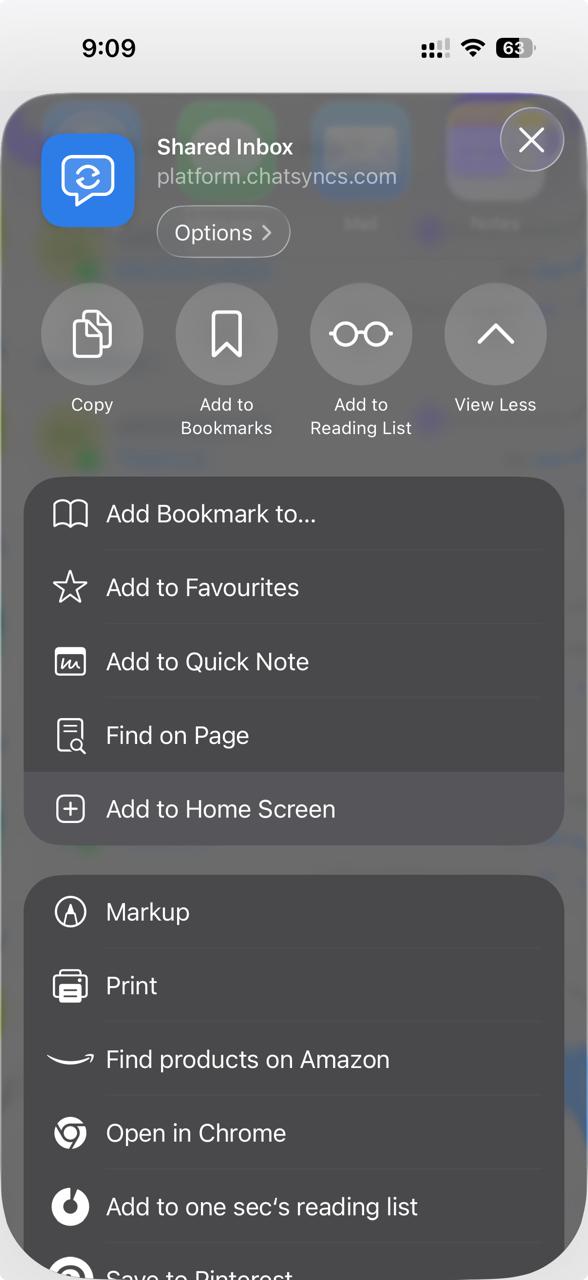
5
Confirm the install
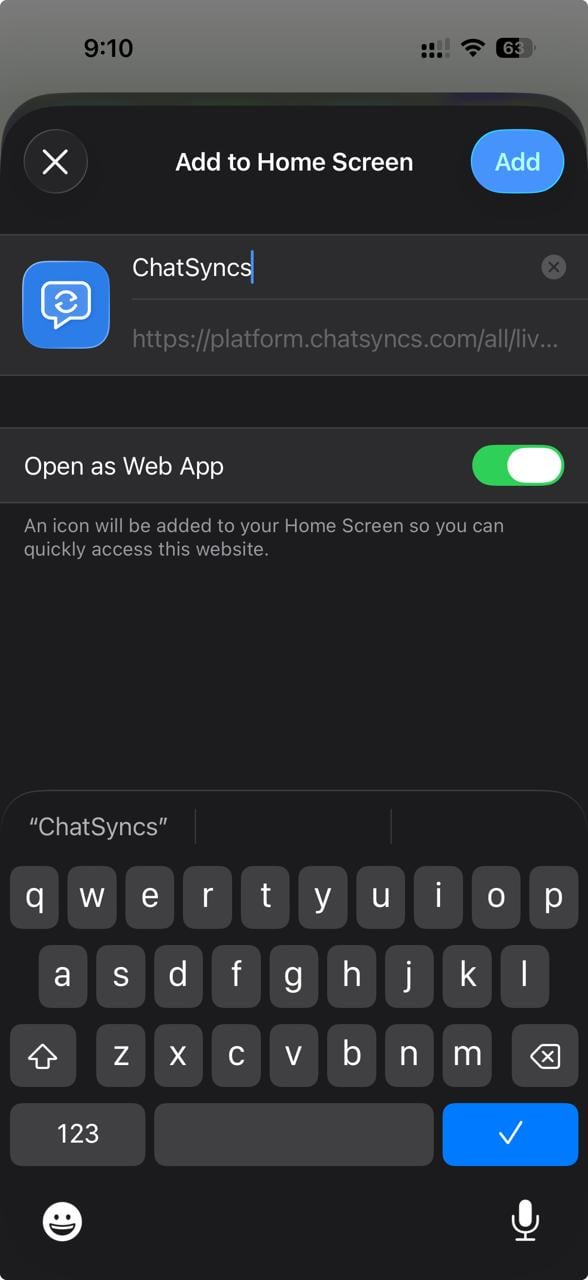
6
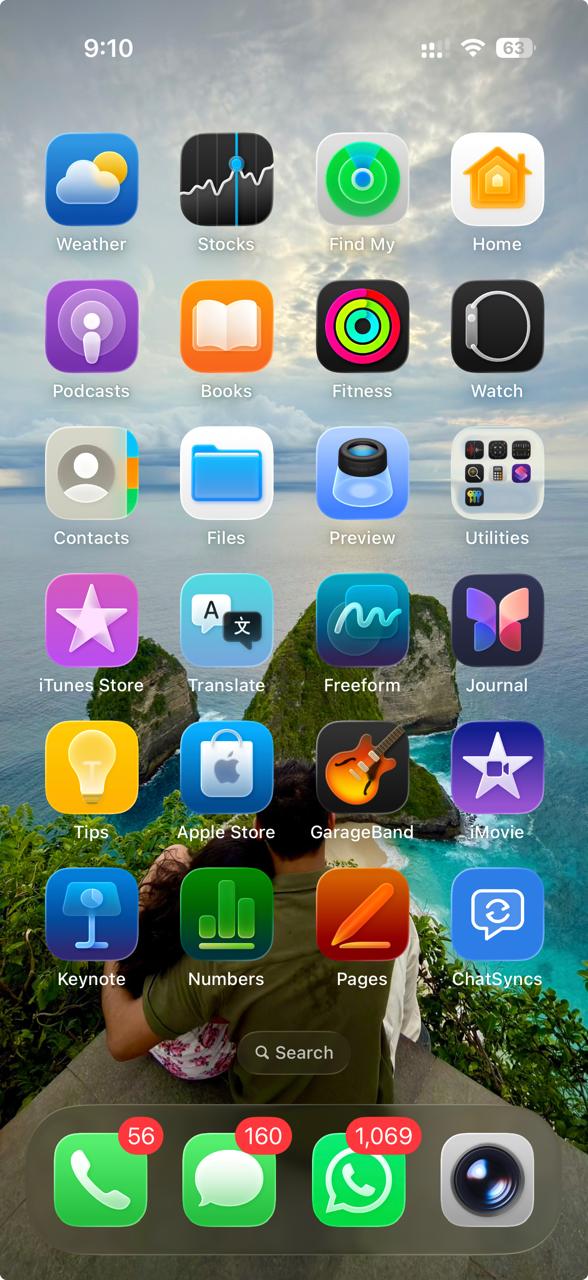
Open the app
Frequently asked
Can I install ChatSyncs on my iPhone like an app?
Can I install ChatSyncs on my iPhone like an app?
Yes, but only through Safari — open Shared Inbox in Safari, tap Share, then Add to
Home Screen, then Add. It won’t work from Chrome or another browser on iOS.
Do I need anything from the App Store?
Do I need anything from the App Store?
No — this is a Progressive Web App install through Safari, not an App Store download.