

Follow-up reminders
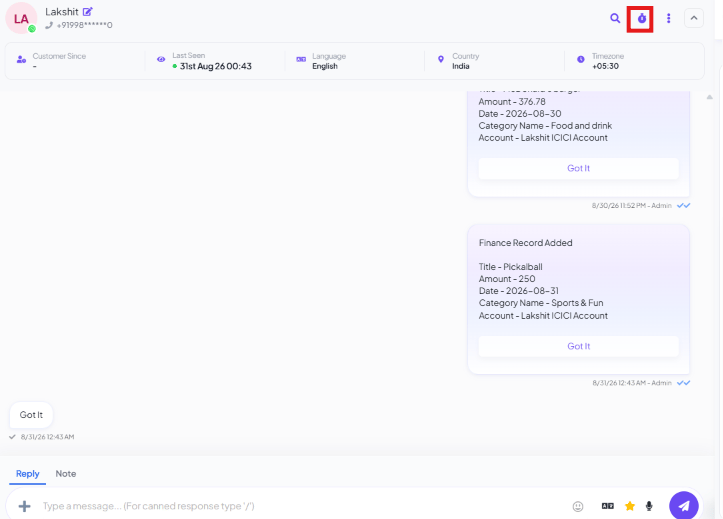
1
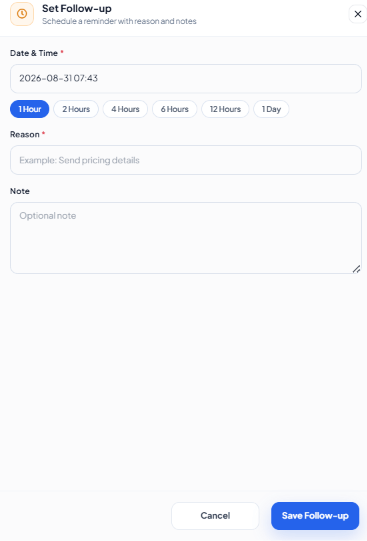
Pick a time
Use a quick preset (1 Hour, 2 Hours, 4 Hours, 6 Hours, 12 Hours, 1 Day)
or set an exact Date & Time.
2
Enter a Reason
Required — a short note on why you’re following up, e.g.
Send pricing details.3
Add a Note (optional)
Any extra context for whoever picks it up.
4
Click Save Follow-up
Schedules the reminder.
Confirm decision, so the system prompts them instead of relying on memory.
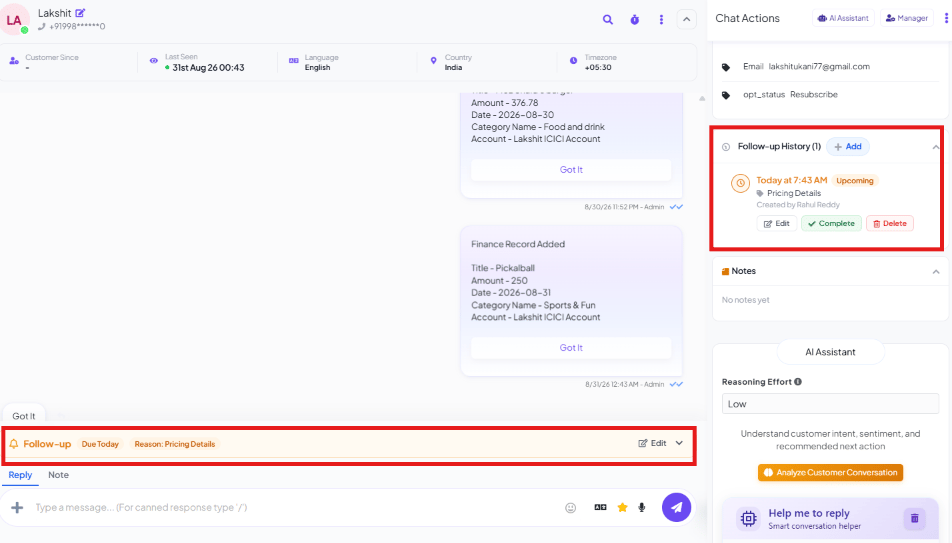
Where a follow-up shows up
Message Sequences
Frequently asked
How do I get reminded to follow up with a customer later?
How do I get reminded to follow up with a customer later?
Click the follow-up icon in the conversation header, pick a quick preset (1 Hour
through 1 Day) or an exact date and time, enter a Reason, and Save Follow-up.
Is a Reason required when setting a follow-up?
Is a Reason required when setting a follow-up?
Yes — Reason is required (e.g.
Send pricing details); Note is optional extra
context.Where do I see every reminder I've scheduled?
Where do I see every reminder I've scheduled?
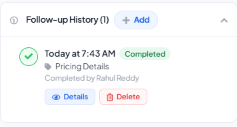
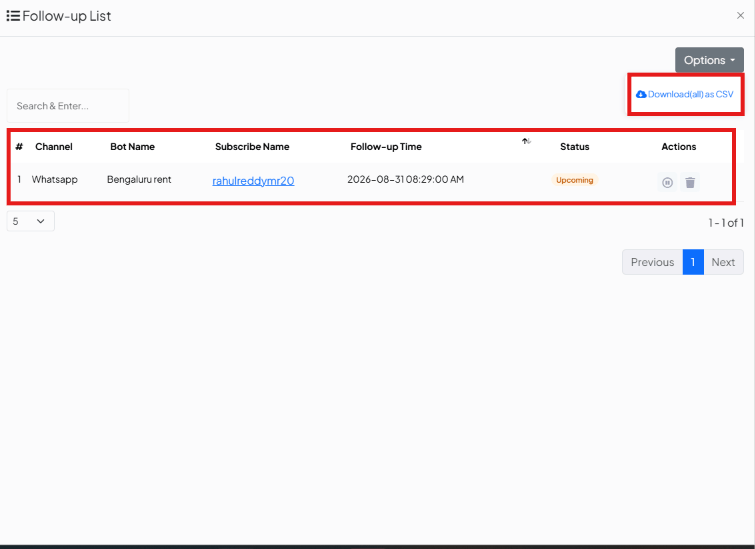
Two places: the Follow-up History section in the Chat Actions panel for that specific
conversation, and Settings → Follow-up List for every scheduled reminder across all
conversations.
How do I mark a follow-up as done?
How do I mark a follow-up as done?
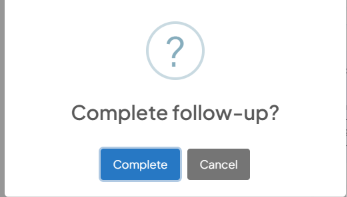
Click Complete on it in Follow-up History, then confirm. It’s marked
Completed, records who completed it, and stays in the history instead of disappearing.
What's the difference between a follow-up reminder and a Message Sequence?
What's the difference between a follow-up reminder and a Message Sequence?
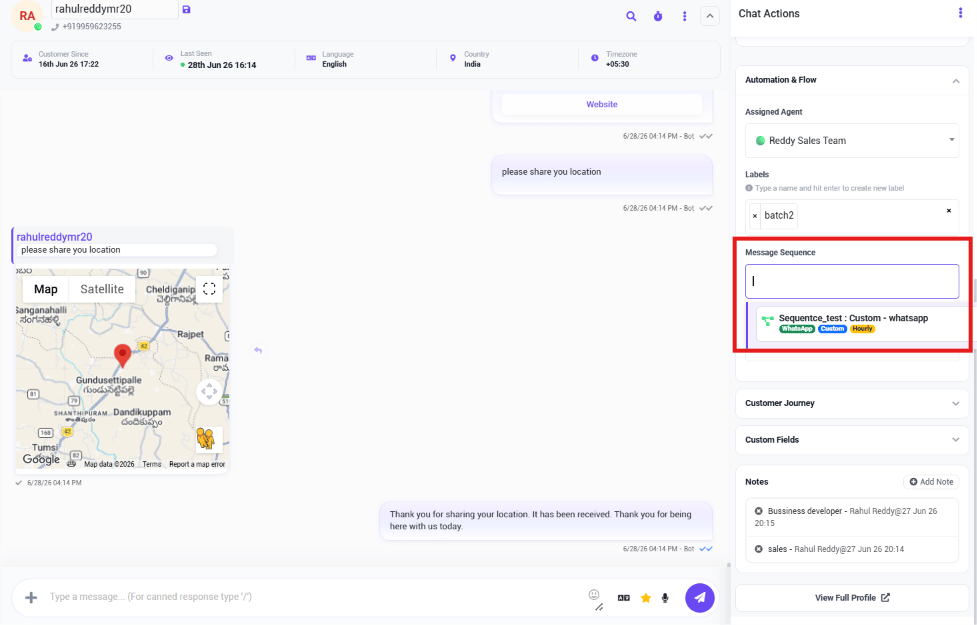
A reminder just nudges you to come back to the conversation manually. A Message
Sequence sends the follow-up messages automatically, without you doing anything once it’s
assigned.