

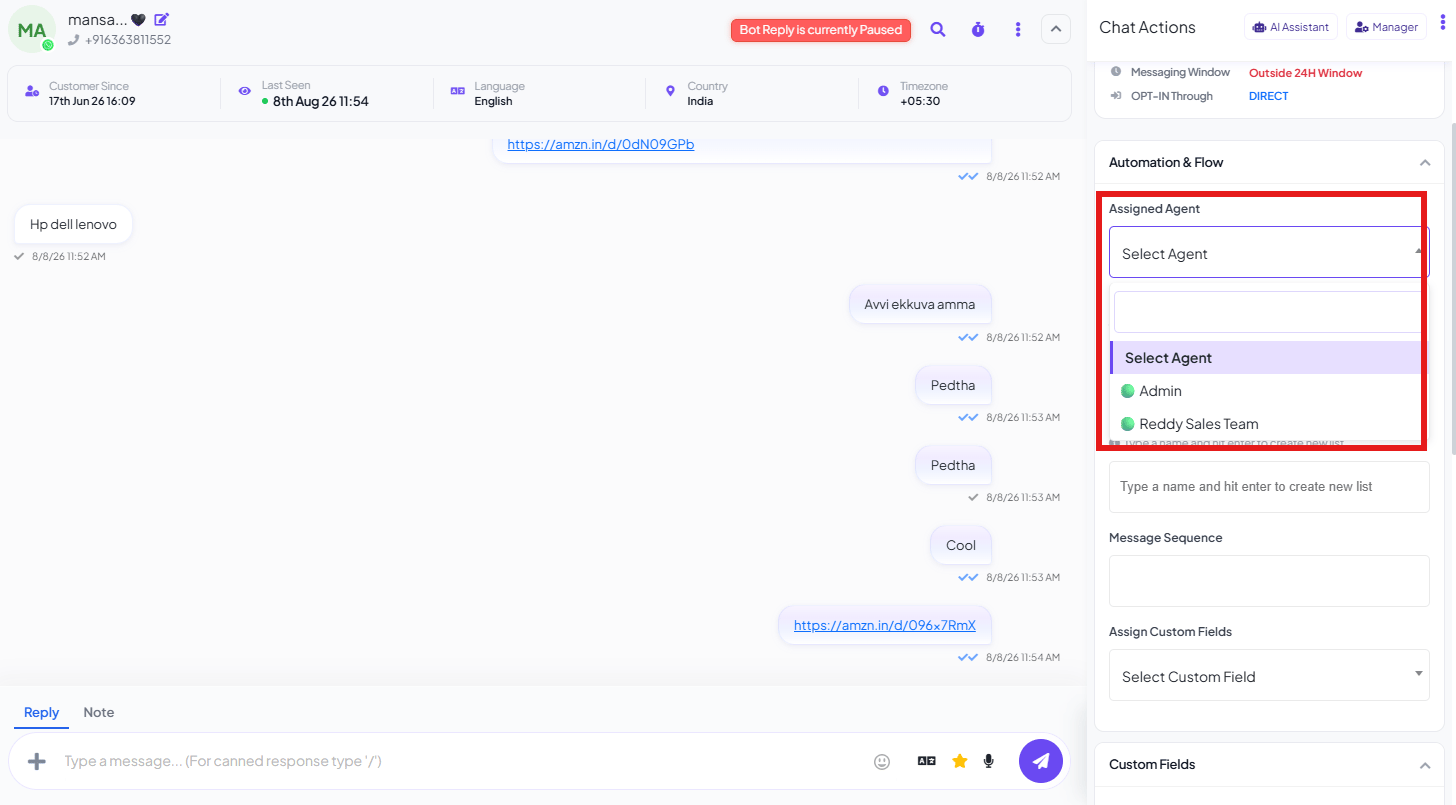
Assigned Agent
Notes
Internal notes are visible only to your team — never to the customer. Example:Frequently asked
How do I hand a conversation to a teammate?
How do I hand a conversation to a teammate?
Open the conversation, go to Automation & Flow in the Chat Actions panel, and change
Assigned Agent to the teammate who should take over.
Can I leave a note on a conversation that the customer won't see?
Can I leave a note on a conversation that the customer won't see?
Yes — use Notes in the Chat Actions panel. Notes are internal-only and never shown to
the customer.
How do I stop two agents from replying to the same customer?
How do I stop two agents from replying to the same customer?
Assign the conversation to one specific agent — only that agent is expected to reply, and
reassigning it moves ownership cleanly to someone else instead of leaving it open to anyone.