

Search the conversation list
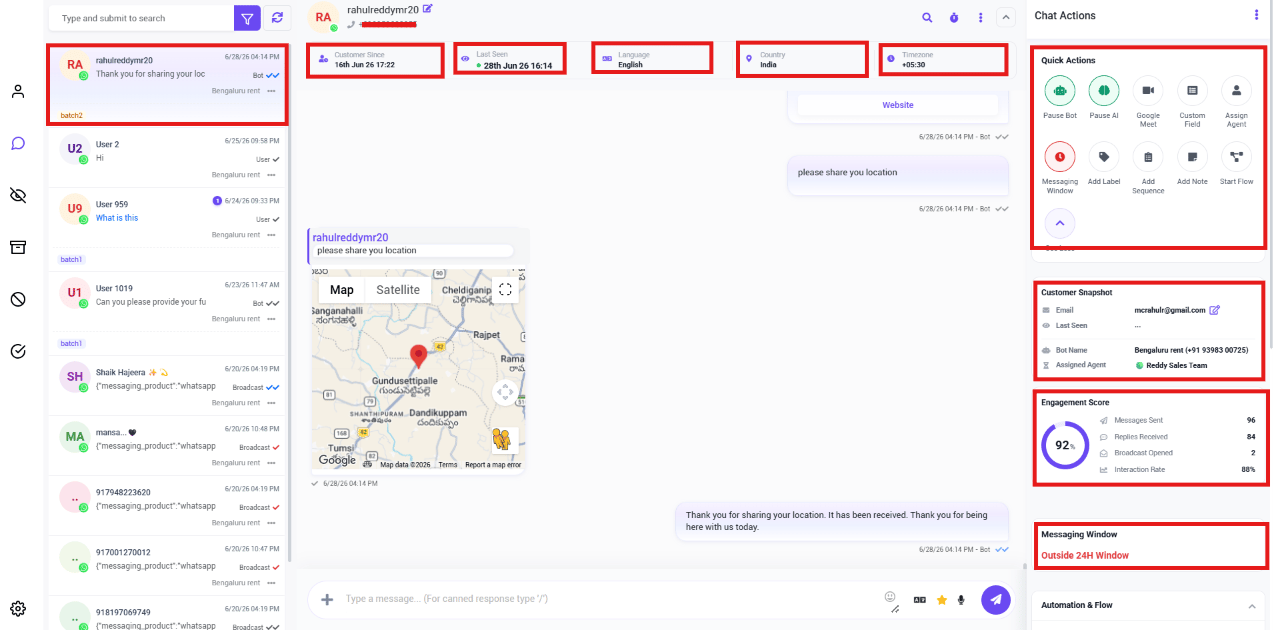
Views: the inbox filters
Switch between Mine, All, Unread, Archived, Blocked, and Resolved at the top of the Shared Inbox — see Filter Conversations by Channel & Account for the full breakdown of each.Labels
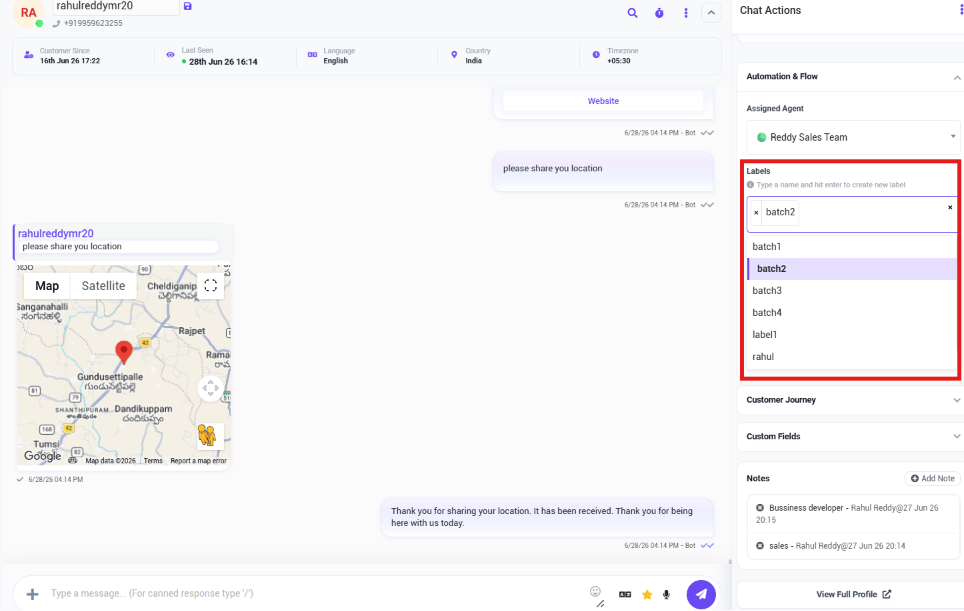
New LeadVIP CustomerPayment PendingFollow UpSales
New Lead so it’s easy to find and follow up on Monday, even after it’s been pushed down the
list by newer chats.
Conversation options
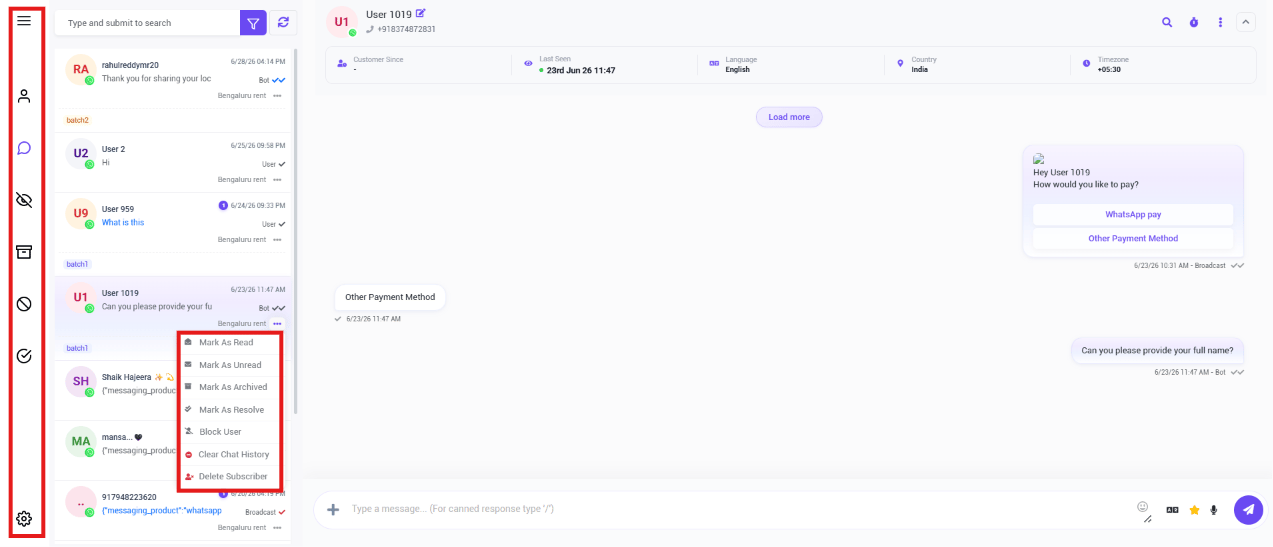
- Mark As Read / Mark As Unread
- Mark As Archived
- Mark As Resolve
- Block User
- Clear Chat History
- Delete Subscriber
Frequently asked
How do I quickly find one customer's conversation?
How do I quickly find one customer's conversation?
Use the search box above the conversation list — search by name or phone number instead of
scrolling.
How do I tag or organize a conversation?
How do I tag or organize a conversation?
Open it, then add a Label from the Chat Actions panel — e.g.
VIP Customer or
Follow Up. You can then filter or search by that label later.How do I remove a conversation from my active inbox without deleting it?
How do I remove a conversation from my active inbox without deleting it?
Use the conversation’s ⋯ menu and select Mark As Archived — it’s kept for reference
but no longer shows in your default view.
Can I permanently delete a customer's data?
Can I permanently delete a customer's data?
Yes, via Delete Subscriber in the conversation’s ⋯ menu — this is permanent and
can’t be undone.