

Step 1: Sign up or log in to Africa’s Talking
Go to Africa’s Talking and register a new account with your first name, last name, email address, password, and country. Agree to their terms of service and click Register.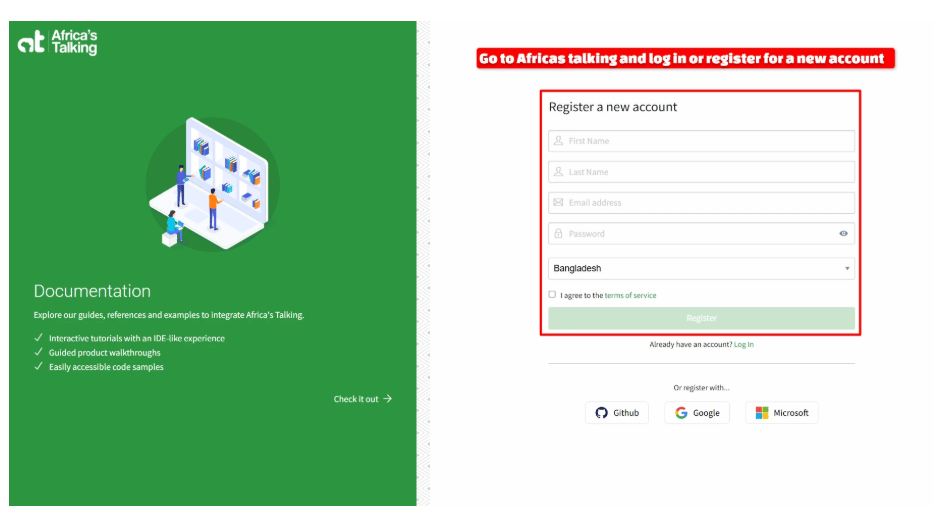
Step 2: Open the Sandbox app’s API Key page
Once you’re logged in, Africa’s Talking puts you in Sandbox App mode by default — this is a free testing environment, so you can try everything out before spending any real money. In the left sidebar, open Settings, then click API Key.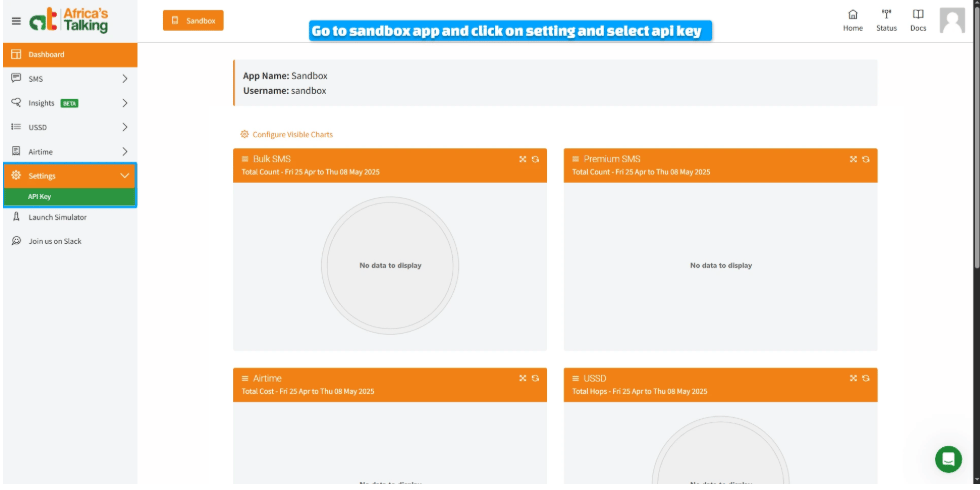
Step 3: Request the key
On the API Key page, type in your account password and click Request. Africa’s Talking does this as a security check — it won’t just show you the key on screen.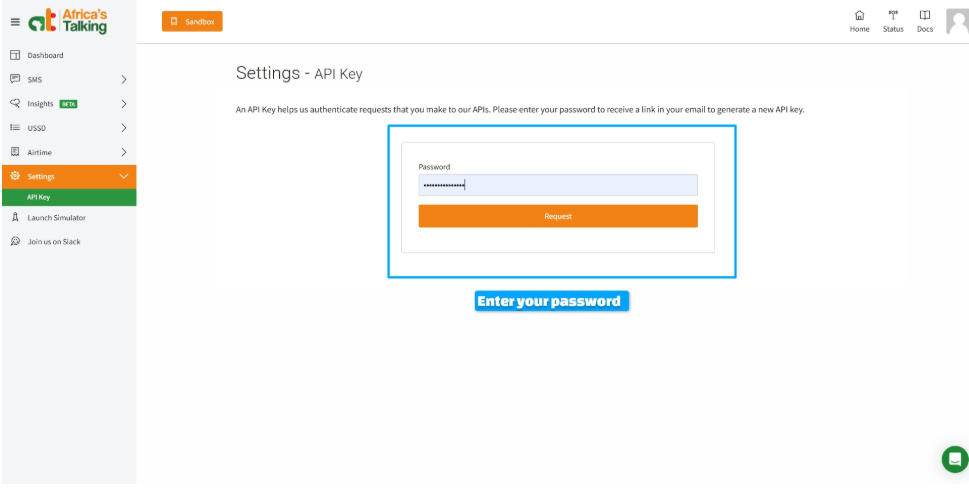
Step 4: Generate the key from your email
Check the inbox for the email address on your Africa’s Talking account — you’ll get a message from Africa’s Talking with a Generate New API Key button. Click it to actually create the key.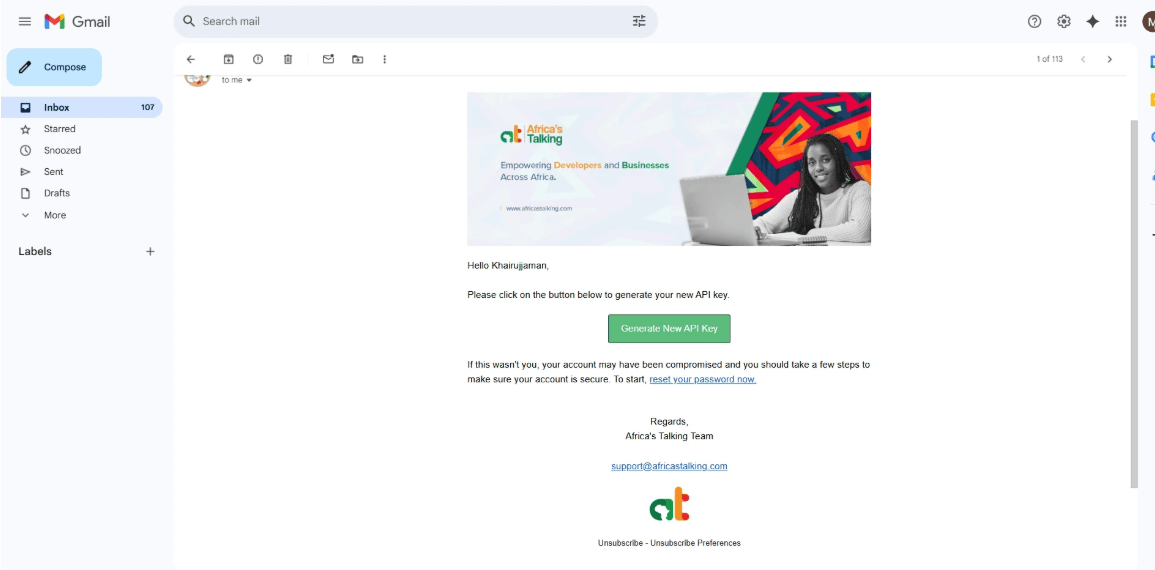
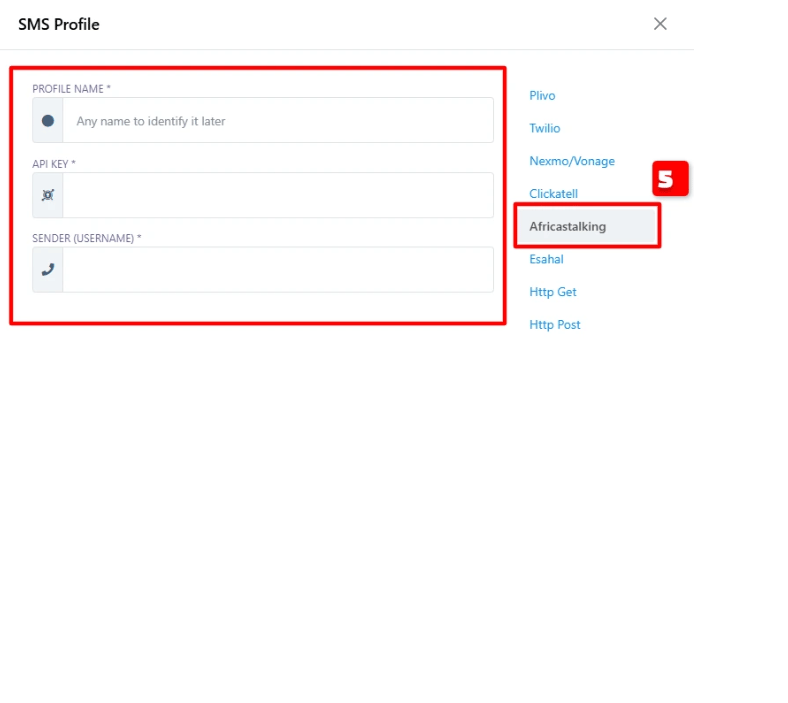
Step 5: Add the SMS profile in ChatSyncs
Switch to ChatSyncs. From SMS Integration, click New to open the SMS API form.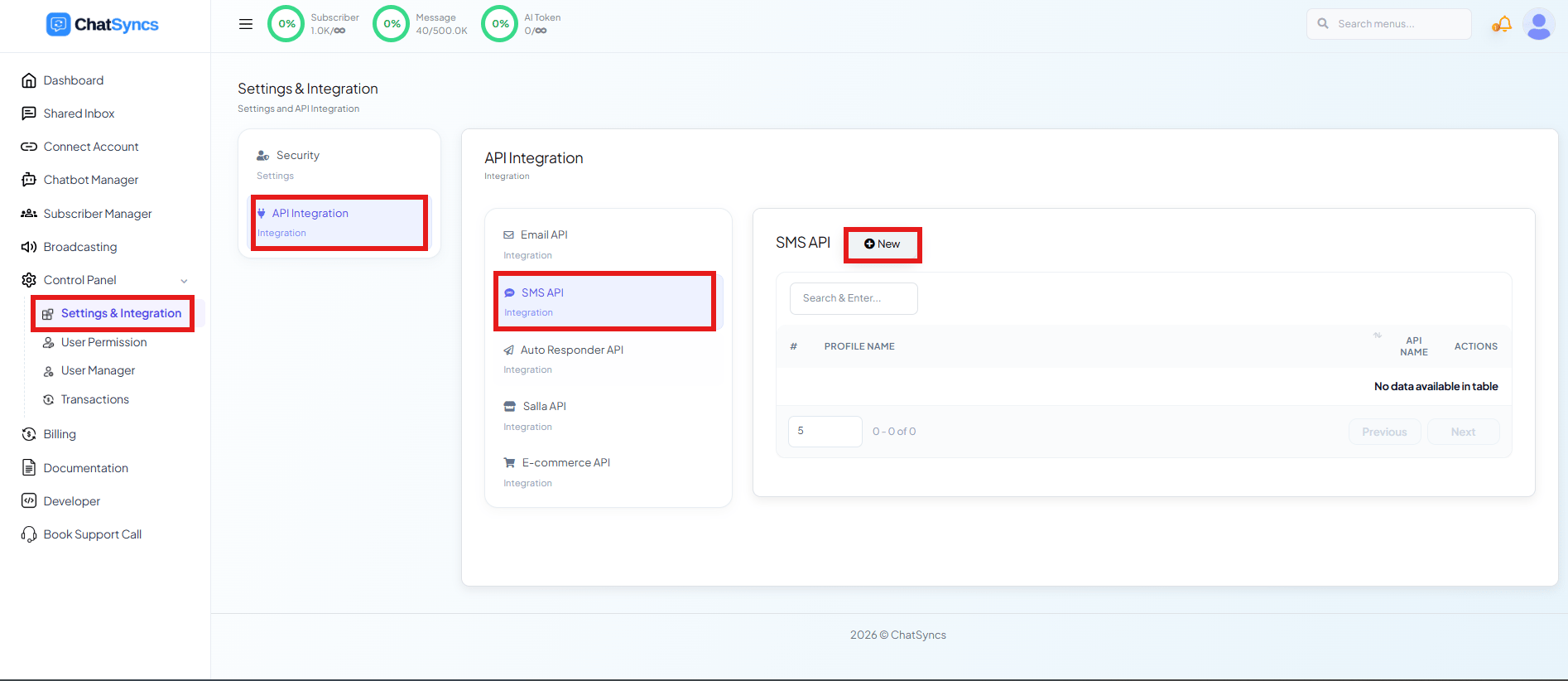
Frequently asked
How do I connect Africa's Talking to ChatSyncs?
How do I connect Africa's Talking to ChatSyncs?
Generate an API key in your Africa’s Talking Sandbox account under Settings → API Key,
then add it as a new AfricasTalking profile under SMS
Integration.
Can I test this without spending credits?
Can I test this without spending credits?
Yes — the Sandbox App mode in Africa’s Talking lets you fully test the SMS API and its
ChatSyncs integration at no cost before moving to production.
What is the Sender (Username) field for?
What is the Sender (Username) field for?
Your Africa’s Talking username — during sandbox testing this is typically
sandbox; in
production it’s the username tied to your live Africa’s Talking account.Related Documentation
- SMS Integration — connecting any SMS gateway and what it’s used for.