

Step 1: Get your Brevo API key
Log into Brevo and click your organization name in the top-right corner, then select SMTP & API from the menu that opens.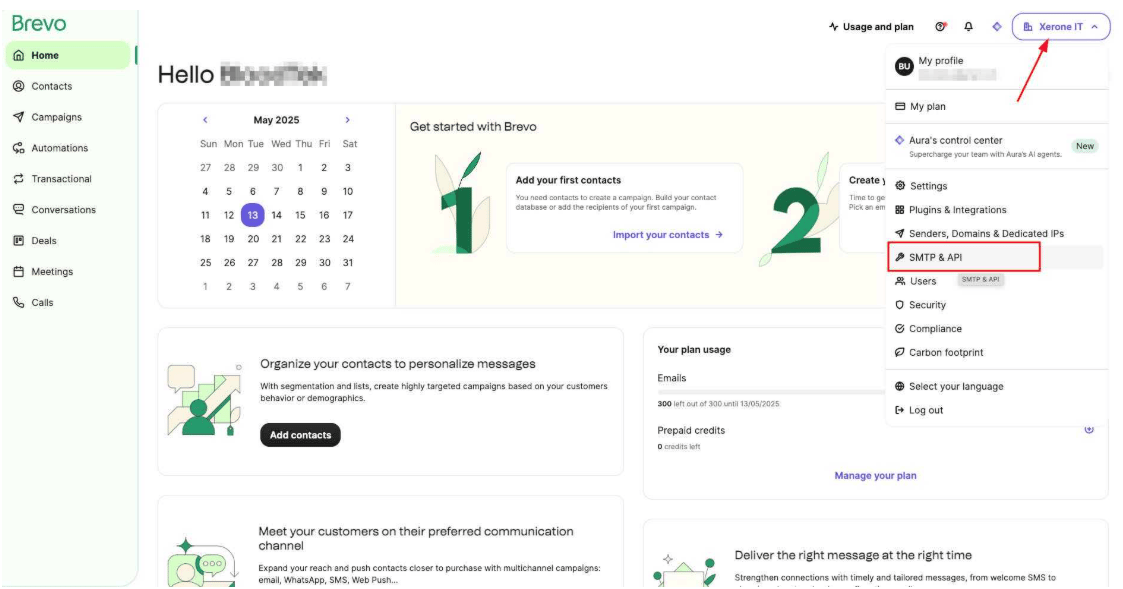
Step 2: Add the Brevo profile in ChatSyncs
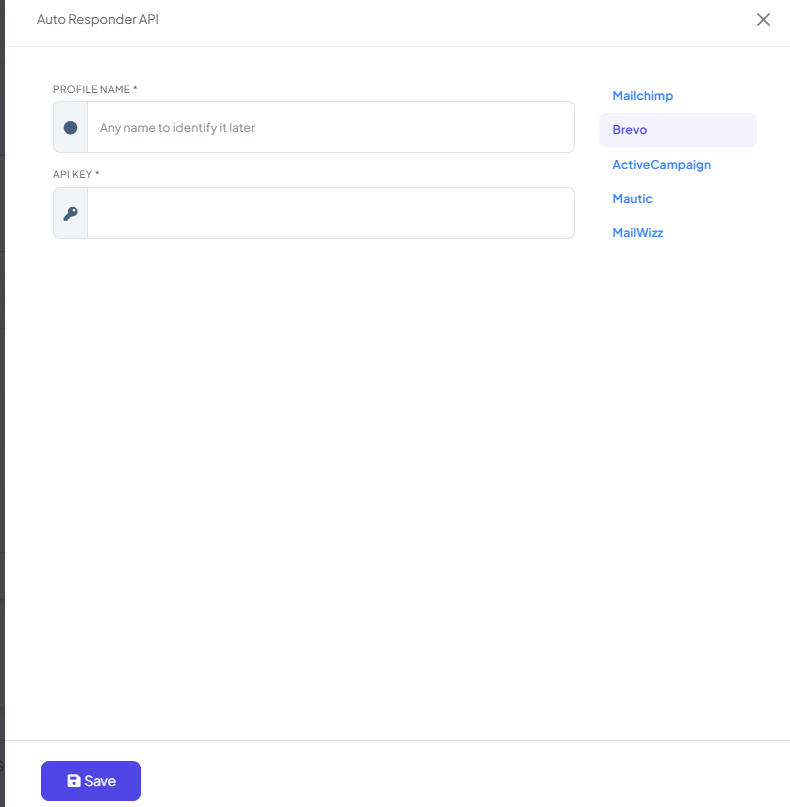
Switch to ChatSyncs. From Auto Responder Integration, click New to open the Auto Responder API form.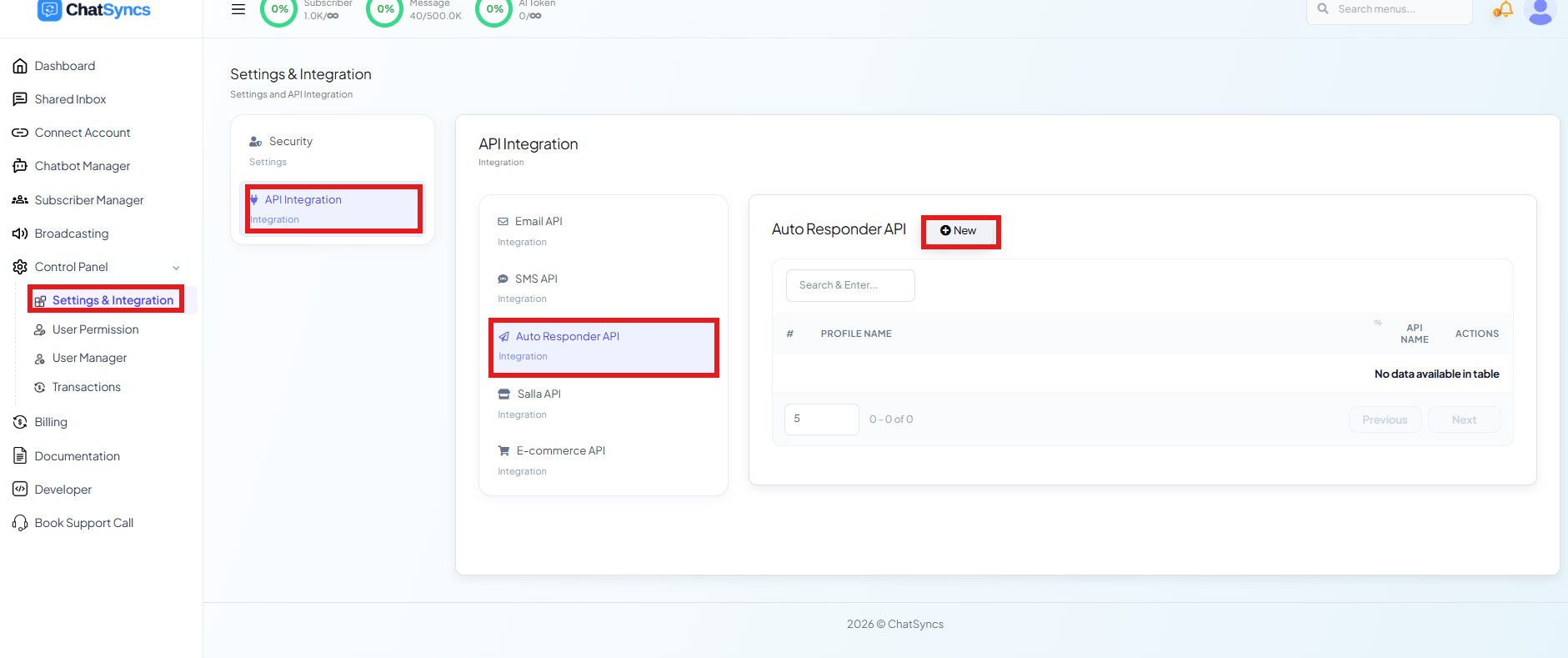
Frequently asked
How do I connect Brevo to ChatSyncs?
How do I connect Brevo to ChatSyncs?
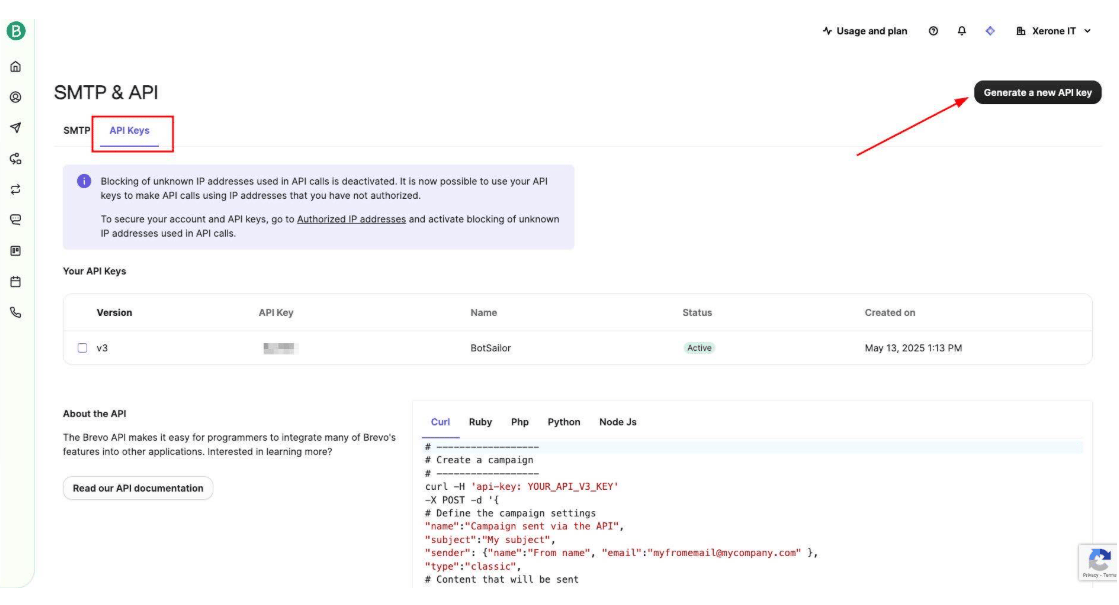
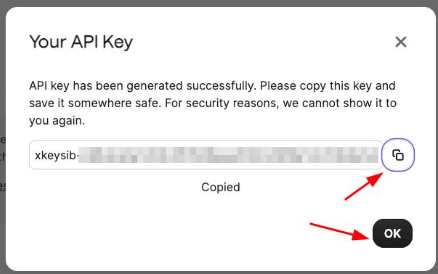
Generate an API key in Brevo under SMTP & API → API Keys, then add it as a new Brevo
profile under Auto Responder Integration.
What happens after I connect Brevo?
What happens after I connect Brevo?
ChatSyncs starts sending new subscribers to your Brevo list automatically — see Auto
Responder Integration for how the customer’s email gets
collected and handed off in a bot flow.
Can I connect more than one Brevo profile?
Can I connect more than one Brevo profile?
Yes — create multiple profiles with different API keys if you need to route subscribers to
different Brevo accounts or purposes.
Related Documentation
- Auto Responder Integration — connecting any email marketing platform and what it’s used for.