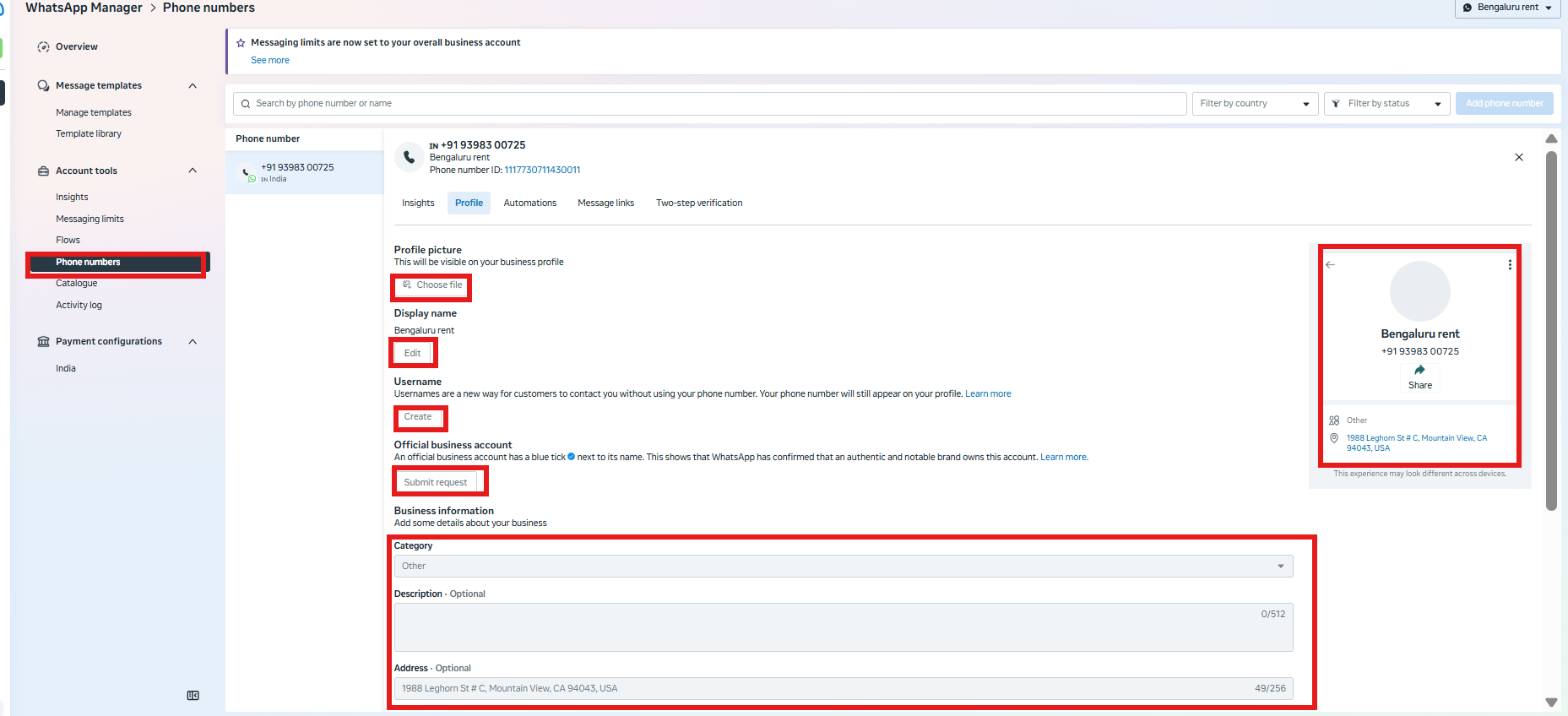
- It’s edited in WhatsApp Manager — a separate tool from Meta Business Suite’s main Settings, not something inside ChatSyncs.
- This page gets you there.
Set it up
1
Open your Business Portfolio's settings
In Meta Business Suite, click your business portfolio name in the top-left switcher, then click the gear icon next to it to open Settings.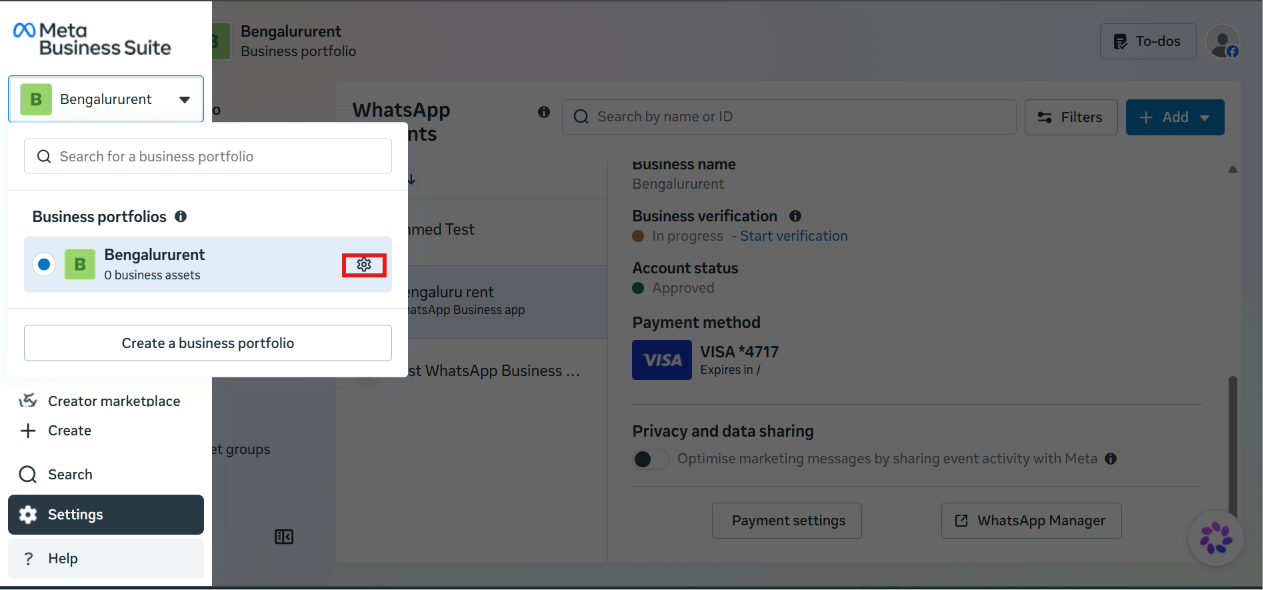
2
Open WhatsApp Manager for your account
Under Accounts → WhatsApp accounts, select the WhatsApp Business account you want to update, then click WhatsApp Manager.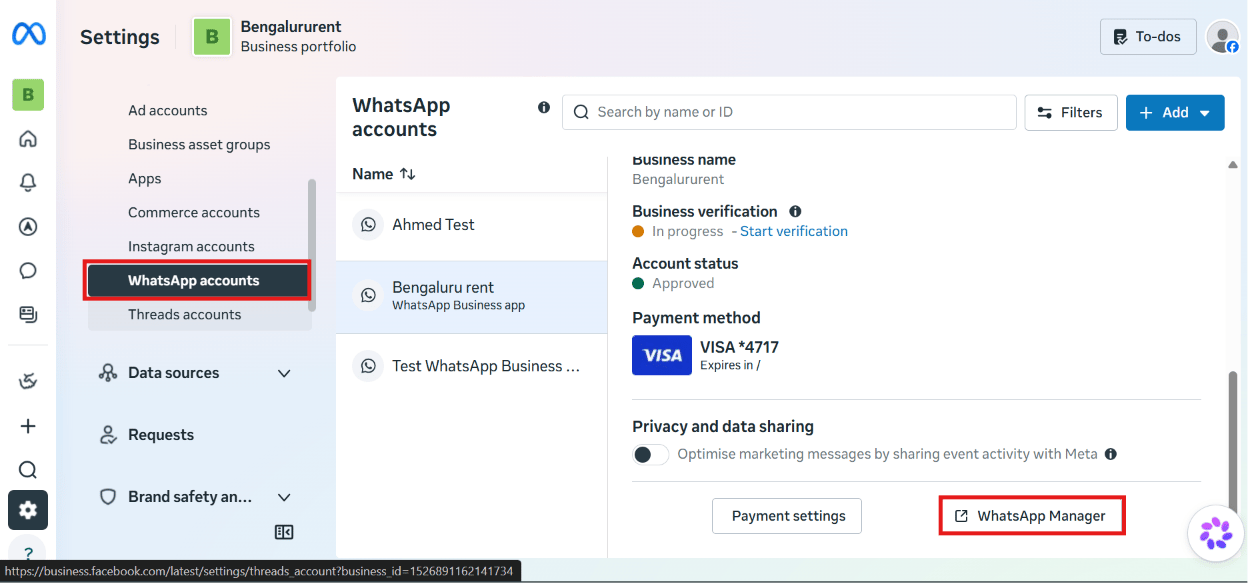
3
Open the Profile tab and edit your details
WhatsApp Manager opens with Account tools → Phone numbers selected, listing your number(s) on the left. Select your number, then click its Profile tab to edit the customer-facing details — Choose file for the profile picture, Edit for the display name, Create for a username, Submit request for Official Business Account status, plus Category, Description, and Address further down. A live preview of the profile shows on the right as you edit.