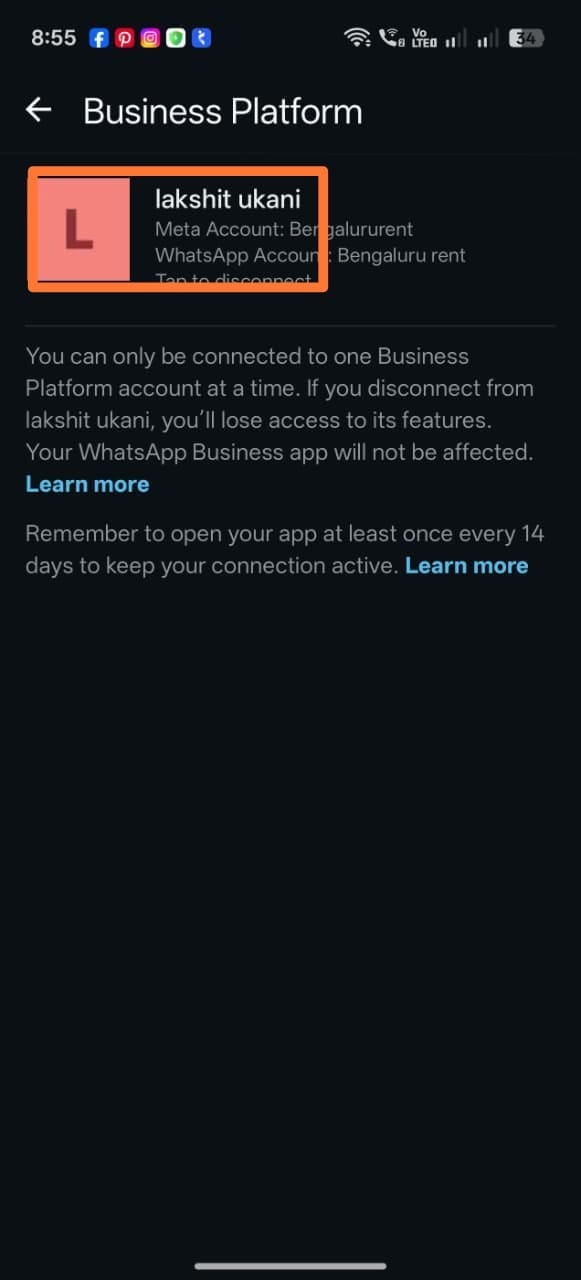
- A WhatsApp number can only be fully connected to one platform at a time — Meta calls this “Full access.”
- If the number was already connected to a different BSP or automation platform, Meta blocks ChatSyncs from connecting until that old connection is removed.
- This page is the fix for the “you need to unlink your number first” error mentioned in Connect Your WhatsApp Business App (Coexistence).
Remove the partner in Meta Business Suite
1
Open Partners
In Meta Business Suite Settings, go to Users →
Partners. Select the partner you want to disconnect — it shows which WhatsApp account
it currently has access to.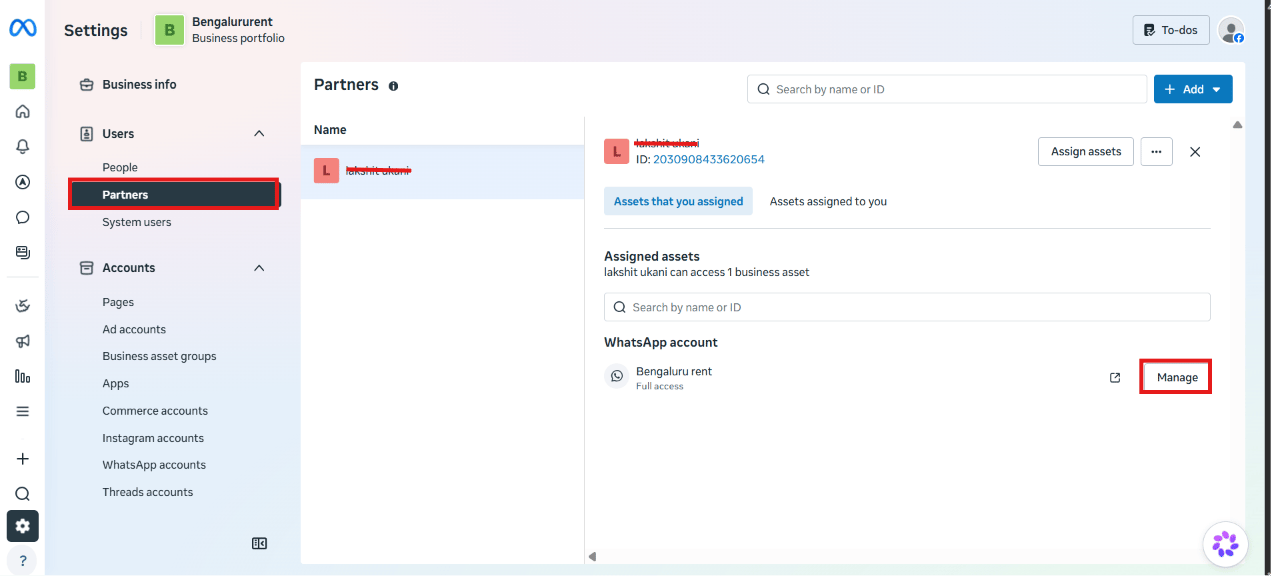
2
Remove access
Click Manage next to the WhatsApp account. In the Manage assignments dialog, click
Remove access at the bottom.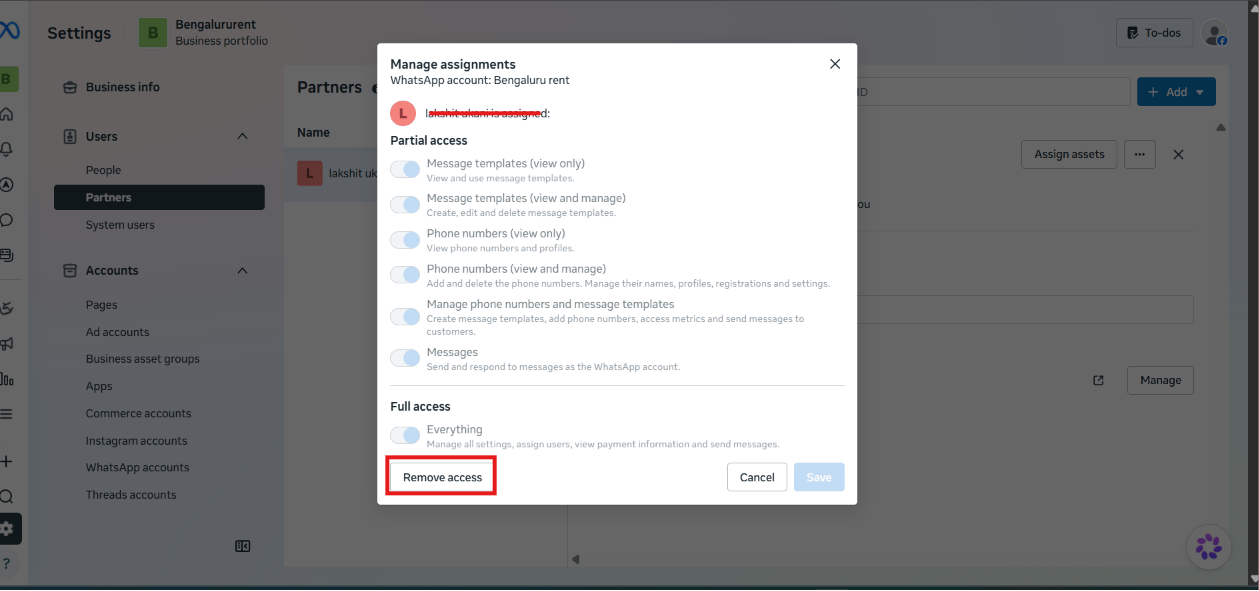
If the number uses Coexistence: also disconnect from the phone
1
Open WhatsApp Business app settings
On the phone with the WhatsApp Business app, tap the ⋮ menu, then Settings.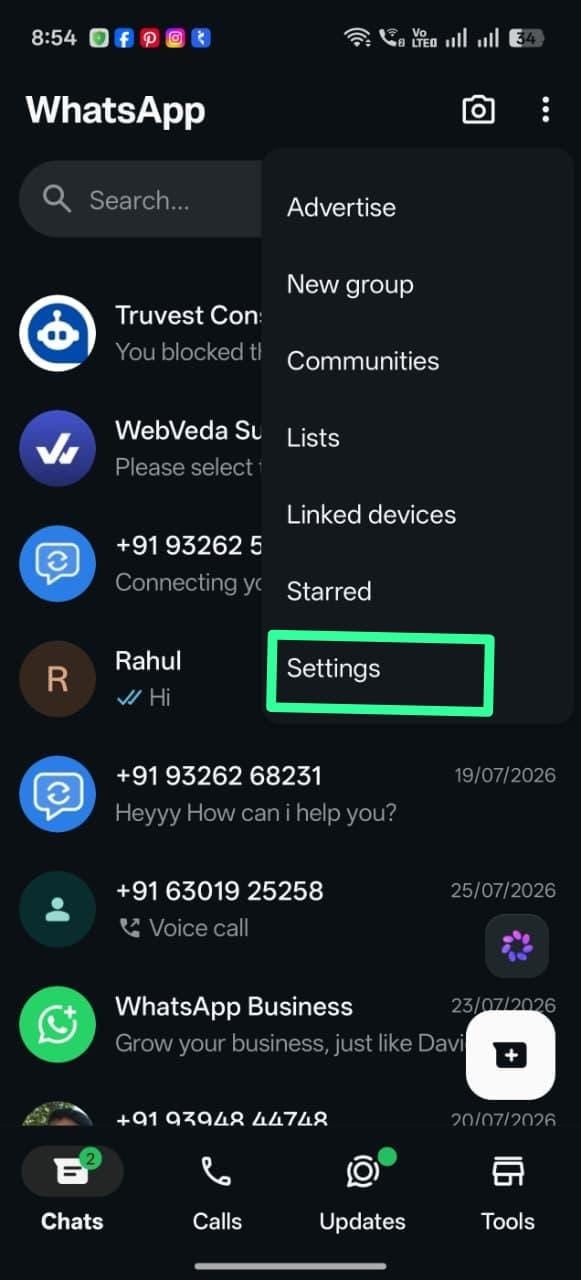
2
Open Account
In Settings, tap Account.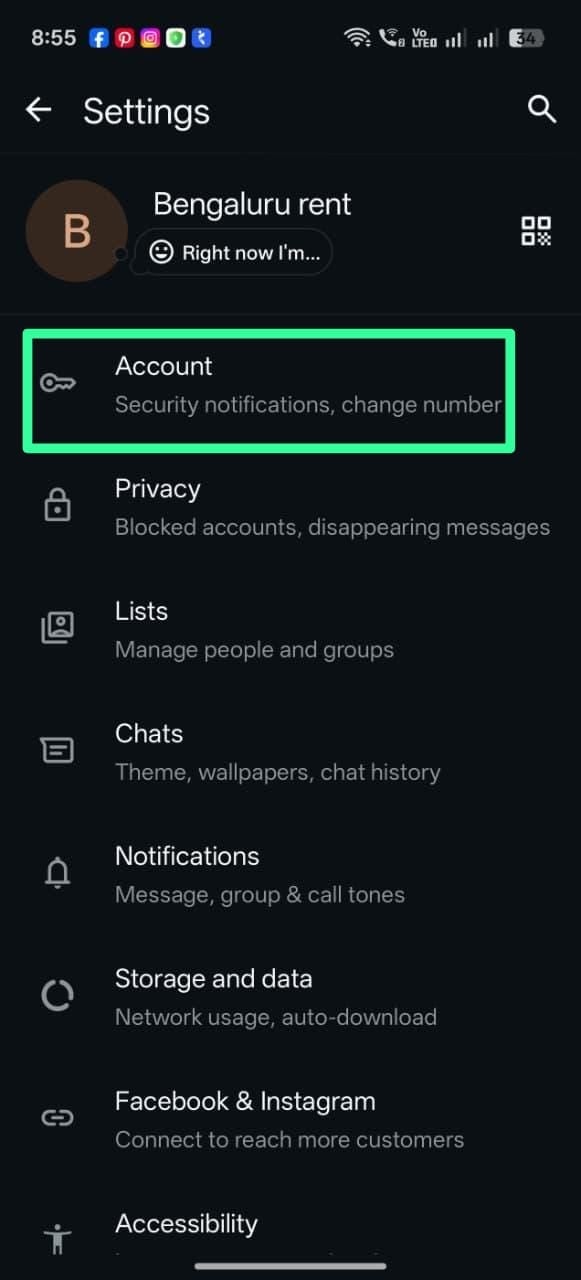
3
Open Business Platform
Under Your account, tap Business Platform.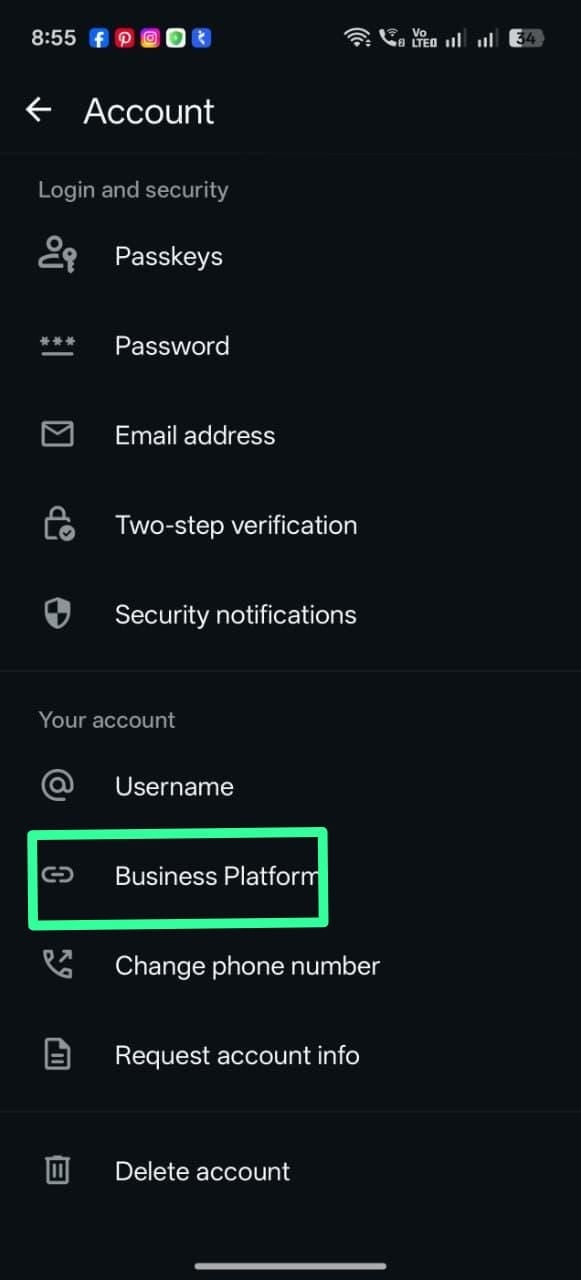
4
Tap the connected partner to disconnect
The currently connected partner is listed with “Tap to disconnect.” Tap it and confirm.