

- Using the WhatsApp Business App? You don’t need to delete anything. Use Coexistence — the number keeps working in the Business App and on ChatSyncs, at the same time. See How to Connect Your WhatsApp Business App to ChatSyncs for the full guide.
- Using regular (personal) WhatsApp? Coexistence isn’t available for personal accounts. The number has to be deleted from the personal app first, then connected to ChatSyncs fresh — follow the steps below.
Back up your conversations
Before deleting, save the chat history:1
Open WhatsApp on your phone
Go to Settings, then tap Chats.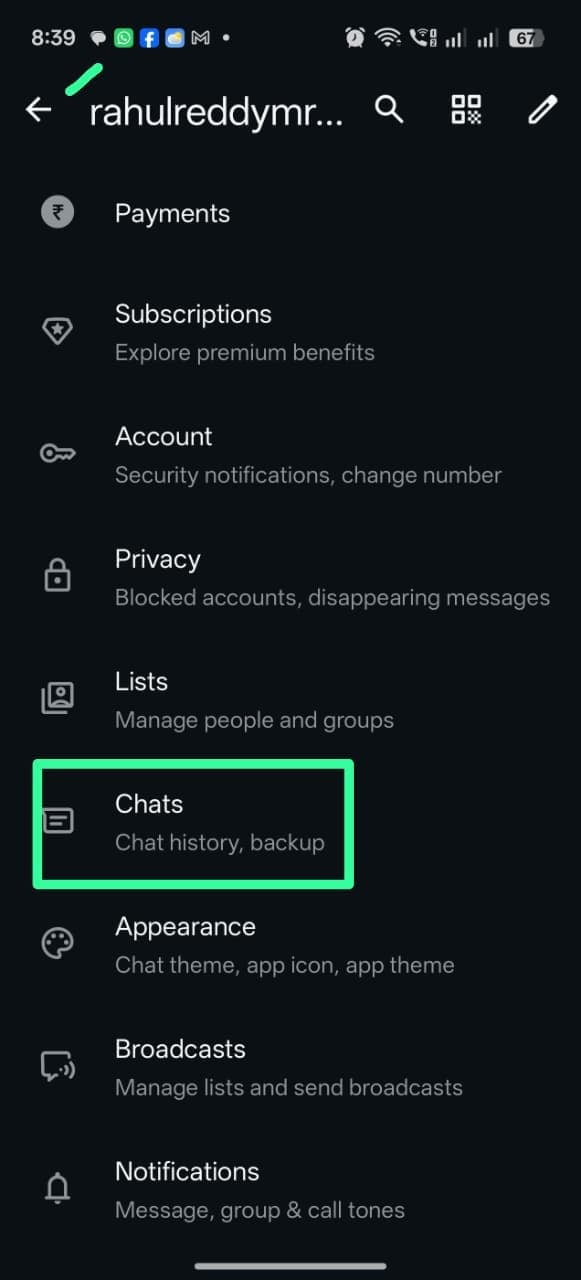
2
Open Chat backup
In Chats, scroll down and tap Chat backup.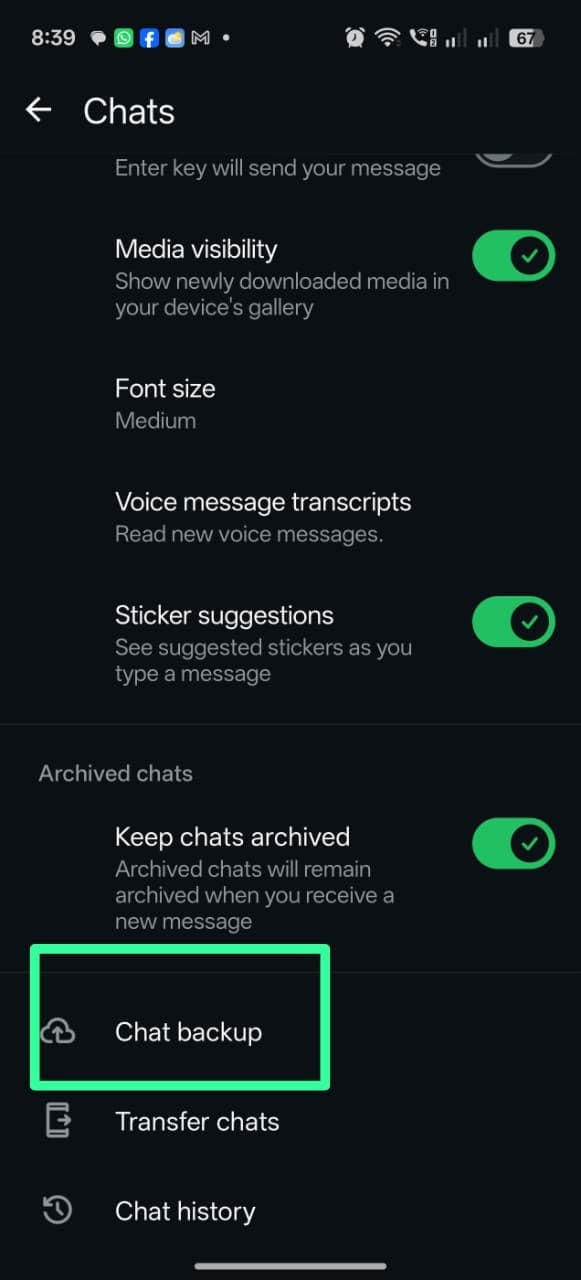
3
Back up now
Tap Back up and wait for the backup to finish.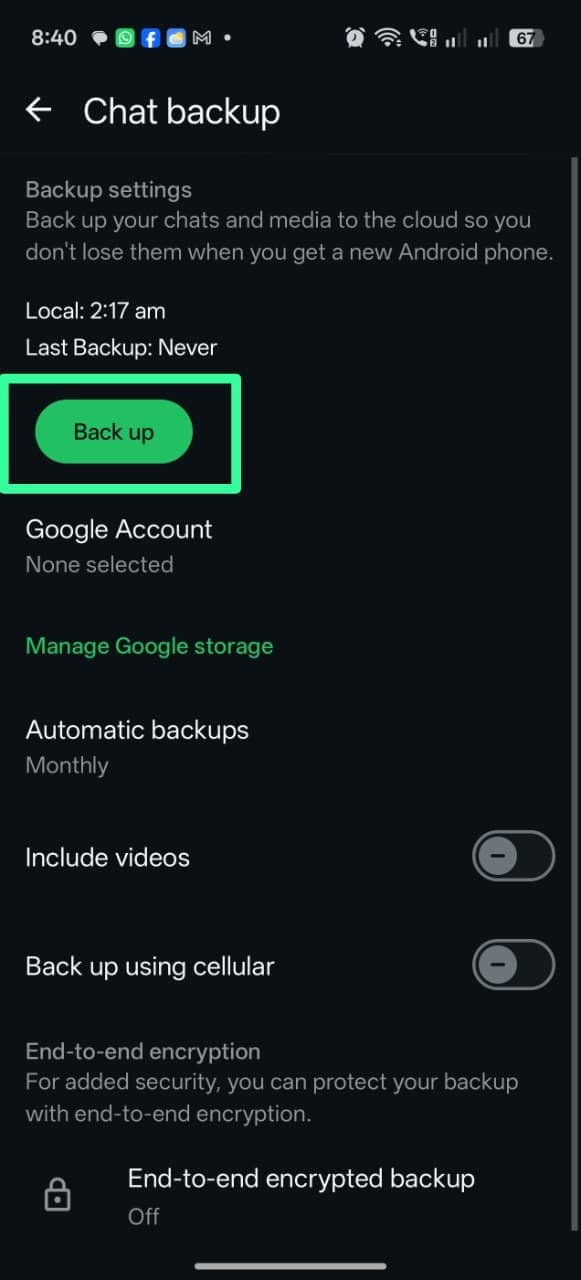
Delete the WhatsApp account
1
Open Settings → Account
In WhatsApp, go to Settings, then tap Account.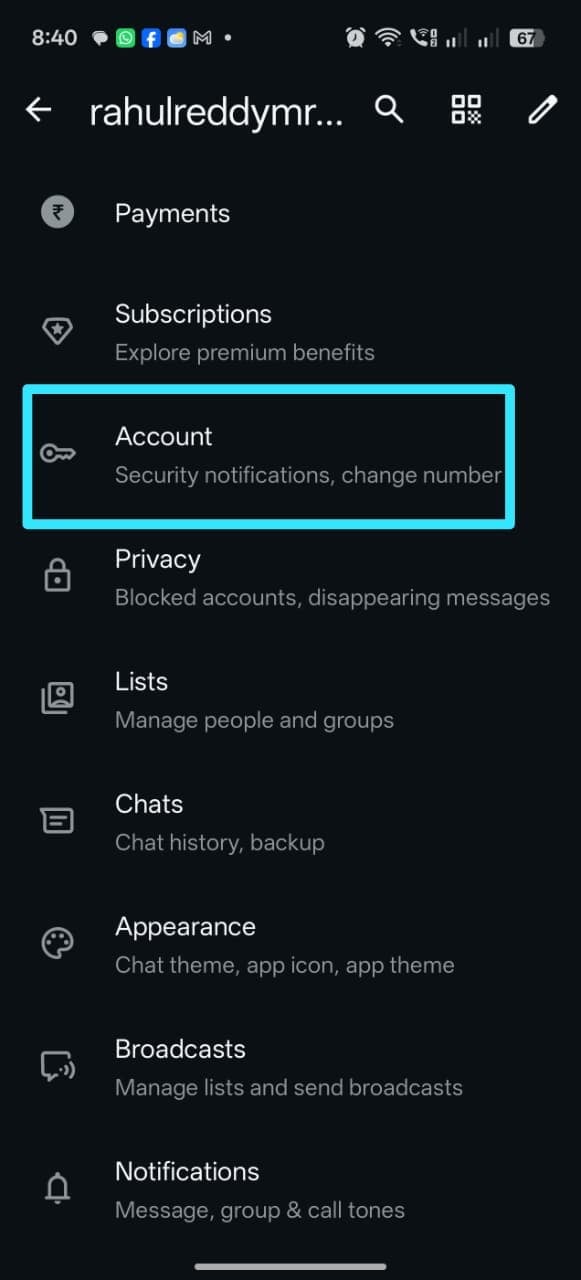
2
Delete account
Tap the ⋮ menu, then Delete account, and confirm the phone number to complete the
deletion.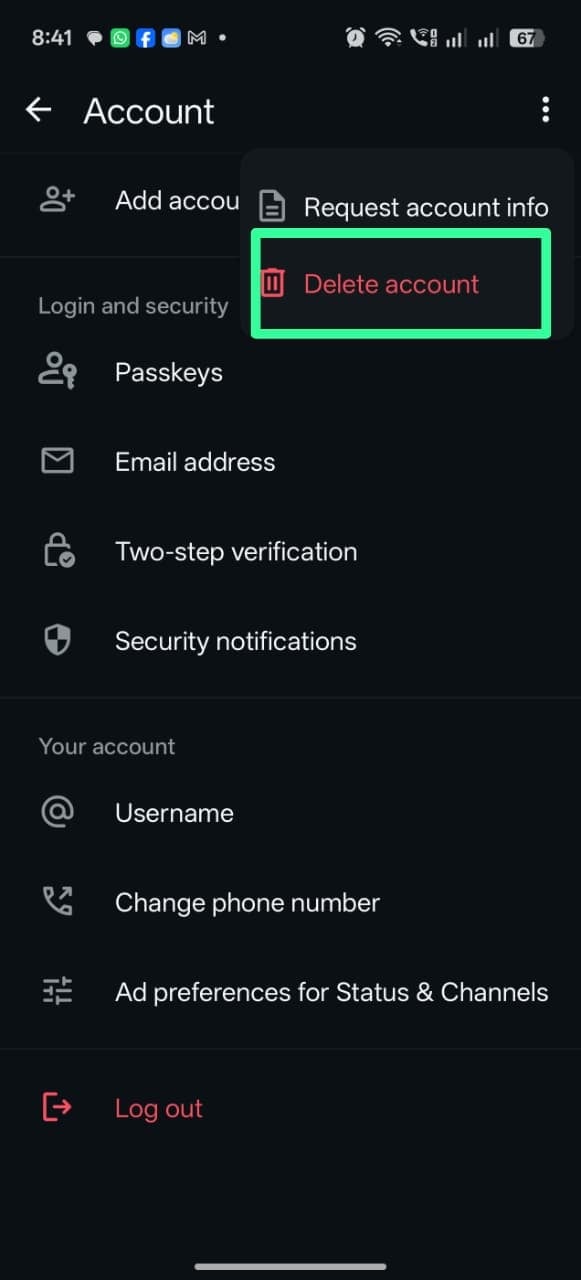
Connect to ChatSyncs
Once the number is deleted from personal WhatsApp, follow How to Connect Your Number to ChatSyncs to connect it fresh — that’s the only remaining step once deletion is confirmed.Frequently asked
Do I have to delete my WhatsApp account to use ChatSyncs?
Do I have to delete my WhatsApp account to use ChatSyncs?
Only if the number is on regular (personal) WhatsApp. If it’s on the WhatsApp Business App,
follow How to Connect Your WhatsApp Business App to ChatSyncs instead and keep the app running alongside
ChatSyncs.
Will I lose my chat history when I delete my WhatsApp account?
Will I lose my chat history when I delete my WhatsApp account?
Back it up first — Settings → Chats → Chat backup → Back up — before deleting. Deleting
the account itself is required to free the number up for the Business API.
How long until I can connect the number after deleting it?
How long until I can connect the number after deleting it?
About 3 minutes. Any messages sent to the number in that window are queued and delivered
once it’s connected to ChatSyncs.
What's the difference between this and Coexistence?
What's the difference between this and Coexistence?
Coexistence keeps the WhatsApp Business App active alongside the API — no deletion needed.
This guide is for personal WhatsApp, which doesn’t support Coexistence and requires deleting
the account first.