

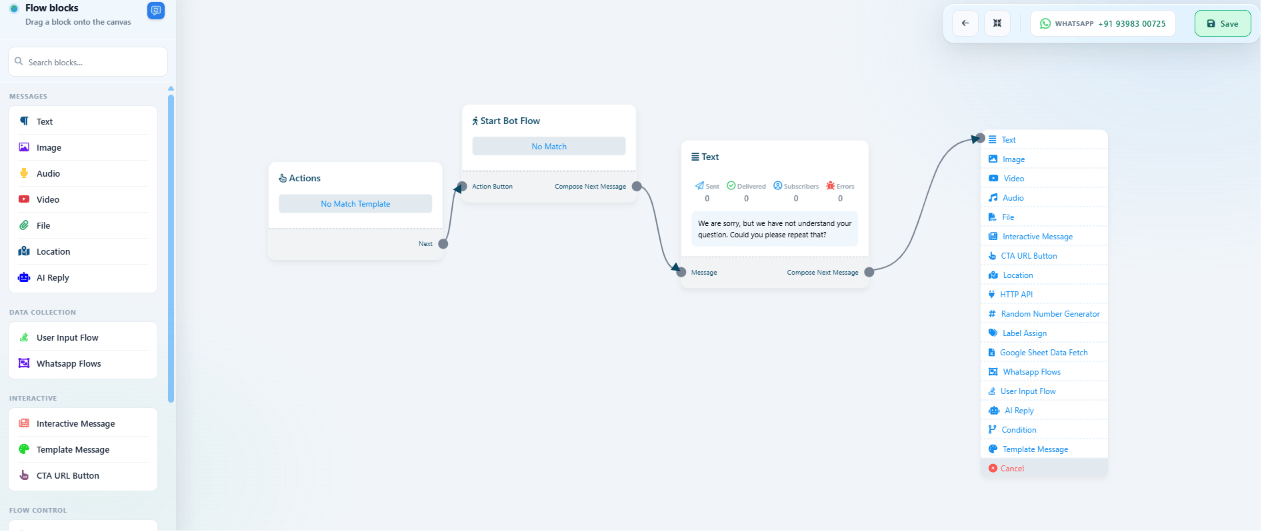
pizza, help me, or anything else with no matching flow.
Instead of getting ignored, No Match catches it and replies with something like “I’m not
sure I understood — type ‘menu’ to see what I can help with.”
Frequently asked
Can I make one flow trigger on literally any message?
Can I make one flow trigger on literally any message?
Not as a keyword you type — instead, enable No Match under Quick Actions — see How to
Set Up Quick Actions (No Match, Get Started, and More) — which catches every message that didn’t match a
set trigger keyword.
Is there a way to match 'contains' instead of an exact keyword?
Is there a way to match 'contains' instead of an exact keyword?
Yes — the keyword matching type on a flow’s trigger can be set to match partially, not just
an exact word. See How to Create a Keyword-Based WhatsApp Chatbot for the
trigger setup.