

1
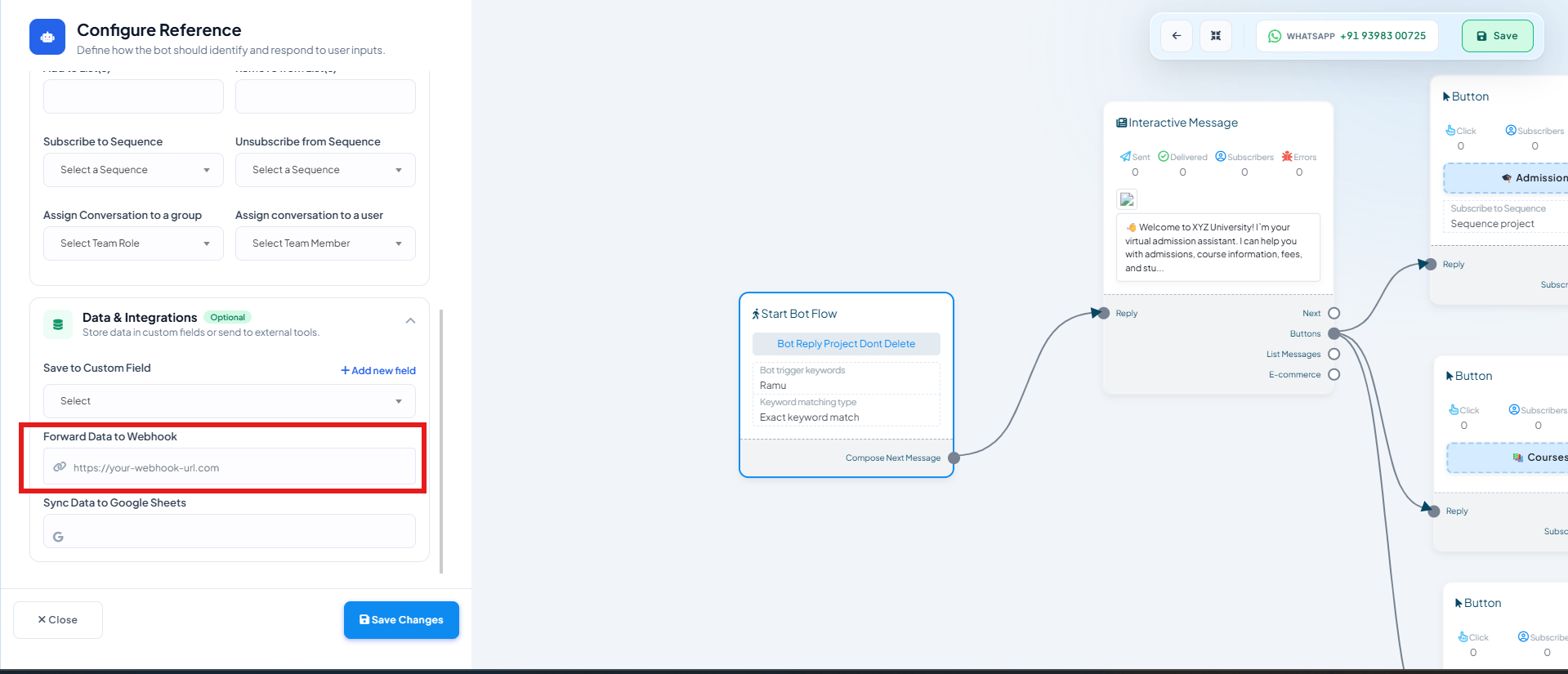
Open the flow's Start Bot Flow block
In your flow built following How to Create a Keyword-Based WhatsApp Chatbot, double-click
Start Bot Flow to open Configure Reference.
2
Open Data & Integrations
Scroll to the Data & Integrations section.
3
Set Forward Data to Webhook
Paste your webhook endpoint URL into Forward Data to Webhook. Every time this flow’s
trigger keyword matches, ChatSyncs POSTs the subscriber’s data to that URL.
4
Save Changes
Click Save Changes.
Frequently asked
When exactly does this webhook fire?
When exactly does this webhook fire?
The moment a customer’s message matches this flow’s trigger keyword(s) — not after every
message in the conversation, and not tied to a specific button or question inside the flow.
Can I send the same data to a webhook and Google Sheets at once?
Can I send the same data to a webhook and Google Sheets at once?
Yes — Forward Data to Webhook and Sync Data to Google Sheets are separate fields in
the same Data & Integrations section and can both be filled in.