

Syntax
Write an action inside the prompt using this format:Full action reference
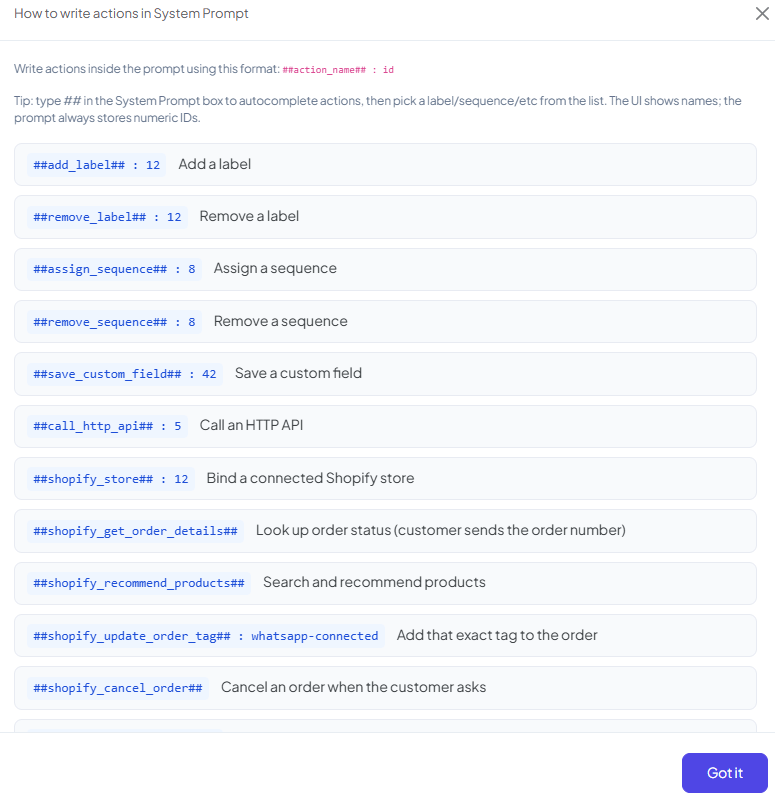
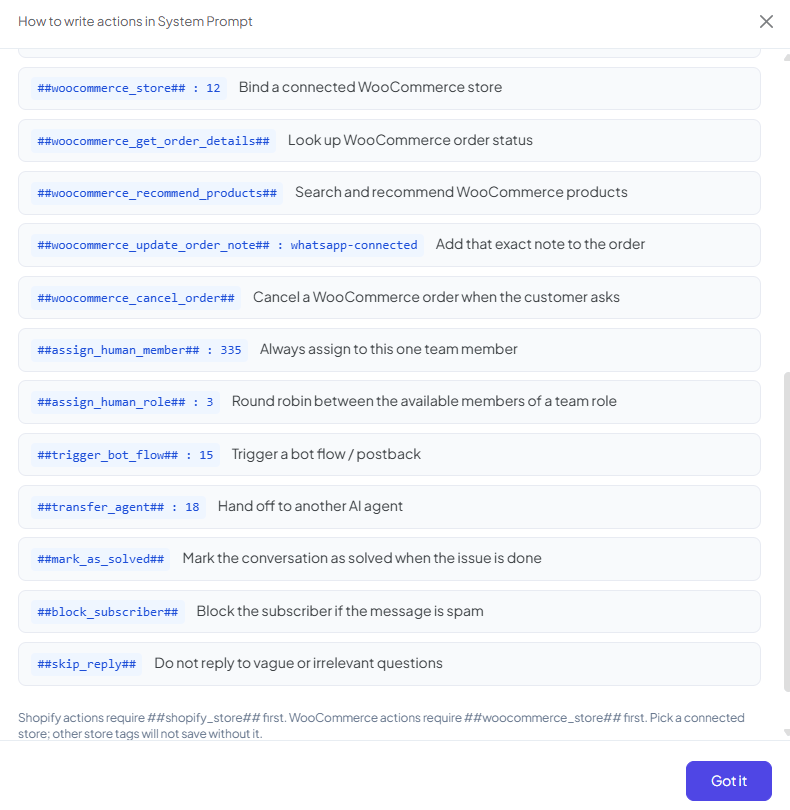
Store actions need a bound store first
##shopify_*## actions require ##shopify_store## in the same prompt first. ##woocommerce_*##
actions require ##woocommerce_store## first. Pick a connected store — other store-related
actions won’t save without it.
Example: an agent meant to handle order questions for a Shopify store needs, near the top of
its System Prompt:
##shopify_get_order_details## or ##shopify_cancel_order## will work.
Sending images
Frequently asked
How do I make an agent hand off to a live team member instead of answering?
How do I make an agent hand off to a live team member instead of answering?
Use
##assign_human_member##: <id> to always route to one specific person, or
##assign_human_role##: <id> to round-robin between everyone with that team role.How do I let one agent hand a conversation to another agent?
How do I let one agent hand a conversation to another agent?
Use
##transfer_agent##: <id> with the target agent’s ID in your System Prompt. This is
separate from — and can work alongside — Agent Routing rules.My Shopify action isn't working — why?
My Shopify action isn't working — why?
Check that
##shopify_store##: <id> with a connected store’s ID appears in the same System
Prompt. Every other ##shopify_*## action depends on that binding.How do I stop the agent from replying to junk or off-topic messages?
How do I stop the agent from replying to junk or off-topic messages?
Add
##skip_reply## to its instructions for vague or irrelevant questions — it tells the
agent not to reply at all rather than guess.What's the difference between mark_as_solved and skip_reply?
What's the difference between mark_as_solved and skip_reply?
##mark_as_solved## closes out a conversation once the customer’s issue is actually
resolved. ##skip_reply## is about not answering a specific message at all — the
conversation itself stays open.