

- The business’s phone number(s)
- Message templates
- Messaging history
- WABA ID — identifies the whole account (used for account-level settings, templates, webhooks).
- Phone Number ID — identifies one specific number inside that account.
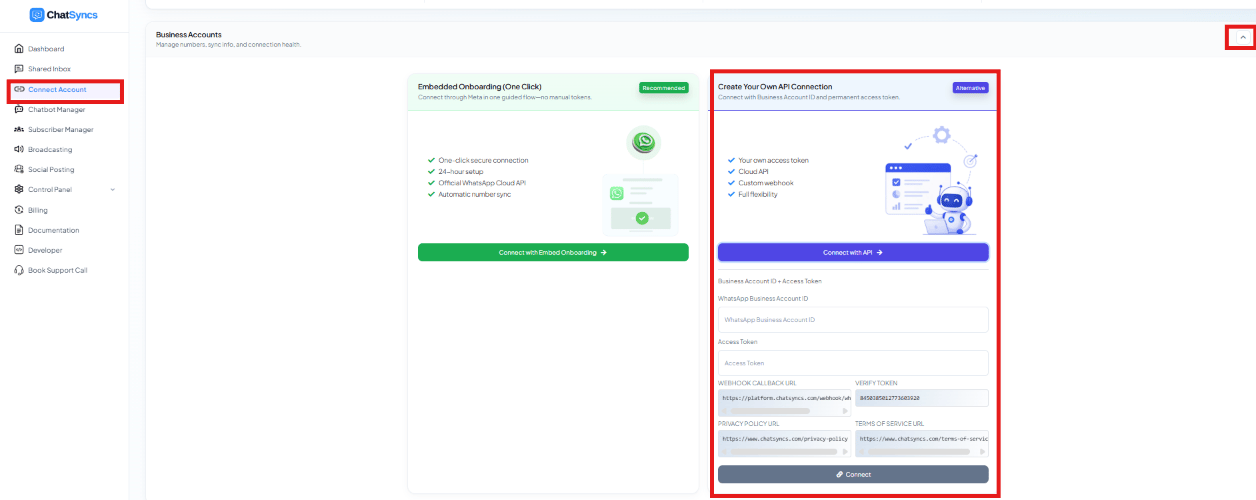
Where the WABA ID goes in ChatSyncs — the WhatsApp Business Account ID field on the manual connection panel.
Frequently asked
Where do I find my WABA ID?
Where do I find my WABA ID?
In the Meta developer dashboard, under API Setup — or in the credentials shown during
ChatSyncs’ manual connection flow.
Is WABA ID the same as Phone Number ID?
Is WABA ID the same as Phone Number ID?
No. WABA ID identifies the whole account; Phone Number ID identifies one number inside it.
ChatSyncs needs both during manual setup.