

- Team Roles — a permission package that decides what a person is allowed to do. Built in How to Set Up User Roles and Permissions.
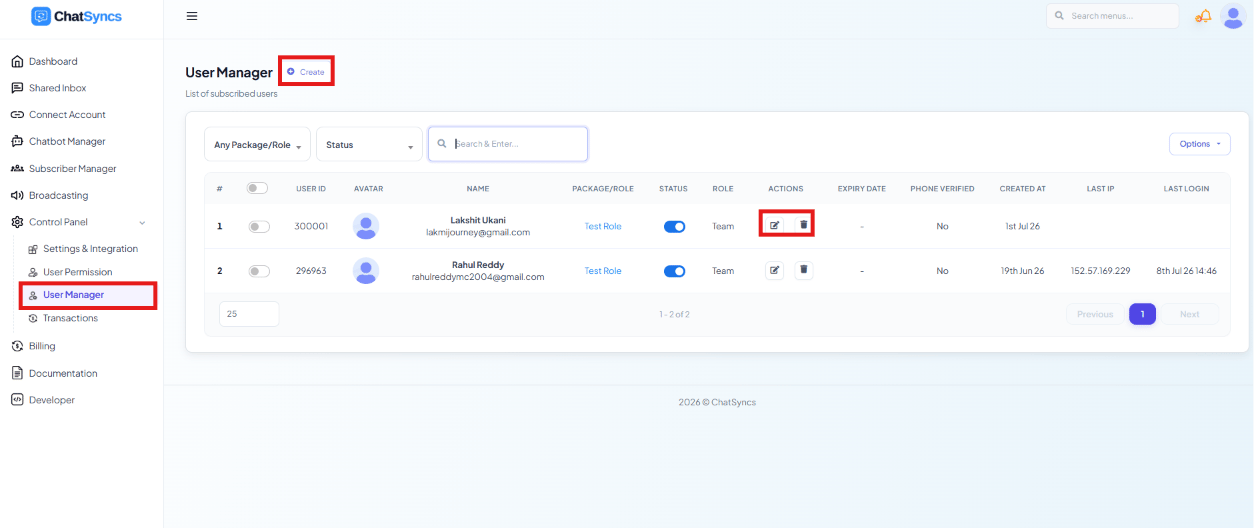
- Team Members — the actual people, each given a login and assigned one Team Role. Built in How to Add and Manage Team Members.
How to Set Up User Roles and Permissions
Define what each role is allowed to do, feature by feature.
How to Add and Manage Team Members
Create the actual people, and assign each one a role.
Do this in order
1
Create the Team Role first
Go to How to Set Up User Roles and Permissions and define what it
can access — e.g.
Admin, Customer Support, Marketing.2
Then create the team member
Go to How to Add and Manage Team Members, fill in their
details, and assign the role you just created.
3
Share their login
Give the employee their email and password. They’ll only see the modules their assigned
role allows.
Frequently asked
What's the difference between a Team Role and a Team Member?
What's the difference between a Team Role and a Team Member?
A Team Role is a permission package — the rules. A Team Member is an actual person
with a login, assigned one of those roles.
Do I need to create a role before adding a team member?
Do I need to create a role before adding a team member?
Yes — roles are assigned at the moment a team member is created, so the role needs to exist
first.
Where do I remove someone's access?
Where do I remove someone's access?
In How to Add and Manage Team Members — either delete their
account or set their status to disabled to revoke access while keeping their history.