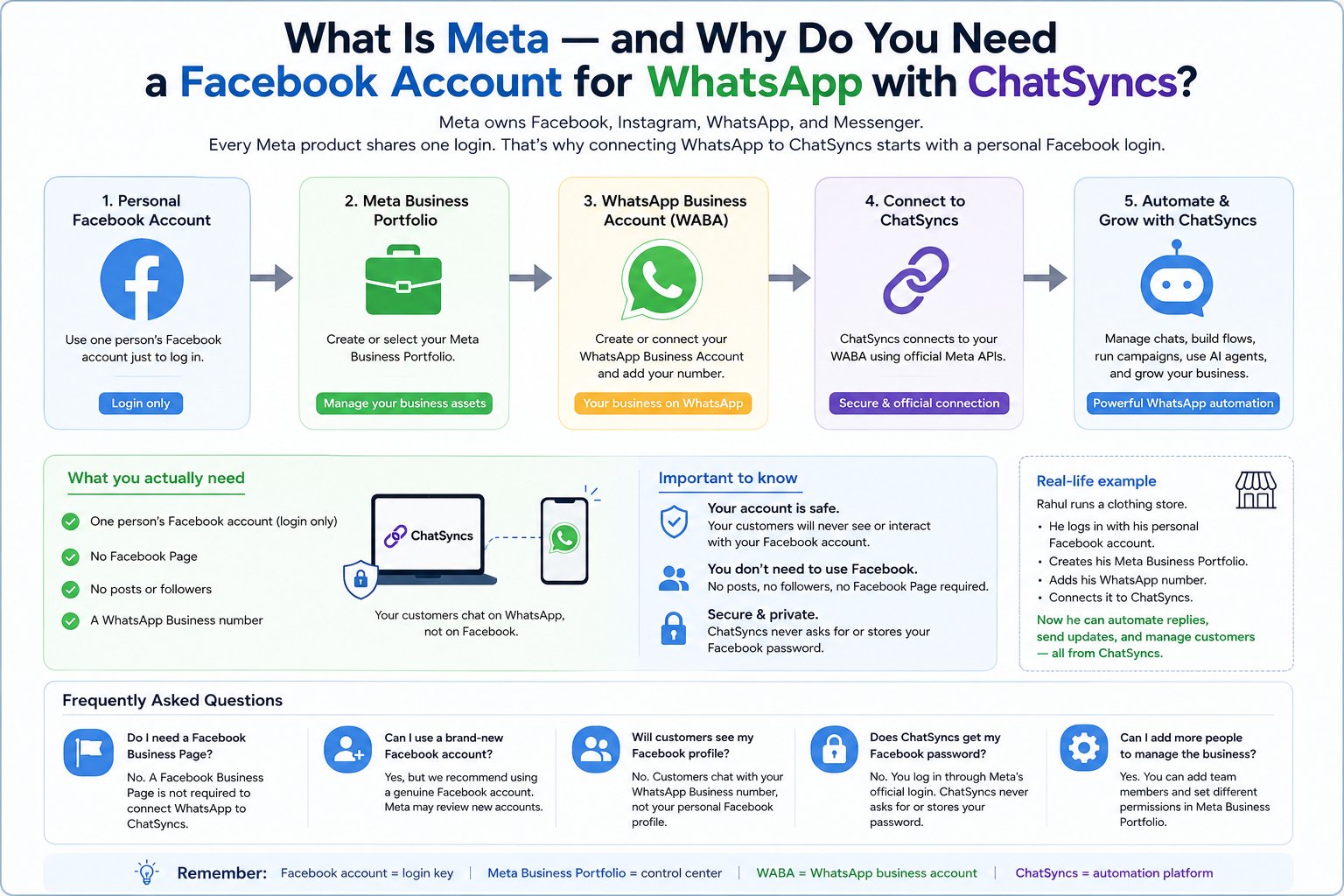
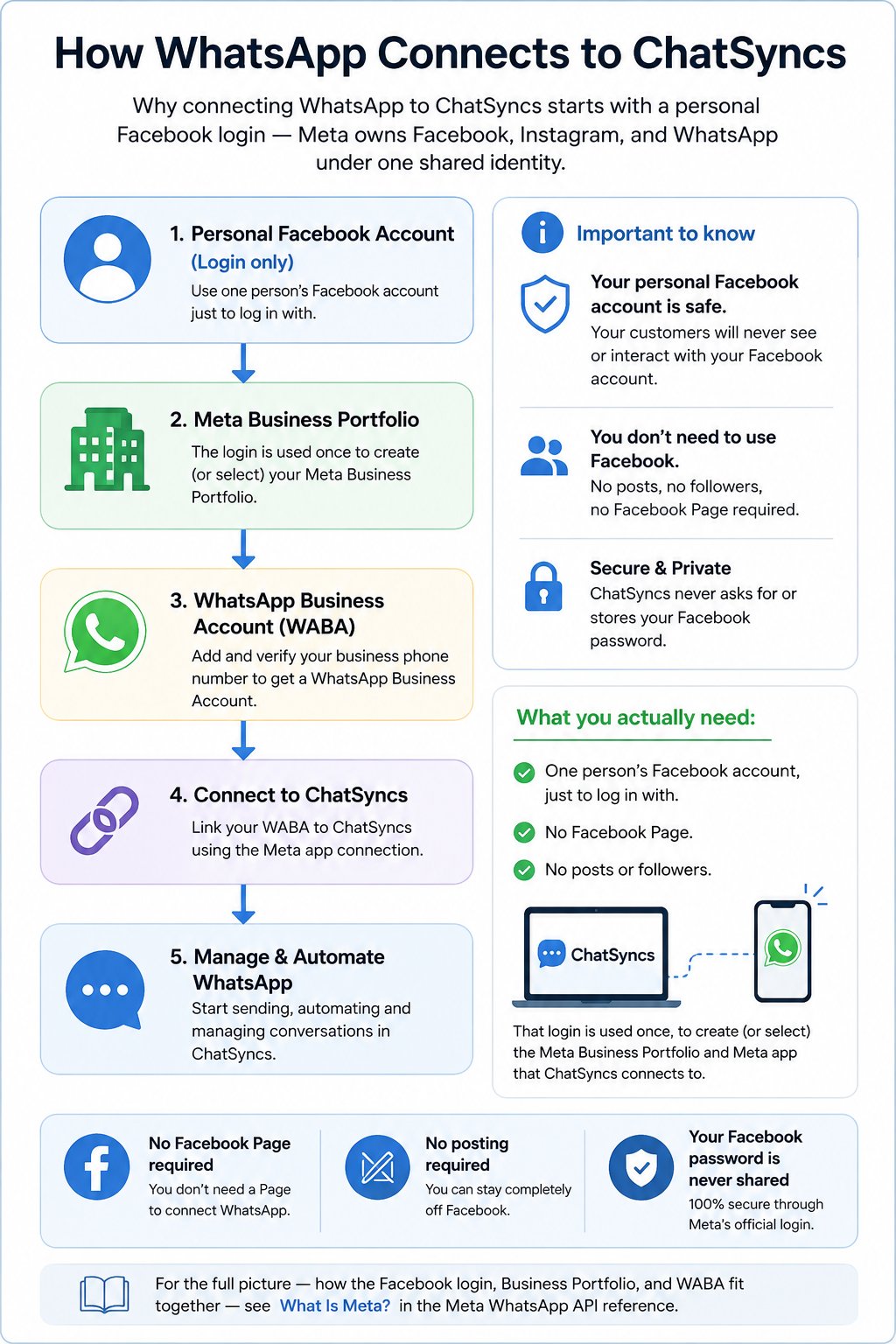
- One person’s Facebook account, just to log in with.
- No Facebook Page.
- No posts or followers.
How does the connection work?
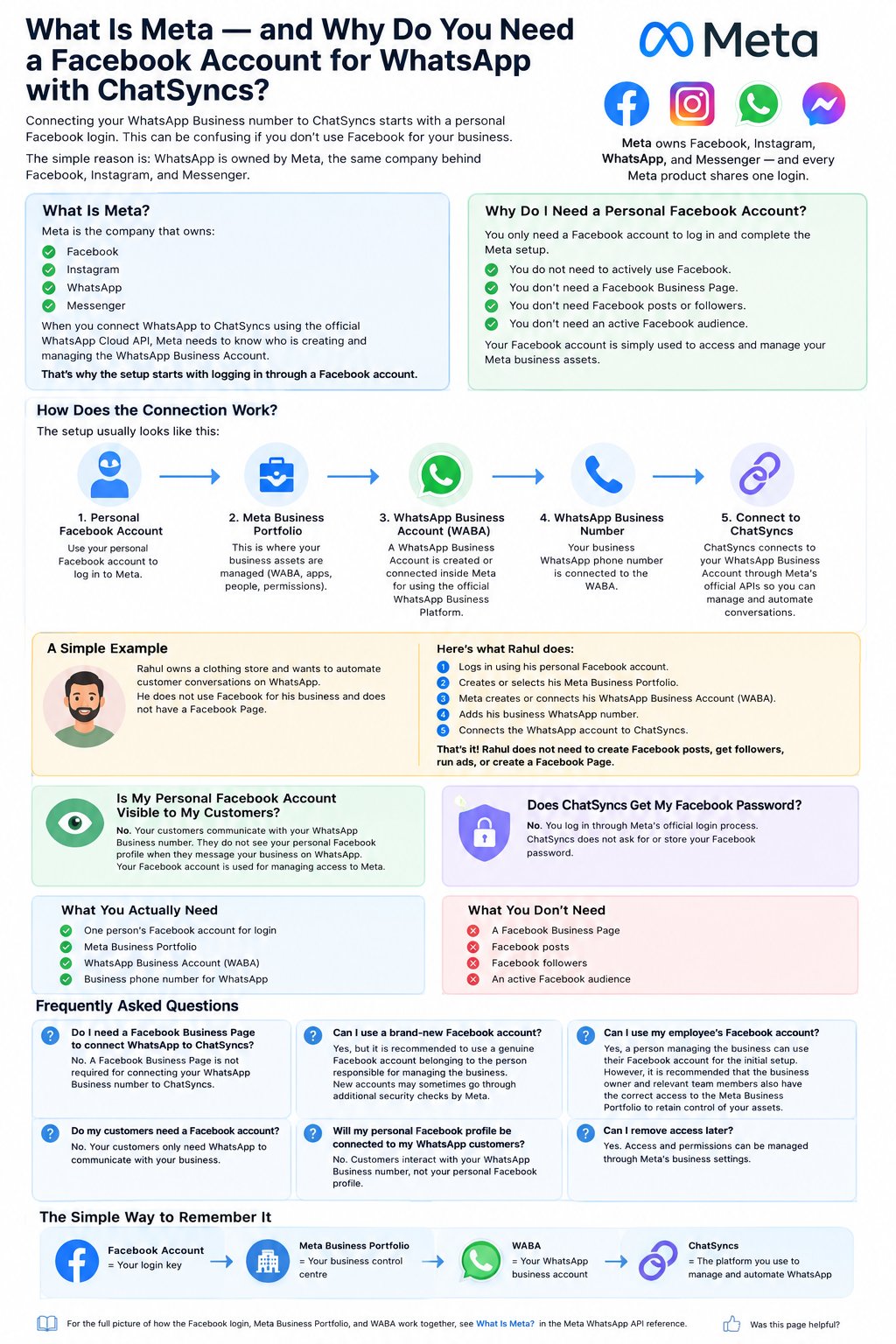
Each part of the chain has a different job:- Personal Facebook account — the account you log in with. It tells Meta who is managing the setup.
- Meta Business Portfolio — where your business assets live: WhatsApp Business Accounts, phone numbers, Meta apps, and the people who have access to them.
- WhatsApp Business Account (WABA) — the account created inside Meta for using the official WhatsApp Business Platform. Your phone number connects to this.
- ChatSyncs — connects to your WABA through Meta’s official APIs, so you can manage conversations, build automation, create chatbot flows, send approved template messages, run campaigns, and use AI agents.
A simple example
Rahul owns a clothing store and wants to automate customer conversations on WhatsApp. He doesn’t use Facebook for his business and has no Facebook Page — he can still connect WhatsApp to ChatSyncs:1
Log in with a personal Facebook account
Rahul logs in using his own personal Facebook account.
2
Create or select a Meta Business Portfolio
He creates a new one, or picks an existing one if his store already has it.
3
Meta creates or connects the WABA
Meta sets up the WhatsApp Business Account tied to that Portfolio.
4
Add the business WhatsApp number
Rahul adds his store’s WhatsApp number to the WABA.
5
Connect to ChatSyncs
He connects the WhatsApp account to ChatSyncs and starts automating conversations.
Is my personal Facebook account connected to my customers?
No. Your personal Facebook profile is only used for authentication and managing access to Meta. Your customers interact with your WhatsApp Business number — they never see or interact with your personal Facebook account.What happens if multiple people manage the business?
You can add other people to your Meta Business Portfolio and give each of them the right level of access — nobody needs to share one person’s Facebook password:- Business Owner — manages the business assets.
- Employee — manages specific assets they’ve been given access to.
- Developer — manages technical integrations.
The simple way to remember it
- Facebook account = your login key.
- Meta Business Portfolio = your business control centre.
- WABA = your WhatsApp business account.
- ChatSyncs = the platform you use to manage and automate WhatsApp.
Frequently asked
Do I need a Facebook Business Page to connect WhatsApp to ChatSyncs?
Do I need a Facebook Business Page to connect WhatsApp to ChatSyncs?
No. A personal Facebook login is enough — a Page is a separate product from the Business
Portfolio that actually holds the WhatsApp setup.
Can I use a brand-new Facebook account?
Can I use a brand-new Facebook account?
Yes, though Meta sometimes asks brand-new accounts for extra identity checks. An established
personal account tends to go through setup with fewer hiccups.
Can I use my employee's Facebook account instead of my own?
Can I use my employee's Facebook account instead of my own?
Yes, whoever is handling setup can use their own Facebook account. It’s still worth making
sure the business owner and other key team members also have proper access to the Meta
Business Portfolio, so the business doesn’t lose control of its own assets.
Do my customers need a Facebook account?
Do my customers need a Facebook account?
No. Customers only need WhatsApp to message your business — Facebook never enters the
picture for them.
Do I need to give ChatSyncs my Facebook password?
Do I need to give ChatSyncs my Facebook password?
No. You log in through Meta’s own official authentication process — ChatSyncs never asks for
or stores your Facebook password.
Why does Meta require a personal Facebook account?
Why does Meta require a personal Facebook account?
Meta uses your personal account to identify the person creating or managing business assets,
such as the Meta Business Portfolio and the WhatsApp Business Account.
Can I remove someone's access later?
Can I remove someone's access later?
Yes. Access and permissions are managed through Meta’s business settings, and can be changed
or revoked at any time.
Full recap