> ## Documentation Index
> Fetch the complete documentation index at: https://docs.chatsyncs.com/llms.txt
> Use this file to discover all available pages before exploring further.
# Why Templates Exist
> Why WhatsApp requires pre-approved message templates for businesses — the spam prevention rule that stops businesses from freely messaging customers anytime. Use when a customer asks why they need to create a template, why they can't just send any message they want, or why Meta must approve their message before they can send it.
Meta requires businesses to use pre-approved **message templates** whenever they want to start
a conversation with a customer, or message someone after the 24-hour customer service window
has closed. This rule exists to prevent businesses from spamming users.
## Why templates exist
Without templates, a business could send any message to any customer at any time — for
example: *"Hello Rahul, buy our product for ₹1000"* — to thousands of people who never asked
for it. This is spam. Meta prevents this by requiring that:
1. Any message a business **initiates** (sends first, with no prior customer message) must use
a pre-approved template.
2. Any message sent **after the 24-hour window has closed** must use a pre-approved template.
Meta reviews and approves each template before it can be used. If a template looks promotional
when it shouldn't be, or violates WhatsApp's policies, Meta rejects it.
## How the flow works
```
Business sends template → Customer receives it
→ Customer replies → 24-hour window opens
→ Business can now send any message (text, image, doc...)
→ Window closes after 24h of no customer reply
→ Business must use a template again to re-engage
```
Think of a template as **getting the customer's permission** before starting a real
conversation.
## What needs Meta approval
* Every template must be submitted through the Meta dashboard and approved before it can be sent.
* Approval typically takes a few minutes to 24 hours.
* Once approved, the template can be sent to any customer.
See [The 24-hour customer service window](/meta-api/messaging/24-hour-customer-service-window)
for how the window interacts with templates.
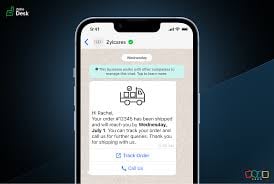
## Reference image
 ## Frequently asked
WhatsApp only allows free-form messages inside the 24-hour window after a customer has
messaged you. Outside that window, or to start a conversation, you must use a Meta-approved
template. This prevents spam.
Meta reviews templates to ensure businesses are not spamming users. Unapproved messages
cannot be sent as templates — they will be rejected.
A 24-hour customer service window opens. During this window you can send any message type —
text, image, document, buttons — without using a template.
Yes — approved templates can be sent to any customer at any time, even without a prior
conversation. This is the main advantage of templates.
## Gotchas & common mistakes
* **Sending free text outside the 24h window** — fails every time. Always use a template to
re-engage a customer after the window closes.
* **Thinking approval is instant** — Meta approval usually takes minutes but can take up to 24
hours. Plan ahead before a campaign.
* **Creating a template for every message** — templates are only needed for business-initiated
messages or after the window closes. Inside the window, you can send anything freely.
## Frequently asked
WhatsApp only allows free-form messages inside the 24-hour window after a customer has
messaged you. Outside that window, or to start a conversation, you must use a Meta-approved
template. This prevents spam.
Meta reviews templates to ensure businesses are not spamming users. Unapproved messages
cannot be sent as templates — they will be rejected.
A 24-hour customer service window opens. During this window you can send any message type —
text, image, document, buttons — without using a template.
Yes — approved templates can be sent to any customer at any time, even without a prior
conversation. This is the main advantage of templates.
## Gotchas & common mistakes
* **Sending free text outside the 24h window** — fails every time. Always use a template to
re-engage a customer after the window closes.
* **Thinking approval is instant** — Meta approval usually takes minutes but can take up to 24
hours. Plan ahead before a campaign.
* **Creating a template for every message** — templates are only needed for business-initiated
messages or after the window closes. Inside the window, you can send anything freely.