> ## Documentation Index
> Fetch the complete documentation index at: https://docs.chatsyncs.com/llms.txt
> Use this file to discover all available pages before exploring further.
# Template Categories
> The three WhatsApp template categories — Marketing, Utility, and Authentication — what each is for, when to use each, and the key rules per category. Use when a customer asks what type of template to create, why their template was reclassified, what an authentication template is for, or why marketing templates are blocked for some users.
Every WhatsApp message template must be assigned one of three categories when submitted for
Meta approval. The category determines the pricing, delivery rules, and what content is
allowed. Choosing the wrong category is a common reason templates get rejected or
reclassified.
## 1. Marketing
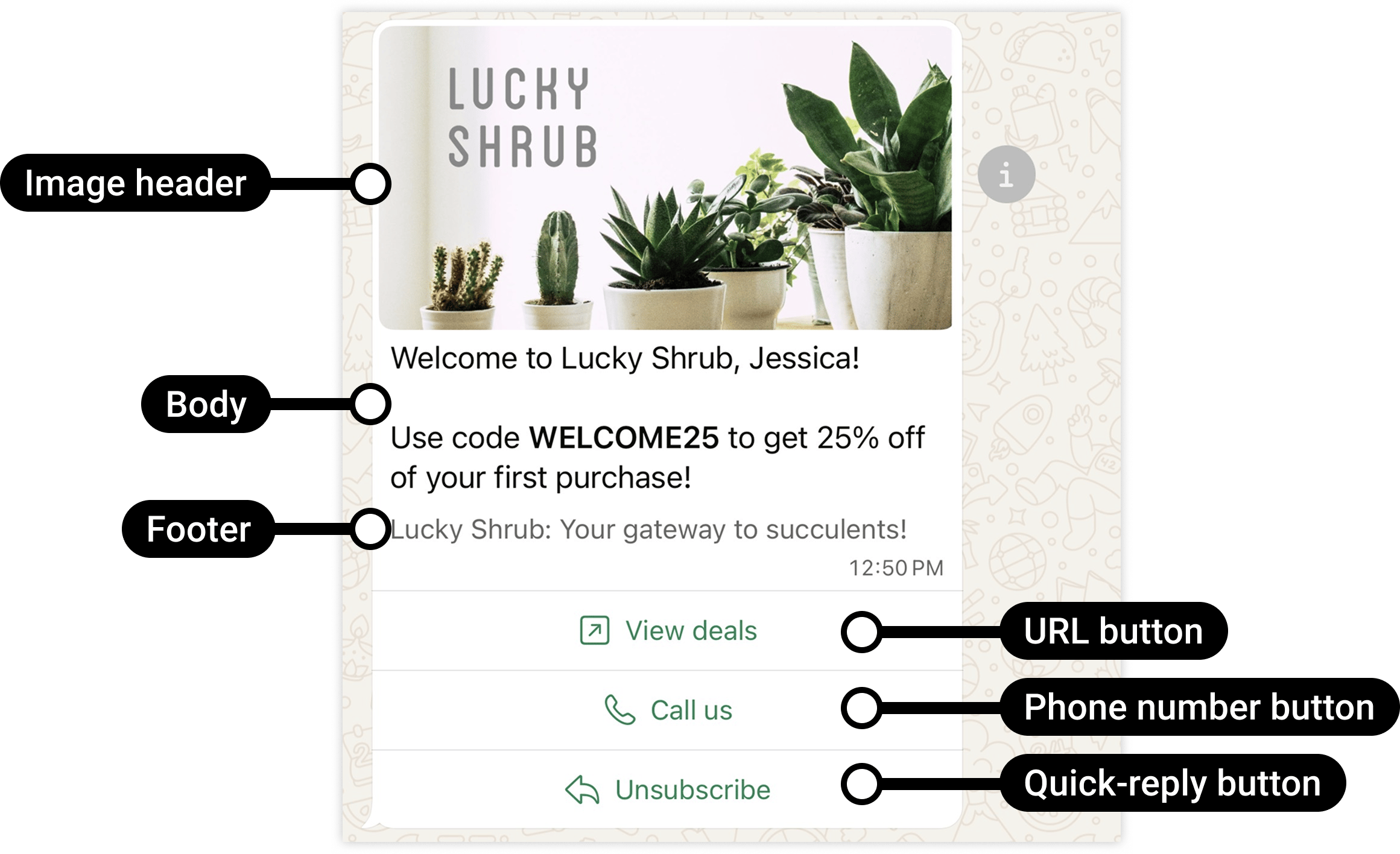
**Purpose:** Promote products, services, or offers. Drive engagement and sales.
**Examples:** "Get 50% off this weekend only — shop now!" · "New arrivals are here" · "You
left something in your cart"
**Key rules:**
* Used for promotional content: discounts, offers, product launches, upselling
* WhatsApp limits how many marketing templates a user receives — if a user doesn't engage,
Meta may stop delivering them (per-user marketing limit)
* **Error 131049** = a marketing template was blocked because the user hit their per-user
limit. Wait at least 24 hours before retrying
* Marketing templates are **not delivered to US phone numbers**
* If a user replies to a marketing template, the 24-hour window opens
**Rule of thumb:** If the message drives a sale or promotes something, it is Marketing.
## 2. Utility
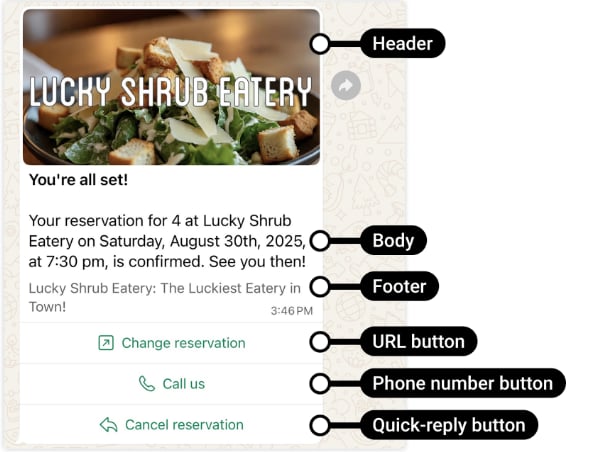
**Purpose:** Transactional notifications sent in response to a customer action — confirmations,
updates, reminders.
**Examples:** "Your order #1023 has been shipped" · "Payment of ₹2,500 received" · "Your
appointment is tomorrow at 10 AM"
**Key rules:**
* Must be **non-promotional** — no discounts, offers, upselling, or marketing
* Must be specific to the user's action or essential/critical information
* If Meta detects promotional intent in a Utility template, it **automatically reclassifies it
as Marketing** (and the higher Marketing pricing applies)
* Supports up to 10 buttons: Call request, Copy code, Phone number, Quick-reply, URL
**Accepted use cases:** Order Confirmation · Shipping Update · Payment Reminder · Account Alert
· Feedback Survey · Emergency (outage, fraud alert, health, safety) · Privacy Policy Update
**Rule of thumb:** If the message confirms something the customer already did or alerts them to
something essential, it is Utility.
## 3. Authentication
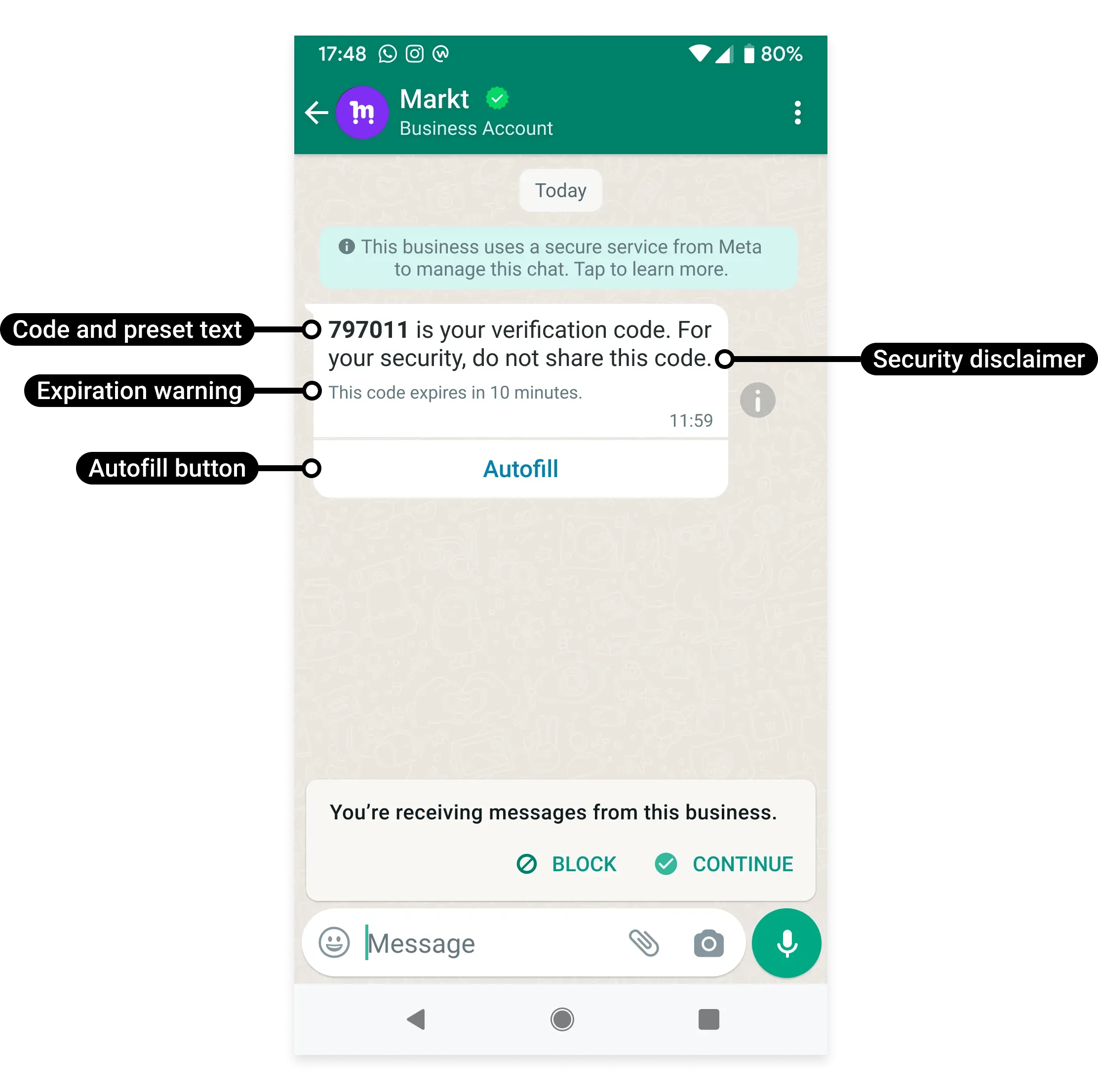
**Purpose:** Send one-time passwords (OTPs) and verification codes only.
**Examples:** "123456 is your verification code." · "Use 789012 to verify your login."
**Key rules:**
* Only for OTP-based flows: login verification, account recovery, identity verification,
security checks, sign-up verification
* **Only Authentication templates can send OTPs** — do not put OTPs in Marketing or Utility
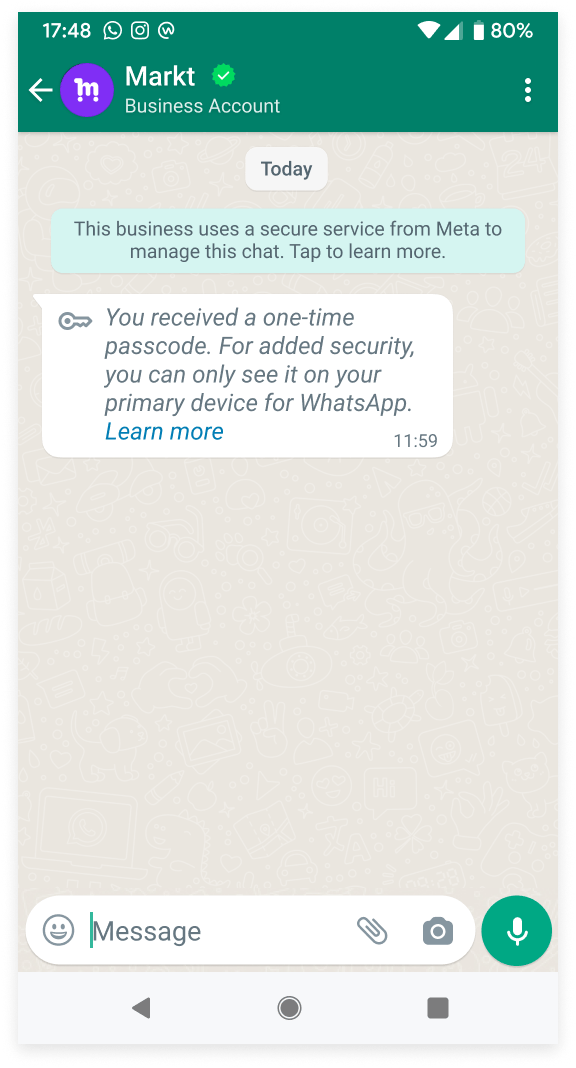
* Authentication messages are only delivered to the user's **primary device**, not
secondary/linked devices
* No header, footer, or URL buttons allowed — body only with the OTP code
**Rule of thumb:** If the message contains a verification code or OTP, it must be
Authentication.
## Category comparison
| | Marketing | Utility | Authentication |
| --------------------- | -------------- | -------------------- | --------------- |
| Purpose | Promote / sell | Transact / notify | Verify identity |
| Promotional content | Yes | No | No |
| OTP / verification | No | No | Yes |
| US number delivery | No | Yes | Yes |
| Per-user limit | Yes | No | No |
| Auto-reclassification | — | → Marketing if promo | — |
## Reference images
 ## Frequently asked
Marketing for promotions and offers. Utility for order/payment/shipping notifications
triggered by a customer action. Authentication for OTP and verification codes only.
Meta detected promotional language (discount, offer, upsell) in a template submitted as
Utility. Remove all promotional content and resubmit, or accept the Marketing
classification.
Use an Authentication template. Only Authentication templates can carry OTP codes. Do not
put OTPs in Utility or Marketing templates.
Two possible reasons: (1) the recipient is a US number — marketing templates are not
delivered to US phone numbers, or (2) the user has hit their per-user marketing message
limit (Error 131049). Wait 24 hours before retrying.
WhatsApp blocked delivery of a marketing template because the user has reached their
per-user marketing message limit or the business retried too many times. Wait at least 24
hours before sending another marketing template to that user.
## Gotchas & common mistakes
* **Putting a discount in a Utility template** — Meta reclassifies it as Marketing
automatically. The higher Marketing price applies.
* **Sending OTPs in a Utility template** — only Authentication templates can send OTPs.
* **Marketing to US numbers** — WhatsApp does not deliver marketing templates to US phone
numbers. Use Utility or a different channel for US customers.
* **Ignoring Error 131049** — retrying immediately makes it worse. Wait at least 24 hours.
* **Authentication on secondary devices** — OTP messages only go to the primary device.
## Frequently asked
Marketing for promotions and offers. Utility for order/payment/shipping notifications
triggered by a customer action. Authentication for OTP and verification codes only.
Meta detected promotional language (discount, offer, upsell) in a template submitted as
Utility. Remove all promotional content and resubmit, or accept the Marketing
classification.
Use an Authentication template. Only Authentication templates can carry OTP codes. Do not
put OTPs in Utility or Marketing templates.
Two possible reasons: (1) the recipient is a US number — marketing templates are not
delivered to US phone numbers, or (2) the user has hit their per-user marketing message
limit (Error 131049). Wait 24 hours before retrying.
WhatsApp blocked delivery of a marketing template because the user has reached their
per-user marketing message limit or the business retried too many times. Wait at least 24
hours before sending another marketing template to that user.
## Gotchas & common mistakes
* **Putting a discount in a Utility template** — Meta reclassifies it as Marketing
automatically. The higher Marketing price applies.
* **Sending OTPs in a Utility template** — only Authentication templates can send OTPs.
* **Marketing to US numbers** — WhatsApp does not deliver marketing templates to US phone
numbers. Use Utility or a different channel for US customers.
* **Ignoring Error 131049** — retrying immediately makes it worse. Wait at least 24 hours.
* **Authentication on secondary devices** — OTP messages only go to the primary device.