> ## Documentation Index
> Fetch the complete documentation index at: https://docs.chatsyncs.com/llms.txt
> Use this file to discover all available pages before exploring further.
# Character Limits for Media Message Templates in ChatSyncs
> The character limits for a WhatsApp template's header, body, footer, and buttons, including why a media header cuts the body limit from 4,096 to 1,024 characters.
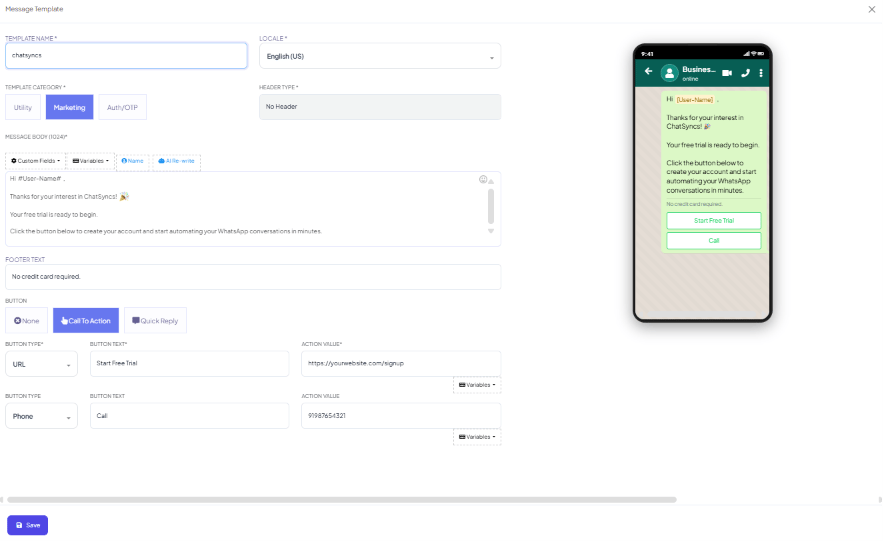
Every WhatsApp template is made of up to four parts, each with its own character limit:
* **Header** (optional) — text or media
* **Body** (required) — the main message text
* **Footer** (optional) — small static text
* **Buttons** (optional) — a few Call-to-Action or Quick Reply buttons
Stay inside these limits while building a template in
[Message Templates](/learn/chatsyncs-message-templates/creating-a-whatsapp-message-template-in-chatsyncs) to avoid a rejection or save error — the
ChatSyncs builder stops you the moment you hit one.
## Limits by field
 | Component | Type | Limit |
| ---------- | -------------------------------------------------------- | ---------------- |
| **Header** | Text | 60 characters |
| **Header** | Caption (for an image/video/document header) | 256 characters |
| **Body** | Media template (has an image, video, or document header) | 1,024 characters |
| **Body** | Standard template (text header or no header) | 4,096 characters |
| **Footer** | Text | 60 characters |
| **Button** | Button text | 20 characters |
| **Button** | Quick reply payload | 256 characters |
When you **submit** a template for Meta's approval, the body is restricted to 1,024 characters
regardless of type — each `#variable#` or `{{n}}` placeholder counts as **1 character** toward
that limit, not the length of the value that will eventually replace it.
## Why media templates get a shorter body
A template with an image, video, or document header is a **media template** — its body is
capped at 1,024 characters even though a plain text template can go up to 4,096. If your message
needs to be long, either drop the media header or trim the body to fit.
## Frequently asked
4,096 characters for a standard template (text header or no header), but only 1,024
characters if the template has an image, video, or document header. At submission time,
Meta enforces 1,024 either way.
60 characters — the same limit as a text header.
1 character, when Meta checks the body against its submission limit. The real value (e.g.
"Rahul") only appears when the message is actually sent.
Button labels are capped at 20 characters. Keep them short and action-focused — "Shop Now"
or "Book Now" rather than a full sentence.
## Gotchas & common mistakes
* **Adding a header just to include a logo, then running out of body space** — a media header
drops your body limit from 4,096 to 1,024 characters. Only add one if the image/video/document
itself matters to the message.
* **Writing the body first, then discovering it's too long once you add a header** — decide on
the header type before drafting the body.
* **Assuming the footer supports variables** — it doesn't. Footer text is always static.
| Component | Type | Limit |
| ---------- | -------------------------------------------------------- | ---------------- |
| **Header** | Text | 60 characters |
| **Header** | Caption (for an image/video/document header) | 256 characters |
| **Body** | Media template (has an image, video, or document header) | 1,024 characters |
| **Body** | Standard template (text header or no header) | 4,096 characters |
| **Footer** | Text | 60 characters |
| **Button** | Button text | 20 characters |
| **Button** | Quick reply payload | 256 characters |
When you **submit** a template for Meta's approval, the body is restricted to 1,024 characters
regardless of type — each `#variable#` or `{{n}}` placeholder counts as **1 character** toward
that limit, not the length of the value that will eventually replace it.
## Why media templates get a shorter body
A template with an image, video, or document header is a **media template** — its body is
capped at 1,024 characters even though a plain text template can go up to 4,096. If your message
needs to be long, either drop the media header or trim the body to fit.
## Frequently asked
4,096 characters for a standard template (text header or no header), but only 1,024
characters if the template has an image, video, or document header. At submission time,
Meta enforces 1,024 either way.
60 characters — the same limit as a text header.
1 character, when Meta checks the body against its submission limit. The real value (e.g.
"Rahul") only appears when the message is actually sent.
Button labels are capped at 20 characters. Keep them short and action-focused — "Shop Now"
or "Book Now" rather than a full sentence.
## Gotchas & common mistakes
* **Adding a header just to include a logo, then running out of body space** — a media header
drops your body limit from 4,096 to 1,024 characters. Only add one if the image/video/document
itself matters to the message.
* **Writing the body first, then discovering it's too long once you add a header** — decide on
the header type before drafting the body.
* **Assuming the footer supports variables** — it doesn't. Footer text is always static.