

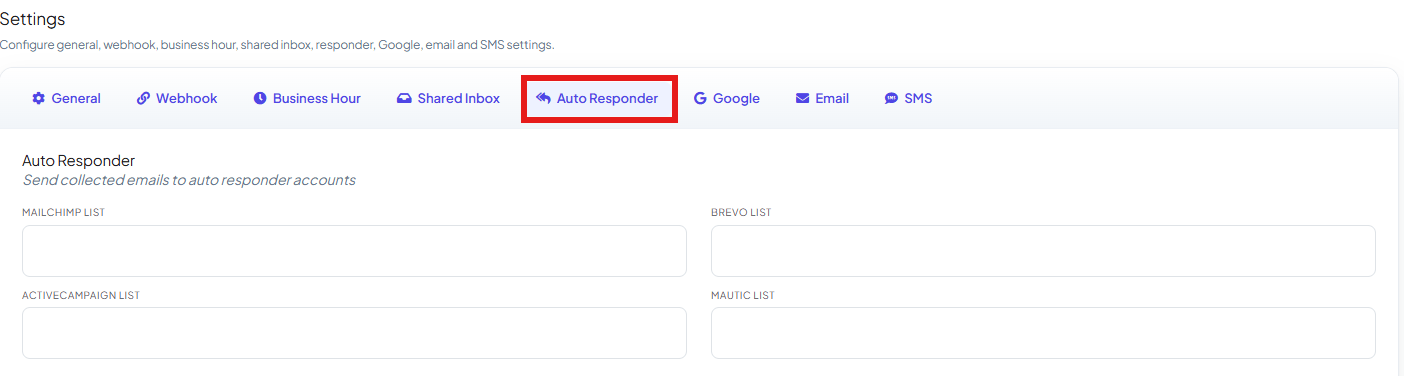
This tab uses a platform connection you set up once under Auto Responder
Integration — connect Mailchimp, Brevo, ActiveCampaign, or
Mautic there first, then come back here to fill in the list for whichever platform(s) you
connected. The four fields are independent — you only need to fill in the one matching the
platform you connected.
Save your changes

Frequently asked
Do I need to connect Mailchimp (or another platform) before I can use this tab?
Do I need to connect Mailchimp (or another platform) before I can use this tab?
Yes — connect it once under Auto Responder
Integration, then select the specific list here.
What's the difference between this tab and Auto Responder Integration?
What's the difference between this tab and Auto Responder Integration?
Auto Responder Integration is the one-time platform
connection (credentials, account). This Auto Responder tab in Bot Settings is where you
pick which list this bot’s subscribers get added to.
What triggers a subscriber being added to the list?
What triggers a subscriber being added to the list?
The subscriber sharing their email address during a conversation with the bot — there’s no
separate button to click.
I want to send a one-off email instead of adding to a marketing list — is this the right tab?
I want to send a one-off email instead of adding to a marketing list — is this the right tab?
No — use How Do I Send an Automatic Email from My Bot? instead;
that sends a specific email immediately rather than adding the subscriber to a list.
Related Documentation
- Bot Settings — all eight tabs at a glance.
- Auto Responder Integration — connecting the email marketing platform itself.