> ## Documentation Index
> Fetch the complete documentation index at: https://docs.chatsyncs.com/llms.txt
> Use this file to discover all available pages before exploring further.
# WhatsApp Flow Forms in ChatSyncs
> How to build a native WhatsApp form (WhatsApp Flow) so customers fill it out inside WhatsApp itself, instead of chatting question by question.
With ChatSyncs, a **WhatsApp Flow** is a native form that opens right inside WhatsApp —
dropdowns, checkboxes, and text fields on one screen, instead of a back-and-forth chat.
**Example:** Instead of asking Name, then Phone, then Service one message at a time, a WhatsApp
Flow shows all three fields on one screen — the customer fills it out once and taps Submit.
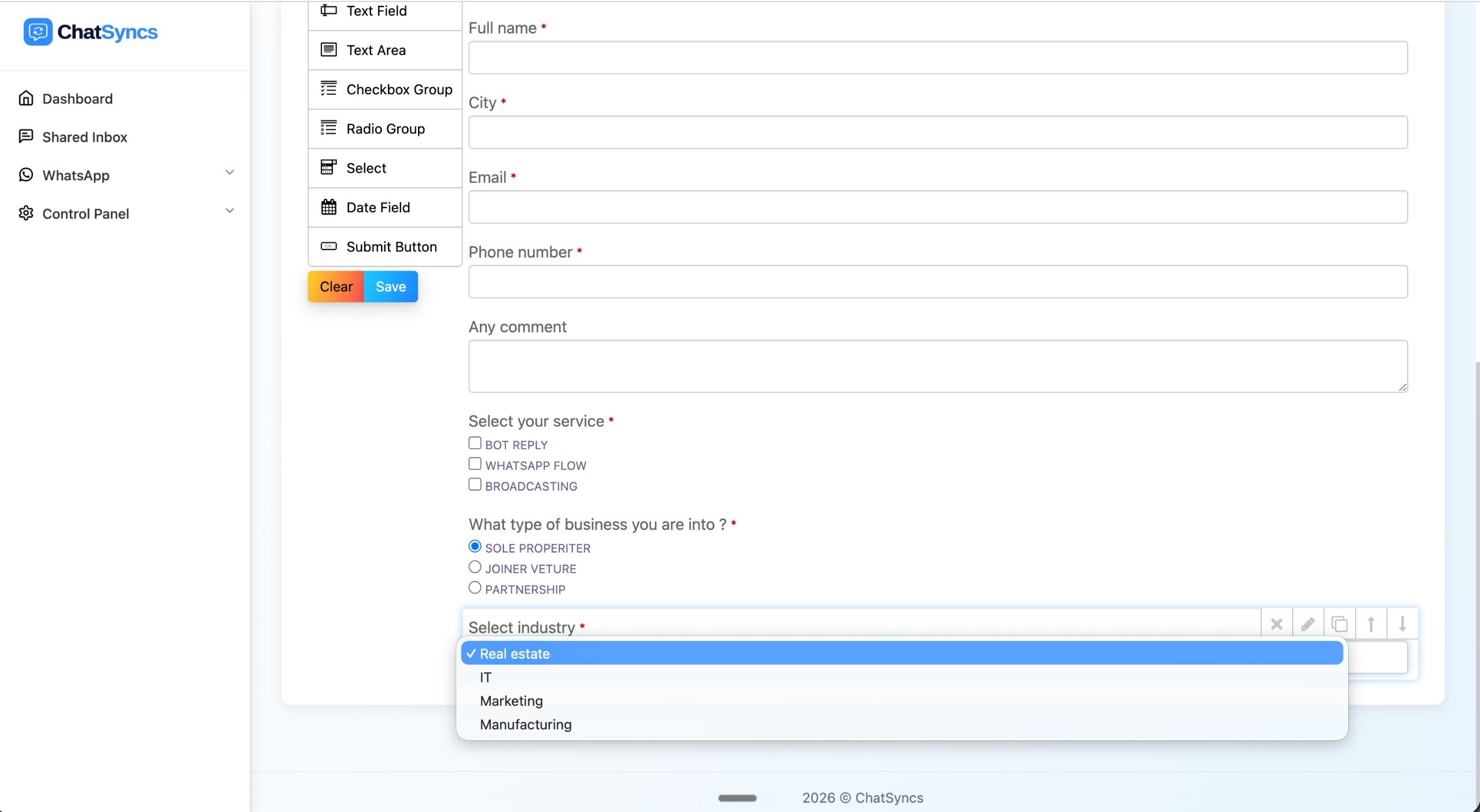 The full builder walkthrough — fields, screens, and connecting the submission to the rest of
your bot.
## Frequently asked
A WhatsApp Flow shows a real form screen inside WhatsApp with multiple fields at once. A
Keyword Replies question (see [How to Create a Keyword-Based WhatsApp
Chatbot](/learn/chatsyncs-automation/create-a-keyword-based-whatsapp-chatbot-in-chatsyncs)) is a normal chat message asked
one at a time.
It can be saved to Custom Fields, or forwarded automatically — see [How to Connect a Bot
Flow to External Systems](/learn/chatsyncs-automation/connect-a-bot-flow-to-external-systems-in-chatsyncs) for sending it to Google Sheets, a CRM, or your
own server.
The full builder walkthrough — fields, screens, and connecting the submission to the rest of
your bot.
## Frequently asked
A WhatsApp Flow shows a real form screen inside WhatsApp with multiple fields at once. A
Keyword Replies question (see [How to Create a Keyword-Based WhatsApp
Chatbot](/learn/chatsyncs-automation/create-a-keyword-based-whatsapp-chatbot-in-chatsyncs)) is a normal chat message asked
one at a time.
It can be saved to Custom Fields, or forwarded automatically — see [How to Connect a Bot
Flow to External Systems](/learn/chatsyncs-automation/connect-a-bot-flow-to-external-systems-in-chatsyncs) for sending it to Google Sheets, a CRM, or your
own server.