> ## Documentation Index
> Fetch the complete documentation index at: https://docs.chatsyncs.com/llms.txt
> Use this file to discover all available pages before exploring further.
# AI Agent Actions in ChatSyncs
> The full ##action_name## reference for an AI agent's System Prompt in ChatSyncs — assign labels, look up orders, hand off to a human, or transfer to another agent.
An AI agent's [System Prompt](/learn/chatsyncs-ai-agents/create-your-first-ai-agent-in-chatsyncs#create-your-first-ai-agent) in
ChatSyncs isn't only plain instructions — you can type **actions** directly into it, so the agent
does something (add a label, look up an order, hand off to a person) instead of just replying
with text.
## Syntax
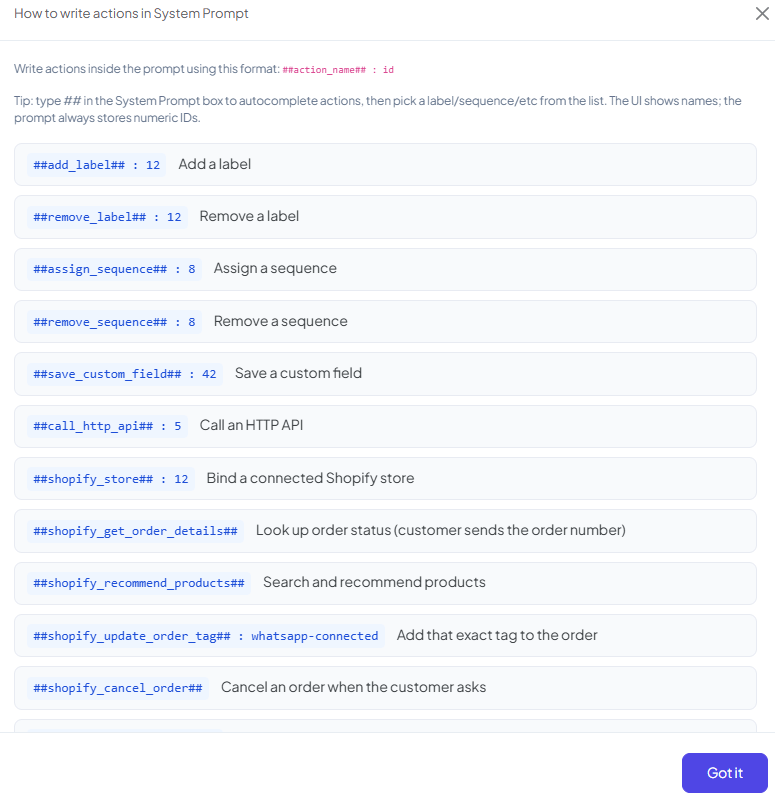
Write an action inside the prompt using this format:
```text theme={null}
##action_name##: id
```
Type `##` in the System Prompt box to autocomplete actions, then pick a label/sequence/etc. from
the list. The UI shows names, but the prompt always stores numeric IDs underneath.
## Full action reference
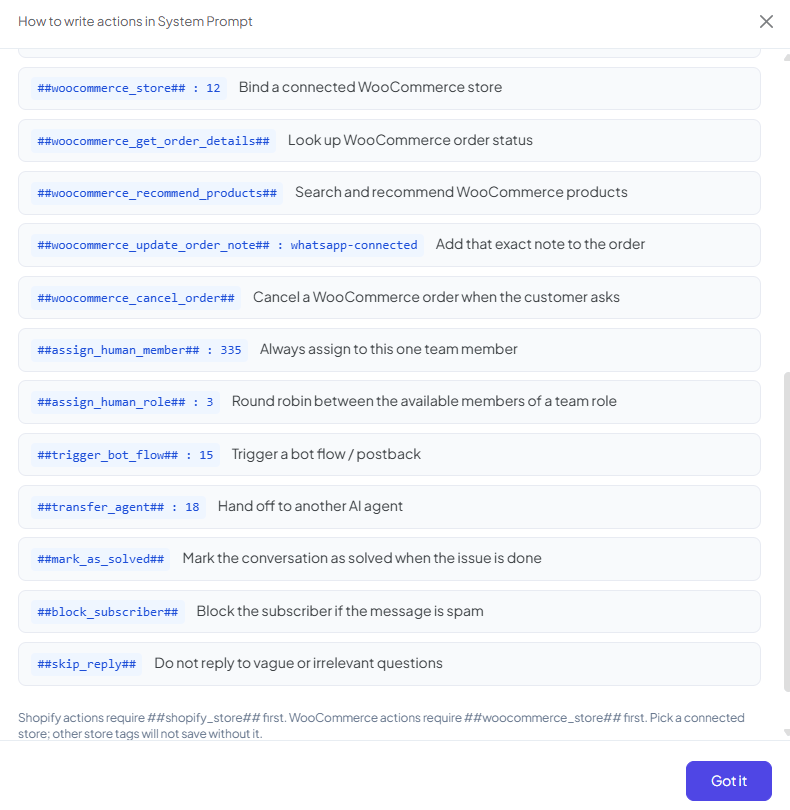
| Action | Example | What it does |
| ------------------------------------ | ------------------------------------------------------- | ---------------------------------------------------------------------------------------- |
| `##add_label##` | `##add_label##: 12` | Add a label to the subscriber. |
| `##remove_label##` | `##remove_label##: 12` | Remove a label from the subscriber. |
| `##assign_sequence##` | `##assign_sequence##: 8` | Assign a Message Sequence to the subscriber. |
| `##remove_sequence##` | `##remove_sequence##: 8` | Remove a Message Sequence from the subscriber. |
| `##save_custom_field##` | `##save_custom_field##: 42` | Save a value into a Custom Field. |
| `##call_http_api##` | `##call_http_api##: 5` | Call one of your configured HTTP APIs. |
| `##shopify_store##` | `##shopify_store##: 12` | Bind a connected Shopify store — required before any other Shopify action works. |
| `##shopify_get_order_details##` | `##shopify_get_order_details##` | Look up order status (the customer sends the order number). |
| `##shopify_recommend_products##` | `##shopify_recommend_products##` | Search and recommend products from the store. |
| `##shopify_update_order_tag##` | `##shopify_update_order_tag##: whatsapp-connected` | Add that exact tag to the order. |
| `##shopify_cancel_order##` | `##shopify_cancel_order##` | Cancel an order when the customer asks. |
| `##woocommerce_store##` | `##woocommerce_store##: 12` | Bind a connected WooCommerce store — required before any other WooCommerce action works. |
| `##woocommerce_get_order_details##` | `##woocommerce_get_order_details##` | Look up WooCommerce order status. |
| `##woocommerce_recommend_products##` | `##woocommerce_recommend_products##` | Search and recommend WooCommerce products. |
| `##woocommerce_update_order_note##` | `##woocommerce_update_order_note##: whatsapp-connected` | Add that exact note to the order. |
| `##woocommerce_cancel_order##` | `##woocommerce_cancel_order##` | Cancel a WooCommerce order when the customer asks. |
| `##assign_human_member##` | `##assign_human_member##: 335` | Always assign to this one specific team member. |
| `##assign_human_role##` | `##assign_human_role##: 3` | Round robin between the available members of a team role. |
| `##trigger_bot_flow##` | `##trigger_bot_flow##: 15` | Trigger a bot flow / postback. |
| `##transfer_agent##` | `##transfer_agent##: 18` | Hand off to another AI agent. |
| `##mark_as_solved##` | `##mark_as_solved##` | Mark the conversation as solved when the issue is done. |
| `##block_subscriber##` | `##block_subscriber##` | Block the subscriber if the message is spam. |
| `##skip_reply##` | `##skip_reply##` | Don't reply to vague or irrelevant questions. |
 ## Store actions need a bound store first
`##shopify_*##` actions require `##shopify_store##` in the same prompt first. `##woocommerce_*##`
actions require `##woocommerce_store##` first. Pick a connected store — other store-related
actions won't save without it.
**Example:** an agent meant to handle order questions for a Shopify store needs, near the top of
its System Prompt:
```text theme={null}
##shopify_store##: 12
```
before `##shopify_get_order_details##` or `##shopify_cancel_order##` will work.
## Sending images
**Don't put image URLs directly in the System Prompt.** Add product or gallery images under
[Knowledge Sources → Media](/learn/chatsyncs-ai-agents/train-your-ai-chatbot-in-chatsyncs#media) instead — the agent sends
them from there when a customer asks for photos.
## Frequently asked
Use `##assign_human_member##: ` to always route to one specific person, or
`##assign_human_role##: ` to round-robin between everyone with that team role.
Use `##transfer_agent##: ` with the target agent's ID in your System Prompt. This is
separate from — and can work alongside — [Agent Routing](/learn/chatsyncs-ai-agents/agent-routing-in-chatsyncs) rules.
Check that `##shopify_store##: ` with a connected store's ID appears in the same System
Prompt. Every other `##shopify_*##` action depends on that binding.
Add `##skip_reply##` to its instructions for vague or irrelevant questions — it tells the
agent not to reply at all rather than guess.
`##mark_as_solved##` closes out a conversation once the customer's issue is actually
resolved. `##skip_reply##` is about not answering a specific message at all — the
conversation itself stays open.
## Store actions need a bound store first
`##shopify_*##` actions require `##shopify_store##` in the same prompt first. `##woocommerce_*##`
actions require `##woocommerce_store##` first. Pick a connected store — other store-related
actions won't save without it.
**Example:** an agent meant to handle order questions for a Shopify store needs, near the top of
its System Prompt:
```text theme={null}
##shopify_store##: 12
```
before `##shopify_get_order_details##` or `##shopify_cancel_order##` will work.
## Sending images
**Don't put image URLs directly in the System Prompt.** Add product or gallery images under
[Knowledge Sources → Media](/learn/chatsyncs-ai-agents/train-your-ai-chatbot-in-chatsyncs#media) instead — the agent sends
them from there when a customer asks for photos.
## Frequently asked
Use `##assign_human_member##: ` to always route to one specific person, or
`##assign_human_role##: ` to round-robin between everyone with that team role.
Use `##transfer_agent##: ` with the target agent's ID in your System Prompt. This is
separate from — and can work alongside — [Agent Routing](/learn/chatsyncs-ai-agents/agent-routing-in-chatsyncs) rules.
Check that `##shopify_store##: ` with a connected store's ID appears in the same System
Prompt. Every other `##shopify_*##` action depends on that binding.
Add `##skip_reply##` to its instructions for vague or irrelevant questions — it tells the
agent not to reply at all rather than guess.
`##mark_as_solved##` closes out a conversation once the customer's issue is actually
resolved. `##skip_reply##` is about not answering a specific message at all — the
conversation itself stays open.